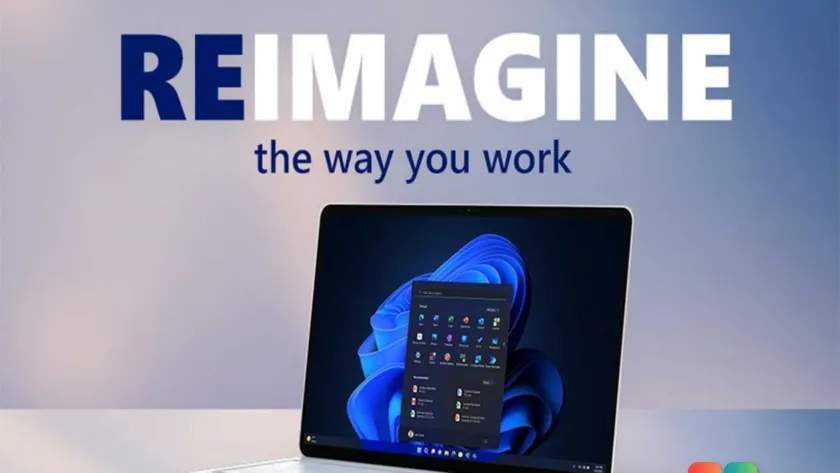
Microsoft’s Windows 11 Pro is currently available at a steep discount, with the operating system priced at just $9.97 through August 2. The regular retail price for a digital license is $199, making this a substantial reduction for anyone looking to install or upgrade the software. According to the listing on PCWorld’s store, which is powered by StackSocial, the offer expires at 11:59 p.m. Pacific Time on August 2.
This pricing event arrives at a particularly relevant time for many PC users. With Microsoft having officially ended support for Windows 10, devices still running the older operating system are no longer receiving security updates. For users who have delayed an upgrade or are building a new machine from scratch, this sale presents a cost-effective entry point into the current Windows ecosystem.
Why the Discount Matters Now
The timing of this Windows 11 Pro sale coincides with the broader industry shift away from Windows 10. As support ends, organizations and individual users face increasing pressure to migrate to a supported platform to maintain compliance and security standards. While many new PCs ship with Windows 11 preinstalled, users with older hardware or those who prefer to buy hardware separately often need to purchase a license separately.
At $9.97, the cost is roughly 5% of the standard retail price. This level of discount is uncommon for Microsoft’s core operating system licenses, which typically see minimal price reductions outside of major holiday events. It effectively removes the financial barrier for users who might otherwise hesitate to upgrade due to cost.
Key Features Included in Windows 11 Pro
Windows 11 Pro builds upon the foundation of the Home edition with a suite of tools designed for productivity, security, and advanced computing. The sale includes the full professional feature set, which distinguishes it from the consumer-focused Home version.
Security is a primary differentiator. BitLocker drive encryption is included, allowing users to encrypt their entire storage drive. This ensures that if a laptop is lost or stolen, the data remains inaccessible without the recovery key. Additionally, Windows Hello leverages the TPM 2.0 chip to support biometric sign-in via face or fingerprint, reducing reliance on traditional passwords.
For power users and IT professionals, Hyper-V provides built-in virtualization capabilities. This allows you to run a second operating system, such as Linux or an older Windows build, within a window on your main desktop without the need for dual-booting. Windows Sandbox offers a similar but more transient solution, creating a clean, isolated environment for testing suspicious files or untrusted applications. Once the sandbox is closed, any changes made within it are completely erased.
Connectivity and management features are also robust. Azure AD integration facilitates seamless connection to work accounts through Microsoft 365, which is essential for hybrid work environments. Snap layouts simplify window management by allowing you to drag windows to screen edges to automatically arrange them in preset grids, improving multitasking efficiency.
What This Means for You
For everyday users, the most immediate impact of this sale is the reduced cost of upgrading. If you are currently running Windows 10 and your device meets the hardware requirements for Windows 11, this is an opportunity to secure a license at a fraction of the usual cost. The upgrade path is straightforward for eligible devices, typically accessible through Windows Update.
For those building a custom PC or repairing an older machine, purchasing a standalone license is often necessary. The discounted price makes installing the latest Windows version significantly more affordable compared to buying a new prebuilt system. It also serves as a viable option for users who need to replace a failed drive and want to ensure their new setup includes a supported operating system.
How to Claim the Deal
To purchase the discounted license, you can visit the PCWorld store via the provided link. The transaction is processed through StackSocial, and you will receive a digital product key upon completion. After purchase, you can activate the license on your device by navigating to Settings > Update & Security > Activation and entering the key.
Ensure you have a stable internet connection during activation, as the process requires verification with Microsoft’s servers. If you are upgrading from Windows 10, the activation may happen automatically if your previous Windows 10 license was digitally linked to your Microsoft account.
Is This the Right Time to Upgrade?
Before purchasing, verify that your hardware meets Windows 11’s requirements, particularly the TPM 2.0 and Secure Boot mandates. These are security standards that ensure the device has the necessary hardware foundations to run the OS securely. You can check compatibility using Microsoft’s PC Health Check app.
If your device is compatible and you are due for an upgrade, this sale offers a compelling value proposition. However, if your current Windows 10 setup is functioning well and you are not yet affected by the end of support, there is no immediate urgency beyond the price advantage. The decision ultimately rests on your current hardware status and your need for the latest features, such as the integrated Copilot assistant and updated gaming capabilities via DirectX 12 Ultimate.
Source: PCWorld
Over to you: Will you be using the savings to upgrade an older PC, or is this your first time buying Windows 11?