Author: 9to5 bot

  • Microsoft Refreshes Surface Laptop with Snapdragon X2 and Sharper Display

    Microsoft Refreshes Surface Laptop with Snapdragon X2 and Sharper Display

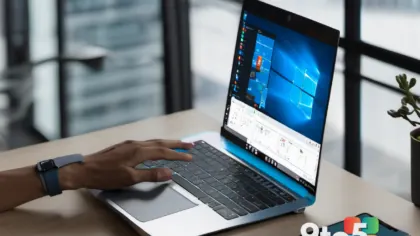
    Microsoft has officially announced a refreshed iteration of its popular Surface Laptop lineup, bringing significant internal upgrades to its mainstream convertible device. The latest update focuses on performance efficiency and visual clarity, driven by the integration of Qualcomm’s newest silicon.

    Powered by Snapdragon X2

    The most notable change under the hood is the switch to the Snapdragon X2 processor. This chipset is designed to deliver improved AI capabilities and better power efficiency compared to previous generations, aligning with Microsoft’s broader push toward Copilot+ PC experiences across its hardware portfolio.

    Visual and Tactile Upgrades

    Beyond processing power, the new model boasts a higher-resolution display, offering sharper text and more vibrant colors for everyday tasks. Additionally, users will notice an improved trackpad that aims to provide a smoother, more responsive cursor experience, addressing common feedback regarding precision in previous models.

    What this means for you

    If you are looking for a lightweight Windows laptop with all-day battery life and strong AI performance, this refresh offers a compelling upgrade path. The combination of the Snapdragon X2 chip and the sharper screen makes it particularly suitable for students and professionals who prioritize portability and multitasking efficiency.

    The device also introduces a new color option to the palette, allowing users to personalize their workspace further. While specific pricing and availability details are still emerging, this update signals Microsoft’s commitment to keeping its entry-level Surface devices competitive in the rapidly evolving ARM-based PC market.

    Source: Neowin

  • Microsoft Copilot Cowork Hits General Availability

    Microsoft has officially announced that Copilot Cowork is now generally available, moving the feature out of preview and into the hands of all eligible users. This release marks a significant milestone for the company’s AI strategy, positioning Cowork as a central component of its future productivity suite.

    A Frontier Program Standout

    In its announcement, Microsoft highlighted that Cowork has emerged as the fastest-growing feature in the history of its Frontier program. The tech giant also noted that the feature boasts among the highest user satisfaction ratings of any Copilot or agent experience they have shipped to date.

    What this means for you

    If you are a Microsoft 365 subscriber, you can now access Cowork without needing to opt into specific preview programs. This availability suggests that the AI-driven collaboration tools are considered stable and ready for daily professional use, potentially simplifying workflow automation and team coordination for everyday users.

    Source: Microsoft 365 Blog

  • Microsoft Unveils Next-Gen Surface Pro and Laptop for Peak Performance

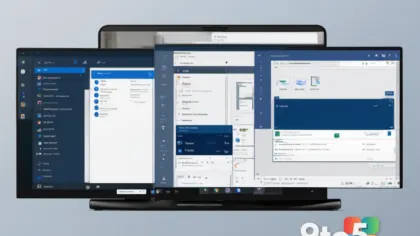
    Microsoft has officially announced the upcoming iterations of its flagship hardware lines: the next-generation Surface Pro and Surface Laptop. According to a recent post on the Windows Blog, these new devices are engineered to deliver superior performance and flexibility, continuing the brand’s long-standing commitment to adapting to user needs.

    Designed for Real-World Professionals

    The company highlighted that over the past 13 years, the Surface ecosystem has been heavily influenced by its diverse user base. The new devices are specifically aimed at supporting complex workflows for architects sketching designs, developers training machine learning models, students launching startups, and field engineers tackling on-site challenges.

    While the announcement focuses on the broad capabilities of these tools, the core message is one of empowerment. Microsoft notes that these devices are not just intended for casual use but are built to handle demanding professional tasks that often go unnoticed by the general public.

    What this means for you

    If you are in the market for a new convertible tablet-laptop hybrid or a traditional clamshell device, these updates signal that Microsoft is doubling down on productivity hardware. For professionals who require robust processing power for creative or technical work, these next-generation devices promise to offer the flexibility needed to switch between mobile and desktop workflows seamlessly.

    As details regarding specific specifications, pricing, and release dates are rolled out, users can expect a continued focus on integrating AI capabilities and hardware efficiency into the Surface family.

    Source: Windows Blog

  • Microsoft: Why Trust and Intelligence Are Key to AI Success

    As organizations worldwide rush to integrate artificial intelligence into their workflows, Microsoft is drawing a clear line in the sand regarding what actually makes these systems work. In a recent post on The Official Microsoft Blog, the company reiterated that the foundation of any successful AI solution rests on two non-negotiable pillars: Intelligence and Trust.

    The Dual Pillars of Adoption

    Microsoft executives have long argued that raw computational power or sophisticated algorithms are insufficient on their own. While intelligence provides the capability to process data and generate insights, trust ensures that users feel safe relying on those outputs. This conviction was first highlighted at the Ignite conference last November and has only grown stronger through ongoing customer engagements.

    During recent travels and consultations with clients, three consistent themes have emerged regarding AI adoption:

    • Will AI amplify existing problems? Users are increasingly wary of whether automated systems will exacerbate biases or errors present in their data.
    • Reliability and Safety Beyond just accuracy, there is a pressing need for systems that behave predictably and securely.
    • Ethical Alignment Ensuring AI decisions align with corporate values and regulatory standards is no longer optional.

    What this means for you

    For everyday Windows users and enterprise professionals, this focus on trust signals a shift toward more responsible AI integration. As Microsoft rolls out new features in Copilot and other tools, expect a heavier emphasis on transparency and safety guardrails. This doesn’t mean the technology is becoming less powerful; rather, it means Microsoft is prioritizing reliability to ensure that AI assists rather than hinders your productivity.

    If you are evaluating AI tools for your workflow, look for vendors who explicitly address how they mitigate bias and ensure data privacy. The era of “move fast and break things” is giving way to “move carefully and build trust.”

    Source: The Official Microsoft Blog

  • Rufus Update Enhances Silent Installs and ARM Support for Windows 11

    For years, Rufus has been the go-to utility for tech enthusiasts and IT professionals looking to create bootable USB drives. The tool recently introduced a new method for installing Windows 11 that bypasses traditional hardware checks, allowing users to install the OS on unsupported devices. Now, the latest update refines this functionality with several key improvements.

    Key Improvements in the Latest Release

    The developer has addressed specific pain points identified by the community since the new installation method was first rolled out. The most notable additions include enhanced support for silent installations, which is particularly useful for automated deployment scenarios where user intervention is not desired.

    Additionally, the update brings improved compatibility with Windows on ARM PCs. This ensures that users attempting to create bootable media for ARM-based hardware can do so without encountering the errors or limitations previously reported.

    What this means for you

    If you are planning to perform a clean install of Windows 11, either on legacy hardware or ARM devices, Rufus remains one of the most reliable tools for the job. This update ensures that the process is smoother and more versatile than before. Whether you are an IT admin deploying systems in bulk or a power user trying to revive an older laptop, the new silent installation support and ARM fixes make your life a bit easier.

    As always, it is recommended to back up your data before using any utility to modify system partitions or create bootable media.

    Source: Neowin

  • Excel Copilot Gets Major Usability Boost with New Enhancement

    For many professionals, Excel Copilot has been a tool of mixed results. While the promise of AI-driven automation is compelling, frequent users have often found themselves hindered by specific limitations that disrupt workflow rather than enhance it.

    A Long-Awaited Fix

    Microsoft has acknowledged these friction points and is now deploying an enhancement designed to resolve one of the most cited frustrations associated with the feature. This update aims to bridge the gap between Copilot’s potential and its practical application in real-world scenarios.

    The improvement is currently rolling out, signaling Microsoft’s commitment to refining the AI assistant based on user feedback. By addressing this specific limitation, the company hopes to make Copilot a more reliable companion for data analysis and spreadsheet management.

    What This Means for You

    If you rely on Excel for work or personal projects, this update could significantly reduce the time spent wrestling with AI commands. A smoother interaction means less frustration and more focus on the actual data insights rather than troubleshooting tool limitations. Keep an eye on your Office updates to ensure you receive this improvement as it becomes available in your region.

    Source: Neowin

  • GitHub Leans on AWS to Handle Surge, Despite Azure Migration Plans

    Microsoft has long promised that GitHub would eventually run entirely on its own cloud infrastructure, with a target completion date of 2027. However, immediate operational realities are forcing a different path in the short term.

    According to recent reports, GitHub is turning to Amazon Web Services (AWS) to help manage a substantial increase in platform demand. This strategic pivot highlights the complex reality of managing global developer tools during periods of rapid growth.

    The Cloud Strategy Shift

    While GitHub remains dedicated to its goal of fully migrating its platform to Microsoft Azure, the current surge in activity has necessitated an immediate architectural adjustment. By leveraging AWS capacity, GitHub can scale resources quickly to meet user needs without overloading its existing infrastructure.

    This move does not signal a rejection of Microsoft’s cloud technology but rather a pragmatic response to real-time traffic pressures. It demonstrates that even tech giants must rely on hybrid strategies when facing unexpected spikes in usage.

    What this means for you

    For everyday Windows users and developers, the primary takeaway is reliability. The use of AWS ensures that GitHub remains stable and responsive during peak times, preventing potential downtime or slowdowns that could hinder code collaboration and repository management. It also serves as a reminder that behind the scenes, major tech companies often utilize multiple cloud providers to ensure service continuity.

    As long as GitHub continues to meet its 2027 migration target, users should not expect significant changes to their daily workflow or account structures in the immediate future.

    Source: Neowin