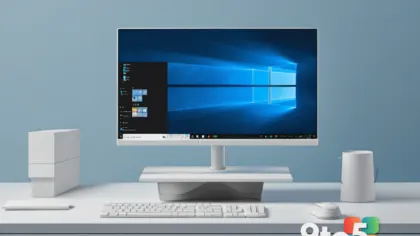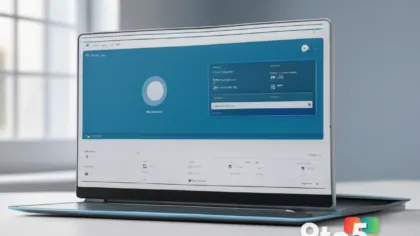
Setting up a new Windows 11 PC has never been the most exciting part of unboxing. You power on the machine, work through a series of prompts, sign into (or argue about) a Microsoft account, and wait through a parade of screens before you can actually start using it. Now Microsoft is working to make that Windows 11 OOBE (Out of Box Experience) noticeably smoother for a growing set of devices.
According to Neowin, Microsoft has introduced a change aimed at trimming the length and friction of the initial setup process. The company says the update targets the onboarding journey that every fresh Windows 11 install walks through, with the goal of cutting down on the steps and delays that have frustrated users for years.
What’s changing in the Windows 11 OOBE
The out-of-box experience is the very first thing you interact with after turning on a brand-new Windows 11 machine. It’s the sequence of screens that handles language and region selection, network connection, account setup, privacy choices, and the final “you’re all set” screen. It’s the part of Windows that most people only ever see once, which is exactly why a clunky version sticks with you.
While Microsoft hasn’t released a detailed feature-by-feature breakdown, the core promise is straightforward: a shorter, less frustrating first-run journey. In practice, that typically means fewer mandatory steps, less waiting, and a cleaner path to a usable desktop. The change is being rolled out to some devices rather than every Windows 11 PC, which suggests it’s tied to specific hardware configurations or a phased deployment.
Why Microsoft is revisiting setup
The Windows 11 OOBE has been a source of feedback since the OS launched. Early on, Microsoft’s decision to push hard for Microsoft account sign-ins — and to hide the local account option on many Home editions — drew significant criticism from users who wanted faster, more private setup paths. Microsoft later walked some of that back, re-enabling local account creation in response to the pushback.
Streamlining the OOBE fits into a broader pattern of Microsoft trying to make Windows 11 feel more approachable. The company has repeatedly tweaked the setup flow over the past couple of years, removing certain online requirements and simplifying privacy toggles. A faster first-run experience also matters for the broader ecosystem: a smooth setup reduces support calls, lowers abandonment, and gives new users a better first impression of the platform.
It’s worth noting that the exact scope of this upgrade — which devices qualify, how many steps are being removed, and whether it touches privacy or account flows specifically — hasn’t been fully detailed. Treat the specifics as preliminary until Microsoft lays out the full changelog.
What this means for you
For most everyday users, the upside is simple: less time spent configuring a new PC and fewer annoying roadblocks along the way. If you’ve ever sat through a lengthy Windows 11 setup and wondered why it had to be so drawn out, this change is aimed squarely at that pain point.
For people who value privacy or speed, a streamlined OOBE often means fewer forced logins and quicker access to your desktop. And for anyone buying a new Windows 11 machine soon, you may find that the unboxing-to-usable-desktop journey feels noticeably more polished than previous installs.
That said, because the upgrade is going to “some devices,” don’t expect it to show up on every machine at once. Your experience will depend on your hardware and which build of Windows 11 you’re running.
How to get it
Since this is a change to the OOBE — the setup flow that only runs when you first configure a fresh install — it’s not something you can simply toggle in Settings on an existing PC. The most reliable way to experience it is to do a clean installation of the updated Windows 11, which will pull in the latest setup flow automatically.
If you’re building a new PC or refreshing an existing one, keeping Windows 11 up to date through Windows Update will ensure you land on the newest build that includes these refinements. For IT admins deploying machines in bulk, the updated OOBE behavior will typically be baked into the deployment images and reference builds that Microsoft ships.
Until Microsoft publishes the full details, the best move is to watch for an official announcement from the Windows Insider Blog or Microsoft’s support channels, which will spell out exactly which devices and builds receive the overhaul and when.
Source: Neowin
Over to you: Would you prefer a faster, no-Microsoft-account setup path on Windows 11, or do you not mind the current flow?