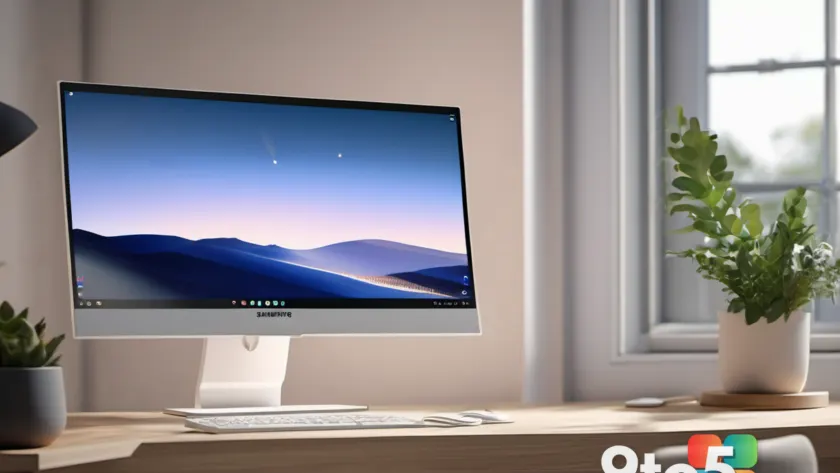
This Samsung 32-inch monitor deal, as listed by Neowin, puts an office-oriented display up for sale at a price cut of roughly 29%. If you’re weighing a desk upgrade for remote work, a home office, or a shared workspace, here’s what the deal involves and whether a large screen actually pays off for day-to-day tasks.
Why a Samsung 32-inch monitor works for office work
A 32-inch diagonal is one of the most common sizes for a primary desktop display, and it tends to suit productivity just as well as it suits gaming. The extra screen real estate lets you keep multiple windows side by side—a spreadsheet open next to a browser, an email client beside a document—without the cramped feeling of squeezing everything onto a 24-inch panel.
For people who live in split-screen mode, that floor space matters. You can run two full-size application windows across the width of the screen and still leave room for a chat or reference tab, which many users say cuts down on the constant alt-tabbing that adds up over a long workday.
Larger displays also help with extended reading sessions. Documents, spreadsheets, and web pages can be shown at a scale that reduces the need to zoom or scroll, something several office workers report as less eye fatigue during marathon sessions. That’s a common reason people gravitate toward the 32-inch range over smaller “standard” sizes.
What to expect from a Samsung office display
Samsung has been a major player in both the consumer and professional monitor market for years, and its lineup tends to favor bright, high-resolution panels with a broad set of connectivity options. For office-oriented models, you’ll typically find IPS-style panels, which are prized for consistent colors and wide viewing angles—useful when the monitor sits on a shared desk or gets looked at from the side rather than straight on.
Resolution is the detail that matters most at this size. On a 32-inch screen, a 4K (3840×2160) panel keeps text crisp because the pixel density is high enough to avoid a grainy look, whereas a 1440p panel at the same size can appear slightly soft for fine text and small UI elements. If your work involves a lot of reading or detailed spreadsheet work, resolution is the spec to check before buying.
Many Samsung office displays also include picture-handling features like Picture-in-Picture (PIP) or Picture-and-Picture (PBP), letting you blend two input sources onto a single screen. That can be handy if you want a secondary feed—such as a system monitor, a video call, or a second PC—without running a second cable and dedicating a second display to it.
What the discount means
A 29% cut lands close to a third off the listed price, which is the kind of reduction that typically shows up during seasonal sales, inventory clears, or promotional pushes. For a monitor that isn’t a cutting-edge flagship, dropping the price by nearly 30% can make a mid-range work display competitive with smaller or lesser-known alternatives in the same price band.
Deals like this are worth comparing against your current setup rather than judged in isolation. If your existing monitor is a few years old with a dimmer panel, a thicker bezel, or fewer ports, the combination of a bigger screen and a lower price can be a genuine upgrade rather than just a cheaper version of the same thing.
What This Means for You
For everyday Windows users, the takeaway is less about raw specs and more about whether a 32-inch display fits how you actually work. If your day involves juggling multiple windows, reading long documents, or sharing a screen with a colleague, the extra space is something you’ll notice almost immediately. If most of your work happens in a single full-screen app, you may not gain much from the size bump and could save money with a smaller panel.
The discount lowers the barrier to trying a larger screen, so it’s reasonable to test the size argument before committing. Many retailers allow returns if the monitor doesn’t suit your desk depth or your workflow, which makes this a relatively low-risk way to find out whether the extra room is worth it for you.
How to Get It
The monitor is currently available through the deal listed on Neowin, with the price reduced by about 29%. Because deal prices and stock change frequently, it’s worth confirming the current price and the seller before purchasing, and noting whether shipping or a warranty is included.
If you’re buying for a home office or a shared workspace, double-check that the stand or VESA mounting options suit your desk setup. A 32-inch panel is notably heavier and taller than smaller displays, so a flimsy stand or a shallow desk can turn a good deal into an ergonomic headache.
Source: Neowin
Over to you: Are you tempted to jump to a 32-inch display for your home office, or do you prefer keeping things compact on a smaller screen?