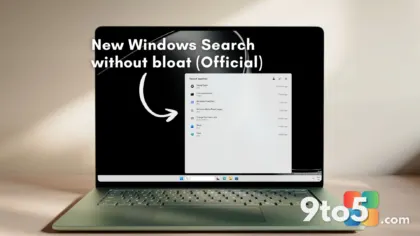
Microsoft has rolled out two new Windows 11 Insider builds to the Experimental channel, both aimed at refining the Start menu — the single most-used surface in the operating system.
The builds are 26340.9577 and 28120.3122 (26H1), according to Neowin’s coverage of the release. They target the most volatile of Windows’ Insider channels, where changes reach testers earliest and are expected to be the least polished before they filter down to the Dev channel and, eventually, the stable releases that most people run.
What’s new in the Experimental builds
The headline change here is more Start menu improvements, consistent with the direction Microsoft has been pushing across recent Windows 11 updates. The company hasn’t broken out the exact tweaks in a detailed changelog, so the specifics stay light — but the emphasis is clearly on the Start experience rather than a broad sweep of system-level changes.
In practice, that means testers are probably seeing refinements to how the menu renders, how pinned apps and recommendations are laid out, or how responsive it feels during everyday clicking and searching. Without a feature list from Microsoft, those remain educated inferences rather than confirmed details.
It’s also worth noting that two separate build numbers were released at once. That pattern usually signals Microsoft is testing the same set of changes across two different version lines at the same time, giving testers on each a chance to flag problems before a wider rollout.
The Start menu improvements keep coming
The Start menu has been the centerpiece of Windows 11’s most visible redesign effort since the OS launched. Microsoft moved the menu to a centered layout, introduced dynamic tiles in 23H2, and has since walked several of those features back in response to user feedback — a pattern that shows the company still treats the Start menu as work-in-progress rather than a finished product.
That ongoing back-and-forth is exactly why the Experimental channel keeps receiving Start menu updates. These builds are where Microsoft can test layout and behavior changes against a large, willing pool of testers before committing to anything that reaches the broader public.
From an editorial standpoint, the repeated Start menu work reflects a company that heard loud complaints after launch and has spent the last couple of years trying to get the menu’s feel right — balancing nostalgia for the classic Windows layout against the modern, tile-based direction it originally chose.
Why the Experimental channel matters
The Experimental channel is the outermost edge of the Insider program. It’s built for testers who want to see brand-new code as early as possible, and it comes with the understanding that crashes, broken features, and even data-loss scenarios are all on the table.
Unlike the Stable and Release Preview channels — which mirror what most users already run — the Experimental channel is where Microsoft pushes its most speculative changes. If a Start menu tweak here causes problems, it’s caught by a broad base of testers long before it reaches your machine.
That’s the trade-off: early access in exchange for stability. The Experimental channel exists precisely so that risky changes get stress-tested in the wild before they ever touch a production PC.
What this means for you
If you’re not on the Experimental channel, none of this affects your daily Windows experience. You won’t see these changes until they mature and move through the Dev and Beta channels toward Stable, which typically takes months.
Even if you do follow the Insider program, treat these builds as early signals rather than finished features. The Start menu improvements are being tested precisely because they aren’t yet ready for a wider audience, so don’t expect them to land on your PC anytime soon.
How to get the Experimental builds
To try these builds, join the Windows Insider Program and select the Experimental channel in Settings under Windows Update. Keep in mind that the Experimental channel requires a compatible build of Windows 11 and can introduce real instability, so it’s best reserved for secondary machines or virtual environments rather than your primary work PC.
If you’d rather wait for a more polished experience, stay on the Stable channel and let Microsoft work out the kinks first. The Start menu improvements will eventually reach everyone — the question is only whether you want to be the one testing them today.
Source: Neowin
Over to you: Are you on the Experimental channel to test these Start menu changes, or do you wait for everything to settle into Stable?
You may also like
 Windows 11 Beta Gets a Long-Overdue Mouse Pointer Upgrade in Build 26220.9568
 Microsoft 365 companion apps are dying on Windows 11 — and you have to delete them yourself
 Microsoft Is Phasing Out Windows 11’s Free Office Companion Apps
 File Explorer Can Preview Downloaded Files Again, But HTMLs Need an Extra Step