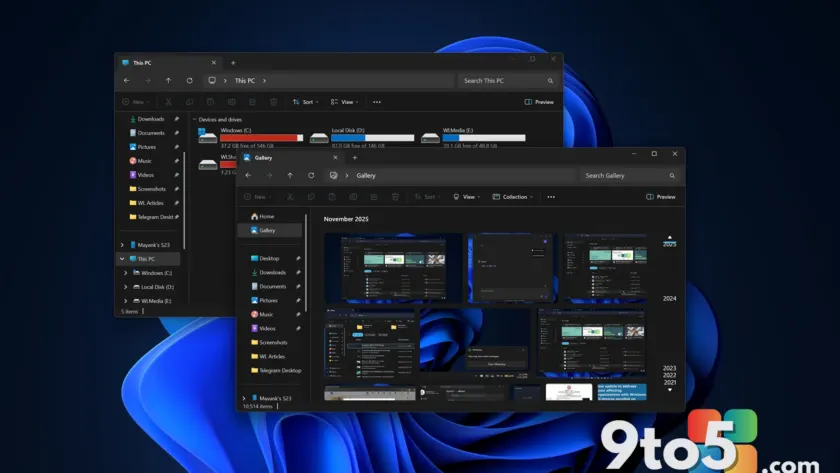
Microsoft has begun rolling out tangible performance improvements to File Explorer on Windows 11. These changes arrive via the June 2026 optional update, identified as KB5095093 for Build 26200.8737. Unlike previous attempts that relied on preloading the app in the background, this update addresses underlying code inefficiencies to make the file manager genuinely faster.
The improvements are currently shipping gradually to users who install the optional update. Microsoft notes that these fixes will eventually be bundled into the July 2026 cumulative update for broader distribution. Here is a breakdown of what has changed and what you can expect.
1. Faster launch times and Home tab optimization
The most noticeable change comes from optimizations to the File Explorer launch process. Microsoft specifically targeted the “Home” tab, which replaced the traditional “This PC” view in recent Windows 11 builds. The Home tab often introduced lag due to its cluttered layout and heavy resource usage when loading recommended files and folders.
With KB5095093, Microsoft has streamlined how this tab loads, reducing the initial delay when you open File Explorer. You should see quicker response times when navigating between modern views, making daily file management feel snappier without needing to keep the app running in the background.
2. Improved address bar and disk image handling
Beyond launch speed, the update includes reliability fixes for the address bar. Suggestions now appear faster when you type paths or search terms, reducing the stutter that often occurred during input. Additionally, Microsoft has addressed a long-standing issue where File Explorer would become unresponsive or freeze briefly when mounting disk images (ISO files).
This fix ensures smoother interaction when working with archived files or virtual drives. The update also patches minor bugs related to renaming files and folders, including an issue where text selection behaved unexpectedly in folder views and another where case-only name changes failed to reflect properly.
3. Future context menu improvements
While the current update focuses on core performance, Microsoft is also working on separate enhancements for the right-click context menu. Current versions of Windows 11 often suffer from slow loading times for third-party extensions in the context menu, causing items to appear sequentially rather than all at once.
Microsoft has confirmed plans to make these menus load almost immediately and allow users to customize which options appear. This addresses years of user complaints about cursor misalignment and delayed responses when right-clicking files. These specific context menu changes are still in testing and are not part of the current KB5095093 release.
What this means for you
If you have been frustrated with File Explorer feeling sluggish on Windows 11, installing the optional update KB5095093 is worth considering. This represents a shift away from cosmetic fixes like preloading toward actual code optimization. While the rollout is gradual, these improvements should make navigating your files less of a chore. Keep an eye on your Windows Update settings for the optional feature update, or wait for it to arrive automatically in the July cumulative patch.
Source: Windows Latest
Build details:
- kb5095093
Over to you: Have you noticed a difference in File Explorer speed after installing KB5095093, or do you still prefer the classic ‘This PC’ view?