Microsoft has officially detailed five substantial improvements coming to Windows 11 later this year. These updates focus on reliability, user control, and accessibility rather than artificial intelligence features. The changes are scheduled to arrive as an optional update in June 2026 before reaching all users via the July 2026 Patch Tuesday release.
#1 Widgets become less intrusive by default
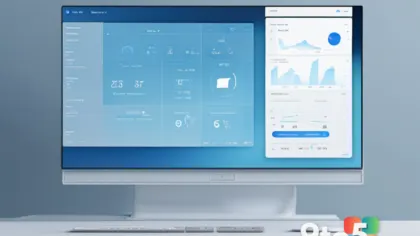
One of the most requested changes is finally happening: the Windows 11 Widgets feed will no longer open automatically when you hover over its taskbar icon. After years of feedback, Microsoft has disabled this behavior by default to reduce accidental interruptions.
The experience is also being simplified for new users. Instead of landing on the MSN news feed, first-time users will now see a cleaner dashboard with just a Weather widget. Notification badges are minimized and will match your system’s accent color, while unread alert counts appear directly on dashboard icons. All customization options remain available in Settings if you prefer the previous behavior.
#2 Pause updates indefinitely with a calendar
Windows 11 is getting a much-needed improvement to how it handles automatic updates. A new calendar-based interface in Settings will allow you to select an end date to pause updates for up to 35 days at a time. You can extend this pause by selecting a new date, effectively allowing you to delay updates indefinitely.
This marks a significant shift from the previous five-week limitation that forced many users into unwanted reboots. Microsoft confirmed earlier in 2026 that this change aims to give users more control over their maintenance windows without relying on complex group policies or third-party tools.

#3 Point-in-time Restore for full system rollbacks
Perhaps the most powerful addition is a new “Point-in-time Restore” feature. Unlike traditional System Restore, which only affects system files and registry settings, this tool creates snapshots of your entire OS volume, including personal files, apps, and settings.
When enabled, Windows automatically retains these restore points for up to 72 hours using the Volume Shadow Copy Service. This allows you to roll back your entire PC if a major update or software installation causes issues. You can configure the frequency of these snapshots from every four hours to every 24 hours via Settings > System > Recovery. The feature works entirely offline and requires no cloud subscription.
#4 Screen Tint and improved Magnifier
For users dealing with eye strain, a new “Screen Tint” feature is arriving that applies a full-screen color overlay. Unlike Night Light, which only adjusts color temperature, Screen Tint lets you choose from six presets—including “Calm amber,” blue, and green—or create custom colors with adjustable intensity.
The update also enhances the Magnifier tool for better accessibility. You can now type specific zoom percentages directly into the Magnifier window and adjust zoom levels in defined increments rather than dragging sliders. A new settings menu within the Magnifier bar allows you to change these increments without leaving your current workflow.

#5 Major Bluetooth reliability sweep
Finally, this update brings the largest collection of Bluetooth fixes shipped in a single Windows 11 update. The most notable improvement is microphone mute sync for Bluetooth headsets. Previously, pressing the mute button on your headset often failed to update the status in Windows, leading to confusion during calls.
Other improvements include faster pairing for AirPods, better reliability for Beats Studio Pro microphones, and quicker reconnection for classic Bluetooth audio devices after hibernation. Phone Link integration is also smarter: outgoing call audio stays on your phone until answered, and incoming calls won’t ring on your PC if Do Not Disturb is enabled.
What this means for you: These updates address some of the most persistent pain points in Windows 11. If you’ve struggled with accidental Widget openings, forced reboots during critical work, or Bluetooth audio glitches, these changes should make your daily computing experience smoother and more predictable.
Source: Windows Latest
Over to you: Which of these five features are you most excited to try, or do you have other long-overdue fixes you’d like Microsoft to address?