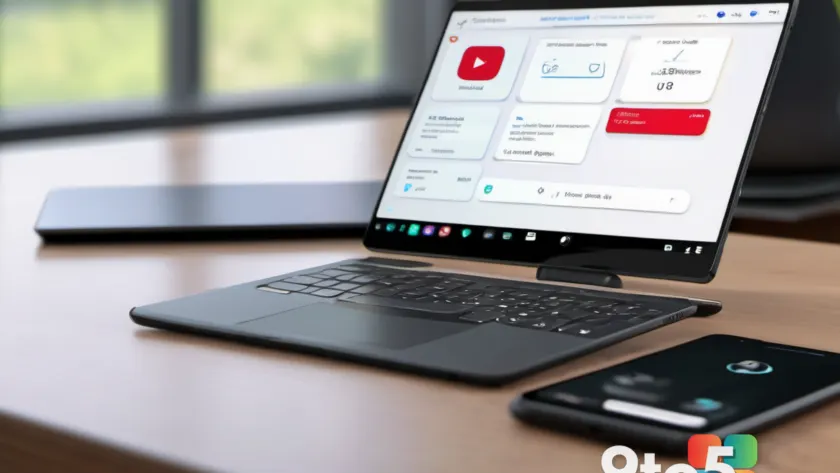
If you have ever deleted a virtual machine or sold an old laptop, only to see its name persist in your Link to Windows app on Android, you know the frustration. Those “ghost” PCs often remained listed as disconnected devices, impossible to remove from the mobile interface even after unlinking them from your Microsoft account.
That annoyance is finally getting addressed. The Link to Windows Android app is rolling out a dedicated Remove PC option in its beta channel, allowing users to delete linked computers directly from their phones without needing access to the Windows machine itself.
How to remove a PC from Link to Windows
The feature has appeared in the beta version 1.26062.125.0-preprod. To use it, open the Link to Windows app on your Android device and tap your profile picture in the top-left corner to access Settings.
Navigate to the Linked PCs section. You will see a list of every computer paired with your Microsoft account via Phone Link. Next to each PC name is a small gear icon. Tapping this icon opens a dedicated settings screen for that specific device, displaying its current connection status.
You will now find two distinct options on this screen:
- Disconnect: This pauses synchronization but keeps the device linked. It is reversible if you reconnect later.
- Remove PC: This permanently deletes the entry from your list.
Selecting Remove PC triggers a confirmation dialog warning that the action will remove the device from your account and your mobile list. It also notes that the PC might still appear on other mobile devices or Microsoft products, requiring separate removal there. Once confirmed, the entry disappears immediately from the Linked PCs list.
In testing, removing the PC via this method also cleared the device from the Devices section of the associated Microsoft account online, confirming that the deletion is synchronized with your backend profile.
Why this feature took so long
This update addresses a technical limitation rather than a lack of effort. According to an engineer cited on Microsoft’s Q&A forums, the Linked PCs list was previously stored in a backend database that did not support public deletion of individual entries via the app interface.
Microsoft began working on this solution back in January. For months, users who replaced broken laptops or retired old machines had no clean way to clear their device lists. Common workarounds involved signing out of the Microsoft account entirely and starting over, which was inconvenient for many.
What this means for you
For everyday Windows and Android users, this update simplifies device management. You no longer need to keep an old computer powered on just to unlink it from your phone. This is particularly useful for IT professionals managing multiple virtual machines or anyone who frequently upgrades their hardware.
The Link to Windows and Phone Link ecosystem continues to improve cross-device integration, with recent updates focusing on smoother file transfers, clipboard syncing, and activity resumption between Android and Windows 11. This removal feature is a small but necessary quality-of-life improvement that cleans up the user interface.
Note that this Remove PC option is currently limited to the preprod beta channel. It may take some time before it reaches the stable release available to all users.
Over to you: Have you ever struggled with ghost devices in Phone Link, and how do you usually manage your linked accounts?
You may also like
 Windows 11 version 26H2: 7 key upgrades coming in the 2026 update
 How Windows 11’s built-in virtualization powers Sandbox and Hyper-V
 Microsoft calls Copilot key ‘main character energy’ right before admitting it hurts productivity
 Microsoft unlocks new Windows 11 Start menu with fresh Group Policy controls