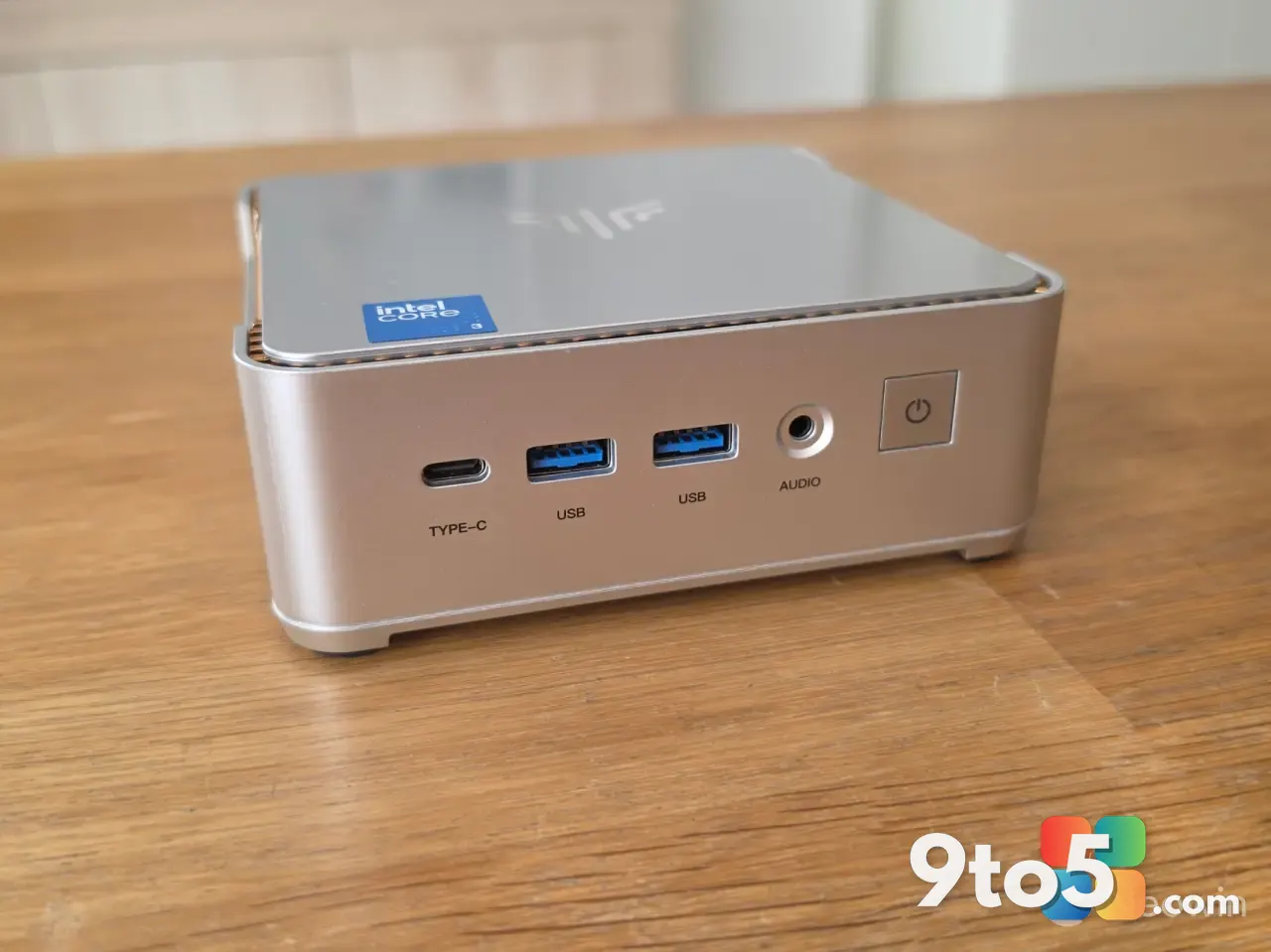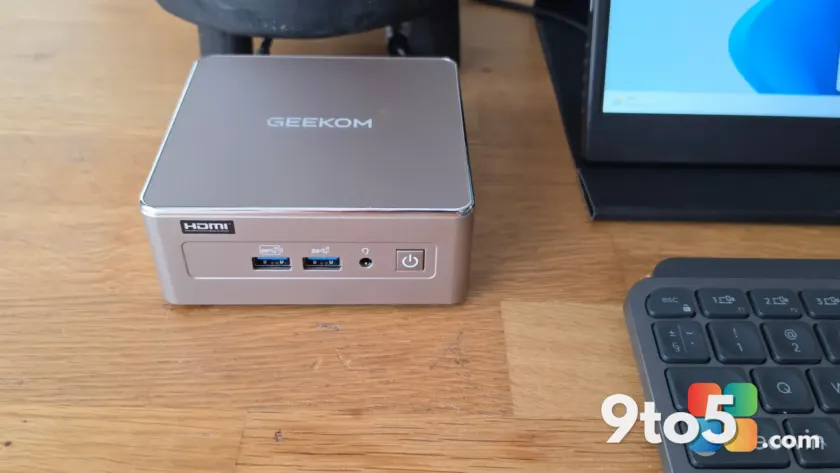
If you’ve been shopping for a no-frills desktop that won’t dent your budget, the GEEKOM A5 2027 is making a case for itself. According to Neowin’s review, this sub-$400 Windows 11 mini PC pairs an AMD Ryzen 7 processor with an office-friendly design, aiming to prove that a capable daily driver doesn’t have to cost a fortune.
Budget mini PCs have become a genuine alternative to laptops and towers in recent years, and the competition is fierce. So where does the A5 2027 sit in that field? Let’s break down what it offers, who it’s for, and whether it’s worth your money.
The GEEKOM A5 2027’s Ryzen 7 value play
The headline feature here is the AMD Ryzen 7 processor. In the mini PC world, landing a Ryzen 7 chip under $400 is a notable achievement, since that class of CPU has traditionally shown up in pricier machines. Ryzen 7 parts are generally positioned as the “performance” tier of AMD’s lineup, emphasizing strong multi-core output and reasonable power efficiency.
What that means in practice is a machine that can handle a demanding workday without breaking a sweat. Web browsing with dozens of tabs, heavy spreadsheets, video calls, and light creative work all fall comfortably within reach of a Ryzen 7. It isn’t a gaming beast or a video-editing workstation, but for the typical office workload, it should hold its own.
Neowin’s framing suggests the A5 2027 is positioned squarely as a productivity tool rather than a multimedia or gaming centerpiece, which aligns with the Ryzen 7’s strengths.
One caveat worth flagging: the source material highlights the Ryzen 7 branding but doesn’t spell out the exact chip variant, RAM, or storage configuration. Those specifics are worth confirming at the point of purchase, as they’ll directly affect real-world performance.
Built for the office, not the arcade
The “office” label isn’t just marketing copy. A mini PC aimed at the workplace tends to prioritize reliability, a compact footprint, and connectivity over flashy aesthetics or raw horsepower. That’s exactly the GEEKOM A5 2027’s angle.
For a home office or a small business outfit, a compact mini PC frees up desk space and keeps noise levels low. Pair it with any HDMI-capable monitor, a keyboard, and a mouse, and you have a complete workstation for a fraction of the cost of a traditional desktop. That value equation is what makes the sub-$400 price tag so attractive.
Windows 11 comes preinstalled, so there’s no setup tax or licensing surprise out of the box. You boot it up and land in a familiar, full-featured environment ready to work in.
Where GEEKOM fits in the mini PC market
GEEKOM has carved out a solid reputation as one of the more accessible mini PC brands, competing directly with names like Beelink, Minisforum, and Chuwi. These manufacturers have collectively pushed prices down while pushing specs up, forcing the whole category to improve.
The A5 2027 follows the established GEEKOM pattern: AMD silicon, a compact chassis, and aggressive pricing. The “2027” designation signals a newer iteration in the A5 family, suggesting the company is keeping its lineup current with the latest AMD releases. From an editorial standpoint, the value proposition is clear: you’re getting a well-known CPU tier in a budget chassis, which is exactly what budget buyers are looking for.
What this means for you
If you’re replacing a slow laptop, outfitting a second desk, or setting up a small office fleet, the GEEKOM A5 2027 is worth a serious look. The combination of a Ryzen 7 chip and a sub-$400 price puts it in the running for one of the best value office mini PCs on the market.
It’s not the pick for hardcore gamers or video editors, but for anyone whose daily computing revolves around browsing, documents, video conferencing, and general productivity, it should deliver a smooth experience without breaking the bank.
How to get it
The GEEKOM A5 2027 is available for purchase as a ready-to-use Windows 11 mini PC. Given its sub-$400 positioning, it’s aimed at budget-conscious shoppers, so it’s worth comparing configurations and current pricing across retailers before buying.
As with any mini PC, keep an eye on what’s included in the box—some listings omit a power adapter, OS media, or mounting hardware. Neowin’s full review walks through the hands-on experience in more detail if you want to dig deeper before committing.
Source: Neowin
Over to you: Would you pick up the GEEKOM A5 2027 for your home office, or are you sticking with your current laptop?