The mini PC market has long been defined by a specific form factor: the compact cube. However, GMKtec is shaking things up with the NucBox K13, its first entry into the Intel Lunar Lake segment. By abandoning the traditional cubic design for a significantly flatter, more rectangular chassis, GMKtec is targeting users who prioritize desk aesthetics and monitor compatibility alongside raw performance. According to a recent review by PCWorld, this shift in design philosophy, combined with Intel’s latest silicon, results in a machine that punches well above its weight class, particularly in integrated graphics and AI workloads.
At the heart of the NucBox K13 lies the Intel Core Ultra 7 256V processor. This chip represents a significant architectural departure for Intel, manufactured on TSMC’s 3-nanometer process. It features a hybrid design combining four Lion Cove performance cores with four Skymont efficiency cores, delivering eight threads total with turbo speeds reaching 4.8GHz. For users concerned with power efficiency, the base TDP is a modest 17 watts, making it an attractive option for always-on home servers or quiet office builds.
Design and Build Quality
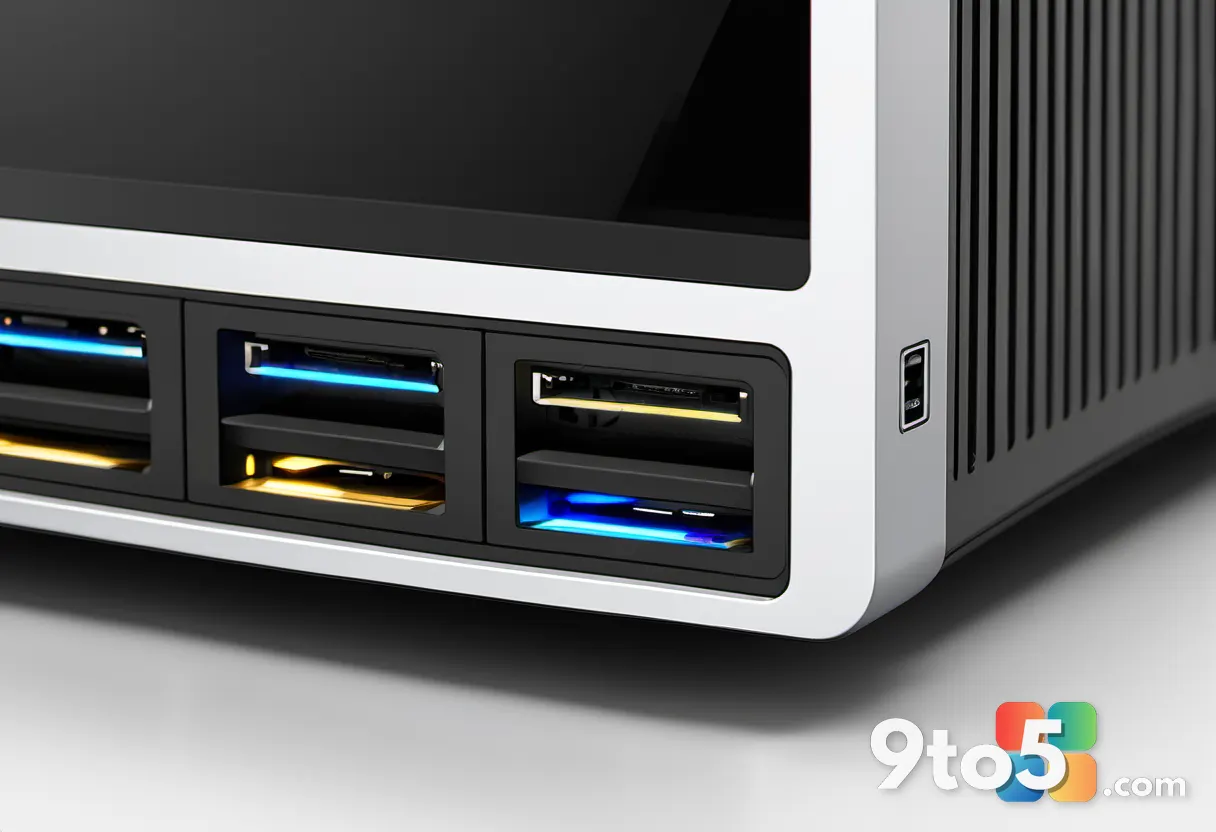
The most immediate change users will notice is the physical footprint. Measuring 7.32 × 3.46 × 1.44 inches and weighing approximately 18.44 ounces, the K13 is remarkably compact. With a volume of around 0.6 quarts, its footprint is barely larger than a smartphone. This flat profile is a deliberate move to allow the unit to sit neatly behind monitors or in tight entertainment centers, a stark contrast to the bulky cubes that dominate the current market.
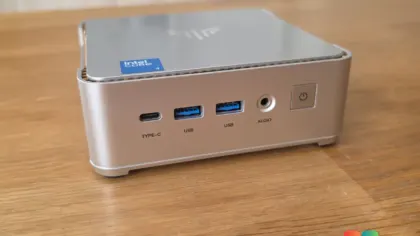
The build quality feels surprisingly sturdy for its size. The matte top panel resists fingerprints well and features an engraved GMKtec logo alongside an Intel Core Ultra 7 sticker. A striking green accent runs along the bottom edge, providing a subtle visual contrast to the otherwise all-black chassis. The panel gaps are even, and the overall construction does not flex under normal handling, suggesting good durability for daily use.
Port distribution is thoughtful, with connections split between the front and rear. The front panel offers two USB-A ports supporting 10Gbit/s transfer speeds, a 3.5mm audio jack, and the power button with green backlighting. While the absence of a USB-C port on the front is a minor inconvenience for users who frequently connect devices, the rear panel compensates with robust connectivity. The rear includes the power socket, two USB4 ports, HDMI 2.1, an older USB-A port, a 5GbE LAN jack, a reset hole, and a Kensington security slot.
Connectivity is a major highlight. The K13 introduces a 5Gbit/s LAN port, a first for GMKtec mini PCs, alongside Wi-Fi 6E and Bluetooth 5.2. The dual USB4 ports support 40 Gbit/s data transfer, DisplayPort output, and up to 100 watts of Power Delivery input. This configuration allows for up to three 4K displays at 60Hz when combining the USB4 outputs with the HDMI 2.1 port. Cooling is managed by a copper turbine fan that draws air from the side and expels it rearward, paired with a compact 100-watt external power supply.
Specifications and Internals
Under the hood, the NucBox K13 is powered by the Intel Core Ultra 7 256V. The Lunar Lake architecture is notable for its integrated AI capabilities. The system features an NPU (Neural Processing Unit) capable of up to 47 TOPS. However, it is important to note that Intel’s advertised total AI performance of 115 TOPS is a combined figure derived from the NPU, the integrated Arc graphics, and the CPU working in tandem, rather than the NPU’s standalone capability.
Memory configuration consists of 16GB of LPDDR5X RAM running at a high speed of 8,533 MT/s. This memory is soldered directly to the motherboard, meaning it is not upgradeable. This is a common trend in modern mini PCs and laptops, prioritizing efficiency and space over user serviceability. For most office and media tasks, 16GB remains sufficient, though power users running heavy virtualization workloads should be aware of this limitation.
Storage flexibility is where the K13 shines. The test unit came equipped with a 1TB PCIe 4.0 SSD, delivering read speeds of 7,126 MB/s and write speeds of 6,384 MB/s according to CrystalDiskMark benchmarks. This is a significant upgrade over previous generations using PCIe 3.0 drives. Furthermore, the inclusion of a second M.2 slot allows for expansion up to 16TB total, catering to users who need substantial local storage for media libraries or large datasets.
When compared to GMKtec’s older NucBox K16, the K13 represents a clear generational shift. The K16 focuses on expandability with an OCuLink port for external GPUs and dual 2.5Gbit LAN ports. The K13, conversely, prioritizes modern networking with its single 5Gbit/s port and a more advanced computing platform, though it relies on USB4 for external GPU connectivity.
Software and AI Features
Out of the box, the NucBox K13 runs Windows 11 Pro version 25H2 with build 26200. This is a notable advantage for buyers, as it eliminates the need for extensive post-purchase updates that often plague pre-owned or older stock. Previous GMKtec models, such as the K16, were noted to ship with outdated Windows versions, requiring users to spend time bringing the system up to date. GMKtec has clearly addressed this feedback.
The system also pre-installs AI software through a launcher called Cherry AI. However, potential buyers should manage their expectations regarding “local AI.” The Cherry AI launcher provides access to cloud-based models such as Doubao, Qwen, and DeepSeek. While the interface allows users to select different models and highlights features like large context windows and file uploads, the processing occurs in the cloud rather than on the device’s NPU. For users prioritizing data privacy and offline functionality, this distinction is crucial, as the system relies on an active internet connection for these AI features.
Performance and Benchmarks
In general productivity testing, the NucBox K13 excels. It achieved a score of 7,695 in PCMark 10, placing it at the top end of the current mini PC range. This significantly outperforms the older NucBox K16, which scored 6,836 points. The K13 also holds its own against high-performance Ryzen AI systems, such as the Geekom A9 Max with the Ryzen AI 9 processor, which scores approximately 7,700 points.
Sub-scores within PCMark 10 reveal consistent strength: 10,363 in Essentials, 12,645 in Productivity, and 9,438 in Digital Content Creation. In practical terms, this translates to rapid system boot times, swift application loading, and smooth multitasking capabilities for everyday users.
However, the CPU architecture shows its limitations in multi-threaded workloads. In 3DMark CPU profiling, the K13 scored 4,698 points. While impressive for an eight-thread processor, it trails behind 16-thread Ryzen chips like the K16’s 6,691 points or the Ryzen AI 9’s over 9,700 points. This is expected given the Lunar Lake design focus on efficiency rather than raw core count. Interestingly, the single-thread score of 1,153 points is competitive with top AMD offerings, indicating strong per-core performance.
The graphics performance is where the K13 truly differentiates itself. Equipped with the Intel Arc 140V GPU featuring eight Xe cores clocked up to 1.95GHz, it delivers integrated graphics that outperform many AMD counterparts. In Time Spy benchmarks, the Arc 140V scored 4,006 points, surpassing the Radeon 890M found in current Ryzen systems (which typically score between 3,000 and 3,900 points) and more than doubling the 1,762 points of the Radeon 680M in the K16.
For gamers, this translates to playable framerates in many titles. In Steel Nomad Light, the K13 achieved 3,176 points at 23.5 fps. More impressively, in the ray-traced Solar Bay test, it reached 11,827 points at nearly 45 fps. While demanding AAA titles will require reduced settings, the Arc 140V makes the K13 a viable option for light gaming and esports titles at Full HD resolution.
AI benchmarking further underscores the platform’s capabilities. In Geekbench AI Pro, the NucBox K13 scored 2,767 points in single-precision, 27,876 in half-precision, and 45,836 in quantized tests on the Windows AI path. These figures confirm that the combination of the NPU, Arc GPU, and CPU provides a robust foundation for AI acceleration, though actual performance gains depend heavily on software optimization for these specific hardware components.
Thermals and Power Consumption
Efficiency is a key strength of the Lunar Lake platform. During idle conditions with office applications and streaming, the NucBox K13 consumed just 8.3 watts. Under sustained load, power consumption ranged between 20 and 28 watts depending on the task. This makes it one of the most energy-efficient options in its performance tier, reducing electricity costs for users who run their mini PCs continuously.
Thermally, the compact chassis managed heat effectively. Using a Thermal Master P3 thermal camera, surface temperatures reached approximately 30 degrees Celsius, with internal temperatures at 37.5 degrees Celsius. Even after prolonged use, the SSD temperature remained low at 45 degrees Celsius. The copper turbine fan remained largely unobtrusive during typical usage, only becoming audible under heavy load, and there were no signs of thermal throttling during our testing period.
Warranty and Final Verdict
GMKtec provides a one-year manufacturer’s warranty on the NucBox K13. While this covers repair costs, buyers are responsible for shipping to the service center. This is shorter than competitors like Geekom, which offers three years. However, EU buyers benefit from statutory warranties of 24 months, making regional purchasing advantageous.
The GMKtec NucBox K13 is a successful entry into the Lunar Lake market. It excels in integrated graphics performance, energy efficiency, and modern connectivity, making it an ideal choice for users seeking a compact, powerful all-rounder for office work, media consumption, and light gaming. While the non-upgradeable RAM and weaker multi-core performance compared to Ryzen alternatives are notable compromises, the overall package offers compelling value for those prioritizing size and efficiency.
Technical Specifications
- Processor: Intel Core Ultra 7 256V (Lunar Lake, TSMC N3B), 8 cores/threads: 4 P-cores, 4 E-cores
- Clock Speed: Base 2.2 GHz, Turbo up to 4.8 GHz, 12MB Smart Cache
- Graphics: Intel Arc 140V (8 Xe cores), 400MHz to 1.95GHz
- NPU: Intel AI Boost, up to 47 TOPS; total AI performance up to 115 TOPS (Int8)
- RAM: 16GB LPDDR5X, 8,533MT/s (soldered, not expandable)
- Internal Storage: 1TB M.2 2280 SSD (PCIe 4.0)
- Expansion: 2 × M.2 2280, up to 16TB in total
- Graphics Output: HDMI 2.1, 2 × USB4, up to 3 × 4K at 60Hz
- Front Ports: 2 × USB-A 3.2 Gen 2 (10 Gbit/s), 3.5mm jack
- Rear Ports: 2 × USB4 (40 Gbit/s, DP 1.4, PD 100 W input), HDMI 2.1, 1 × USB-A 2.0, 5 Gbit RJ45, DC-In, Reset, Kensington
- Connectivity: Wi-Fi 6E (MediaTek MT7922/RZ616), 5Gbit LAN, Bluetooth 5.2
- Operating System: Windows 11 Pro 25H2 (Build 26200)
- Power Supply: 100 watts (DC 20 V / 5 A)
- Dimensions: 7.32 × 3.46 × 1.44 inches
- Weight: 18.44 ounces
Source: PCWorld
Over to you: With the Arc 140V outperforming many dedicated GPUs, are you considering the NucBox K13 as a gaming-adjacent mini PC?