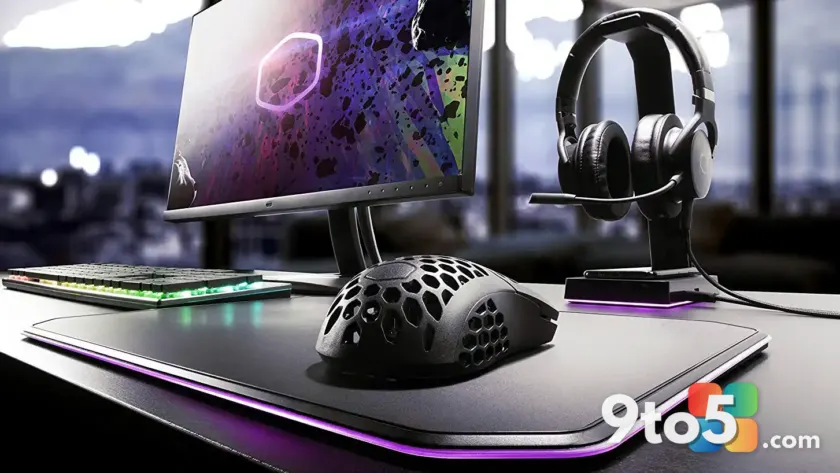
Gaming on a PC doesn’t require a massive budget to feel premium. Whether you’re a casual player or a dedicated enthusiast, the right accessories can significantly enhance your experience without emptying your wallet. We’ve curated a selection of eight highly-rated budget PC gaming upgrades under $100 that deliver exceptional value, combining top-tier performance with thoughtful design.
#1 Razer Basilisk V3 X HyperSpeed
Mouse selection is foundational to any gaming setup, and the Razer Basilisk V3 X HyperSpeed stands out for its blend of speed and customization. It features an 18K optical sensor that provides precise tracking, essential for competitive titles. The nine programmable keys allow you to map complex commands, while Chroma RGB lighting lets you personalize your setup’s aesthetic. For those seeking a step up, the standard Basilisk V3 offers a 26K DPI sensor and 11 buttons, while the Naga V2 HyperSpeed caters to MMO players with 19 buttons and a 30K sensor.
This tiered approach ensures that whether you prioritize raw speed, button count, or sensor precision, there is a Razer option within the $100 limit. The HyperSpeed connectivity also reduces latency, a critical factor in fast-paced games.
#2 Mukiya USB-C Dock Stand
For gamers using laptops, the Mukiya USB-C Dock Stand transforms a portable device into a desktop powerhouse. It supports nine adjustable angles, promoting better posture during long sessions. The integrated dock is particularly valuable, offering a 4K HDMI port, two USB-A ports, a USB-C data port, and a USB-C port with 85W passthrough charging. It also includes SD and microSD card slots, streamlining media management.
This all-in-one solution eliminates the need for multiple adapters, keeping your gaming area tidy. The 85W charging capability ensures your laptop stays powered even under heavy load, making it a practical choice for both gaming and productivity.
#3 Anker 14-in-1 Docking Station
If you prefer a dedicated docking station over a stand, the Anker 14-in-1 Laptop Docking Station provides extensive connectivity. It supports up to three displays via two 4K HDMI ports and one 1080p VGA port, ideal for immersive multi-monitor gaming. The inclusion of a Gigabit Ethernet port ensures stable, low-latency online connections, a significant upgrade over Wi-Fi for competitive play.
With 100W USB-C Power Delivery, it can charge high-performance laptops while connected to multiple peripherals. The SD and microSD slots add convenience for content creators who also game, allowing direct file transfers without additional card readers.
#4 Creative Pebble Pro Desktop Speakers
Integrated laptop and monitor speakers rarely deliver the audio fidelity needed for immersive gaming. The Creative Pebble Pro Desktop Speakers address this with a minimalist design and robust sound output. They feature Bluetooth 5.3 for wireless connectivity and customizable RGB lighting, allowing them to blend seamlessly with other peripherals.
For gamers who prefer audio over headphones, these speakers provide a clear, balanced soundstage. The Bluetooth capability adds versatility, letting you use them with mobile devices or other non-PC sources, maximizing their utility beyond just gaming.
#5 Turtle Beach Stealth 600 Wireless Headset
Communication is key in online multiplayer games, and the Turtle Beach Stealth 600 Wireless Headset excels in this area. It offers up to 80 hours of battery life on a single charge, reducing the frequency of recharges. The noise-cancelling microphone ensures your voice comes through clearly, even in noisy environments.
While the MSRP often exceeds $100, frequent sales bring it within budget. Its compatibility extends beyond PC to Xbox One and PS5, making it a versatile choice for multi-platform gamers. The comfort level is also a standout, suitable for extended gaming marathons.
#6 Razer Controller Charging Stand
Managing controller charging can be cumbersome, but the Razer Controller Charging Stand simplifies the process. It functions as both a charger and a display stand, keeping your controllers organized and ready. You can choose between the Xbox or PS5 version, depending on your console preference.
This dual-purpose design saves desk space and ensures your controller is always charged when you are. The sleek design complements modern gaming setups, adding a touch of organization to your peripheral collection.
#7 Logitech G413 SE Gaming Keyboard
The Logitech G413 SE Gaming Keyboard offers a full-sized layout with PBT keycaps known for their durability and resistance to wear. These keycaps maintain their texture and appearance over time, a significant advantage over cheaper ABS alternatives. The 12 function keys provide quick access to media controls and lighting adjustments.
Backlit keys enhance visibility during nighttime gaming sessions, while the tactile feedback ensures accurate inputs. As a product from a reputable brand, it offers reliability and support, making it a solid investment for gamers seeking quality without the premium price tag.
#8 Huanuo FlowLift Dual Monitor Arms
Ergonomics play a crucial role in gaming comfort, and the Huanuo FlowLift Dual Monitor Arms address this effectively. Each arm supports monitors from 13 to 32 inches and up to 19.8 pounds, with full tilt, swivel, and rotation capabilities. This adjustability allows you to position screens at eye level, reducing neck strain.
By lifting monitors off the desk, these arms free up valuable workspace for peripherals. The independent arms provide flexibility in arranging your dual-monitor setup, whether side-by-side or angled for optimal viewing. In this price range, they offer exceptional value for gamers looking to optimize their setup’s ergonomics.
What This Means for You
These eight upgrades demonstrate that premium gaming experiences don’t require a premium budget. Each accessory addresses specific needs, from connectivity and audio to ergonomics and input precision. By selecting items that align with your gaming habits, you can significantly enhance your setup without financial strain. Consider your current bottlenecks, whether it’s limited ports, poor audio, or uncomfortable positioning, and prioritize upgrades that offer the most immediate benefit. Start with one or two items that address your biggest pain points, then expand your setup over time as your budget allows.
How to Get It
All featured products are available through major retailers, often with competitive pricing. Check for ongoing sales or bundle deals to maximize savings. For the Razer and Logitech products, official brand stores may offer additional warranties or support. The Mukiya and Anker docking stations are widely available on e-commerce platforms, ensuring easy access. Always verify compatibility with your existing devices before purchasing, particularly for docking stations and charging stands.
Source: PCWorld
Over to you: Which of these under-$100 upgrades would you add to your setup first?