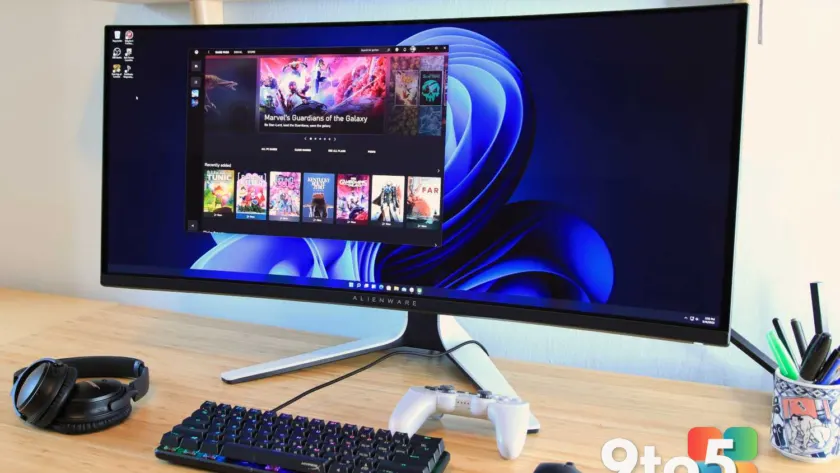
Finding the right monitor can feel overwhelming with hundreds of options flooding the market. Whether you need a high-refresh-rate display for competitive gaming, a color-accurate panel for creative work, or a reliable workhorse for daily productivity, the right choice depends on your specific needs and budget. We have spent hundreds of hours testing the latest models from Acer, Asus, BenQ, Dell, LG, Samsung, and other major brands to bring you a curated list of the best monitors in 2026.
Our recommendations are based on rigorous testing using professional calibration tools and real-world usage scenarios. We evaluate every display for image quality, connectivity, ergonomics, and value. Below, you will find our top picks across various categories, along with detailed insights into what makes each monitor stand out and who should consider buying it.
#1 Dell Ultrasharp U2724DE – Best Monitor Overall
The Dell Ultrasharp U2724DE earns its spot as our top overall pick by striking an excellent balance between productivity and entertainment. This 27-inch display features an IPS Black panel that significantly improves contrast compared to traditional IPS technology, offering deeper blacks and more vibrant colors without the burn-in risks associated with OLED panels.
One of the standout features of the U2724DE is its enhanced 120Hz refresh rate. While many monitors in this category stick to 60Hz, the higher refresh rate greatly improves motion clarity, making this display viable for gaming. This means you can use a single monitor for both work and play, which is ideal for users who want to simplify their desk setup.
Connectivity is another major strength. The U2724DE includes Thunderbolt 4, USB-C, USB-A, DisplayPort in and out, and HDMI. It also features a 2.5G Ethernet port, which is rare for monitors and beneficial for users who want a fast wired network connection. If you plan to connect a laptop via USB-C, this monitor will greatly expand your connectivity options, effectively turning it into a docking station.
However, the U2724DE does have some limitations. The resolution is 1440p, while many competitors in its price range offer 4K. This is often a trade-off to achieve the 120Hz refresh rate. Additionally, it lacks HDR support, which might be a downside for users who want to watch high dynamic range content. Adaptive sync also has some caveats that potential buyers should be aware of.
For those who prioritize resolution over refresh rate, the Dell U3225QE is a good alternative, though it costs significantly more. The U2724DE remains an incredibly versatile monitor that satisfies most users, from home office workers to casual gamers and content creators.
#2 Acer Vero B247Y G – Best Budget Monitor
For users looking for a high-quality display without breaking the bank, the Acer Vero B247Y G is an excellent choice. This 24-inch 1080p IPS monitor stands out in the budget category with its surprising 120Hz refresh rate and Adaptive Sync support. These features make it suitable for both productivity tasks and PC gaming, which is uncommon at this price point.
The image quality is impressive for a budget display, with above-average scores in contrast ratio and brightness, as well as good color performance. The build quality also exceeds expectations, featuring a fully ergonomic stand that offers height, tilt, swivel, and pivot adjustments. This level of adjustability is rare in budget monitors and adds significant value for users who spend long hours at their desk.
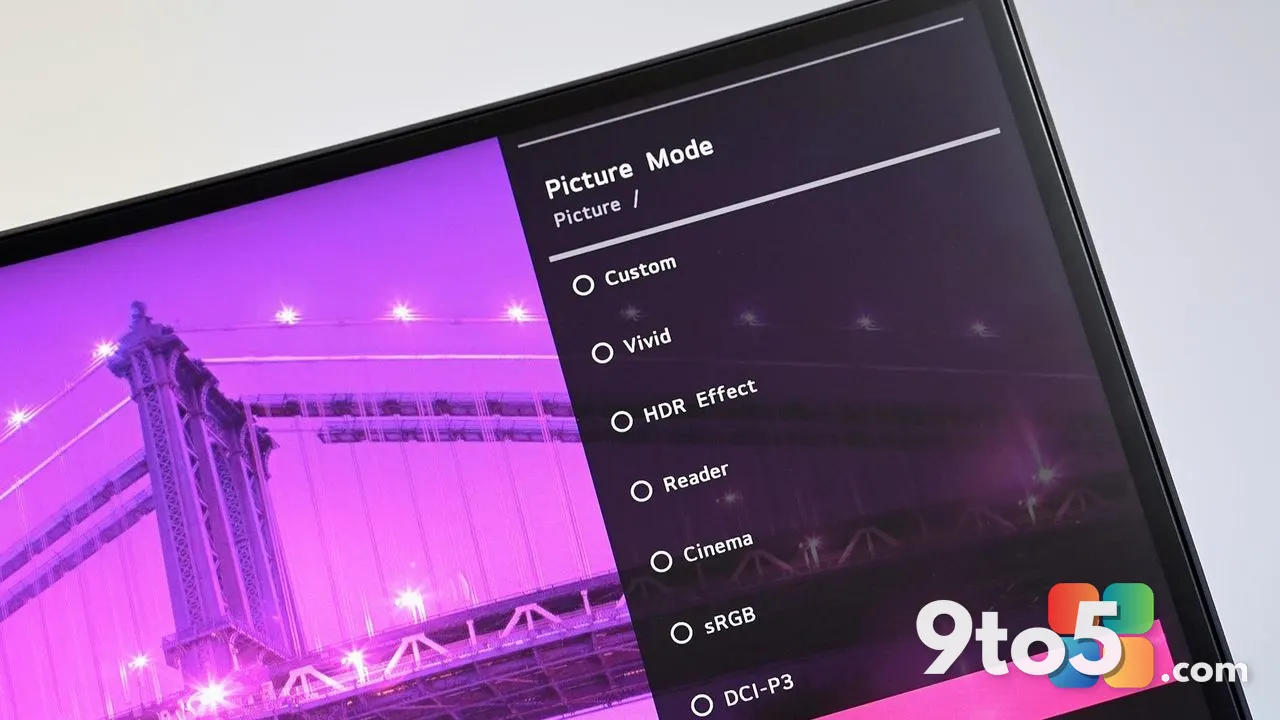
The monitor includes both modern connections like HDMI and DisplayPort, as well as legacy VGA support, ensuring compatibility with a wide range of devices. The on-screen menu system is clear and easy to navigate, providing straightforward access to various image settings.
While the Vero B247Y G lacks USB ports and has limited cable management, it justifies its slightly higher price through these quality-of-life improvements. It often drops below $150 when discounted, making it hard to find a more well-rounded budget monitor. This display is ideal for value shoppers who want a versatile and reliable monitor for everyday use.
#3 Pixio PX248 Wave – Best Budget Gaming Monitor
Gamers on a tight budget will appreciate the Pixio PX248 Wave for its combination of style and performance. Priced at $159.99, this monitor distinguishes itself from other budget options with a colorful, stylish design. Pixio offers it in four colorways: black, white, blue, and pink. The latter two are particularly unique, as few monitors offer such vibrant out-of-the-box colors.
The 24-inch Fast IPS display boasts a 200Hz refresh rate, delivering fluid motion that is essential for fast-paced gaming. Image quality is reasonable, with respectable color accuracy and coverage, making it suitable for both gaming and casual content creation. The built-in speakers are surprisingly decent for a monitor in this price range.
Connectivity is basic, with HDMI 2.0 and DisplayPort 1.4, and there is no USB connectivity. The included stand only adjusts for tilt, and the menu controls could be more user-friendly. However, most competitors at this price point have a similar display panel wrapped in a more generic design. The PX248 Wave manages to match them in image quality while beating them on aesthetics.
This monitor is a great choice for gamers who want more than a no-frills display and are willing to trade some connectivity and adjustability for a higher refresh rate and unique looks. It is particularly appealing to users who want to personalize their gaming setup without spending a fortune.
#4 MSI MPG 272URX QD-OLED – Best Gaming Monitor
For users who want a high-performance gaming monitor, the MSI MPG 272URX QD-OLED is a top contender. This 26.5-inch display delivers stunning 4K resolution with an ultra-smooth 240Hz refresh rate in a cutting-edge OLED panel. It is an excellent choice for gamers who want both visual clarity and fluid motion.
The QD-OLED panel offers excellent contrast and color accuracy, which makes it a solid pick for creative professionals and anyone who enjoys watching HDR movies. The 240Hz refresh rate ensures fast-paced gaming remains smooth, and the monitor supports Adaptive Sync for consistent frame pacing.
Connectivity is generous, with HDMI 2.1, DisplayPort 2.1a, and USB-C inputs. It also provides 98 watts of USB Power Delivery, which is enough to charge laptops or tablets. The design is a bit plain, but the stand is sturdy and fully adjustable, which is more important for most users.
The MSI MPG 272URX is more expensive than 1440p OLED alternatives, which can be found for under $800. However, if 4K clarity and a fluid 240Hz refresh rate are what you are after, this monitor is worth the investment. It is ideal for users who want a premium gaming experience without compromising on image quality.
#5 MSI MPG 341CQR QD-OLED X36 – Best Ultrawide Monitor
The MSI MPG 341CQR QD-OLED X36 is designed for shoppers who do not want to sacrifice image quality or versatility in an ultrawide monitor. Its 5th-generation Samsung tandem QD-OLED panel delivers effectively infinite contrast, a wide color gamut spanning 100 percent sRGB and 98 percent DCI-P3, and excellent color accuracy. This makes it a serious contender for creative work as well as gaming.
The 360Hz refresh rate provides great motion clarity, and the monitor’s VESA DisplayHDR True Black 500 certification ensures solid real-world HDR performance. Connectivity is a strength, with a USB-C port that offers 98 watts of Power Delivery. This allows you to drive the display and charge a MacBook or thin-and-light Windows laptop through a single cable, a feature that is still not guaranteed on many gaming monitors.
At $899.99, the MPG 341CQR sits just under the $1,000 mark, which makes it a good value given its excellent image quality and extensive feature set. The major trade-off is pixel density. At roughly 110 pixels per inch, the monitor is noticeably softer than a 27-inch 4K panel. It is not a dealbreaker for most uses, but if sharpness matters, you may need to consider a different resolution.
The monitor also ships without speakers, so you will need to budget for external audio. Overall, this is a compelling option for users who want an immersive ultrawide experience with top-tier OLED performance.
#6 Dell Ultrasharp U3225QE – Best 4K Monitor
The Dell Ultrasharp U3225QE is an excellent choice for professionals who want a top-of-the-line home office monitor. It features a sharp 31.5-inch 4K IPS Black panel with excellent color accuracy and an above-average contrast ratio for a productivity monitor. The 120Hz refresh rate enhances responsiveness, making tasks like scrolling through documents and multitasking smoother.
The ergonomic stand provides height, tilt, swivel, and portrait mode adjustments, and the anti-glare coating ensures comfortable viewing in various lighting conditions. Connectivity is extensive, with Thunderbolt 4 / USB-C ports that offer 140W of Power Delivery. This is enough to charge most laptops, reducing the need for external docks and adapters.
The U3225QE also includes HDMI, DisplayPort, and a secondary DisplayPort for daisy-chaining multiple monitors. A built-in 2.5Gbps Ethernet port ensures a fast and stable wired network connection, which is rare among monitors. Additionally, it offers six USB-A ports, a pop-out USB hub with quick-access USB-C and USB-A ports, and KVM switch functionality for seamless switching between two connected PCs.
While it lacks built-in speakers and its HDR performance is limited, the U3225QE’s extensive connectivity and high-quality display make it a standout choice for professionals. If you need a central hub for your workspace, this monitor is hard to beat. For those who want a smaller version, the Dell Ultrasharp U2725QE offers similar features in a 27-inch form factor.
#7 Asus ProArt Display 5K PA27JCV – Best 5K Monitor
The ProArt Display 5K PA27JCV is perfect for content creators, programmers, designers, and anyone who values ultra-sharp image quality and accurate colors. With a true 5K resolution (5120×2880) on a 27-inch panel, it packs an incredibly crisp 218 pixels per inch. This is much sharper than 5K ultrawides and nearly matches Apple’s Pro Display XDR.
The monitor covers 100 percent of both sRGB and DCI-P3 color spaces, plus 91 percent of AdobeRGB, making it ideal for content creation. Its impressive 578-nit brightness ensures excellent visibility in any lighting condition. Text is crisp, and hi-res photos look lifelike, which is essential for professional work.
At $800, the PA27JCV is the most affordable true 5K monitor available. While it has some limitations, such as a 60Hz refresh rate and modest contrast ratio, these are minor trade-offs for the resolution and color performance it offers. The monitor also includes USB-C with 96 watts Power Delivery and offers a wide range of menu options and customization.
This display is a compelling option for users who want super-sharp 5K resolution and professional-grade color performance without the premium price tag of competitors. It is particularly well-suited for users who prioritize text clarity and color accuracy in their workflow.
#8 Asus ProArt Display 6K PA32QCV – Best 6K Monitor
If you want a 32-inch 6K monitor that delivers exceptional sharpness and strong color performance without sky-high prices, the ProArt PA32QCV is an easy recommendation. It is ideal for professionals, prosumers, and creatives, especially Mac users, who need precise visuals, solid brightness, and Thunderbolt 4 connectivity with 96 watts of power delivery.
The monitor benefits from an attractive design and a highly functional ergonomic stand, which makes it easy to tune and calibrate to fit your needs. While it does not claim the very top spot in every technical category, particularly in contrast and HDR performance, its combination of resolution, usability, and value is unmatched.
Shoppers who want additional features should know there are other 6K monitors that provide more connectivity or higher-end capabilities. For example, Dell’s UltraSharp U3224KB offers an IPS Black panel, integrated 4K webcam, Ethernet, and more powerful Thunderbolt 4 power delivery. MacBook users may also want to look at Apple’s Pro Display XDR, which offers unmatched HDR brightness and contrast.
However, these alternatives are outrageously expensive. The Dell U3224KB is currently $2,800 and the Apple Pro Display XDR starts at $5,000. Most people who want 6K resolution will be better off buying the PA32QCV and keeping the extra cash. This monitor is a smart choice for users who want high resolution without the premium cost.
#9 ViewSonic ColorPro VP16 OLED – Best Portable Monitor
For users who need a monitor that can be easily transported for content creation work, the ViewSonic VP16-OLED is an impressive option. This monitor combines class-leading image quality with a unique and useful stand. It features a 15.6-inch OLED panel with 1080p resolution, delivering outstanding image quality with top marks in color accuracy, gamut, and contrast.
The VP16-OLED’s performance is superior to many full-sized OLED monitors and completely outperforms portable competitors. This makes it ideal for photographers, videographers, and other content creators who need accurate colors on the go. The monitor has a versatile stand that can be used as a kickstand or expanded to hold the monitor upright.
The stand includes two USB-C ports, either of which can provide power and video input. It also offers a micro-HDMI port for use with devices that lack USB-C. ViewSonic bundles the monitor with several cable types and a USB-C power brick, so you do not have to buy additional accessories.
The main drawback is the price. The VP16-OLED retails at $399.99, more than double the price of a basic 1080p portable monitor. That is tough to justify if you just need a second monitor for basic tasks, but it is a worthwhile upgrade if you care about image quality. This monitor is best for users who prioritize portability and display performance.
#10 BenQ RD280U – Best Monitor for Coding
The BenQ RD280U is the best monitor for coders thanks to its unusual 3:2 aspect ratio, which is much taller than a conventional widescreen. The extra height is great for viewing more lines of code simultaneously and reduces the need for constant scrolling. This is a significant advantage for programmers who spend long hours writing and reviewing code.
Beyond its unique aspect ratio, the RD280U’s image quality is ideal for long coding sessions. The IPS panel delivers excellent color accuracy and wide viewing angles, ensuring code remains clear and legible from any position. The 28-inch display panel has a crisp 3840×2560 resolution, which helps to render small fonts. It also has a matte finish that reduces glare, making it suitable for various lighting conditions.
The monitor includes a MoonHalo ambient light and an automatic night mode, both designed to reduce eye strain during extended use. Connectivity is another strong suit, with a versatile array of ports including USB-C with DisplayPort Alternate Mode and 90 watts of USB Power Delivery. Programmers can easily connect and charge a laptop through a single cable.
Priced at $599.99, the BenQ RD280U is relatively expensive for its size, but its long list of unique features makes it an easy recommendation for coders. No competitor offers the same combination of features at any price. This monitor is ideal for users who want a specialized display for programming and productivity.
How to Choose the Best Monitor for You
With hundreds of monitors available, choosing the right one can be challenging. Here are some key factors to consider when making your decision.
Resolution
Most monitors are available in 4K (3840×2160), 1440p (2560×1440), and 1080p (1920×1080) resolutions. A higher resolution provides a sharper, more attractive image and is generally preferable. However, 1080p remains the baseline and is by far the most popular resolution sold today. Choose a resolution that matches your needs and budget.
Connectivity
Look for a monitor with a connection supported by your computer. HDMI and DisplayPort are the most common. USB-C is rising in popularity because it can charge connected devices, such as a laptop. Ensure the monitor has the ports you need to connect all your devices.
Refresh Rate
Most monitors have a 60Hz refresh rate, but a higher refresh rate, such as 144Hz or 240Hz, will make motion look smooth and crisp. This is most appealing to PC gamers, as improved motion performance is most noticeable when panning the camera in a 3D game. If you are a gamer, a higher refresh rate is a worthwhile investment.
Adaptive Sync
Adaptive sync technology improves motion performance by keeping a monitor’s refresh rate in sync with the video input from your computer. This reduces screen tearing and stuttering. Look for FreeSync or G-Sync compatibility depending on your graphics card.
HDR
Many 4K monitors support HDR, but often the HDR performance is lackluster. To ensure a quality HDR experience, look for a minimum of VESA DisplayHDR 1000 certification or VESA DisplayHDR True Black. These certifications indicate that the monitor can deliver the brightness and contrast necessary for a true HDR experience.
What This Means for You
The monitor market in 2026 offers something for everyone, from budget-friendly options to premium displays with cutting-edge technology. Whether you are a gamer looking for high refresh rates, a professional needing color accuracy, or a casual user wanting a reliable workhorse, there is a monitor that fits your needs. Consider your primary use case, budget, and desk space when making your decision. The monitors listed above have been thoroughly tested and reviewed to help you make an informed choice.
As technology continues to advance, we can expect to see even more innovative displays in the future. OLED and Mini-LED technologies are becoming more affordable, and higher resolutions and refresh rates are becoming standard. Stay tuned for our latest reviews and buying guides to keep up with the latest trends in monitor technology.
Source: PCWorld
Over to you: Which monitor category matters most to you: gaming performance, productivity features, or portable design?