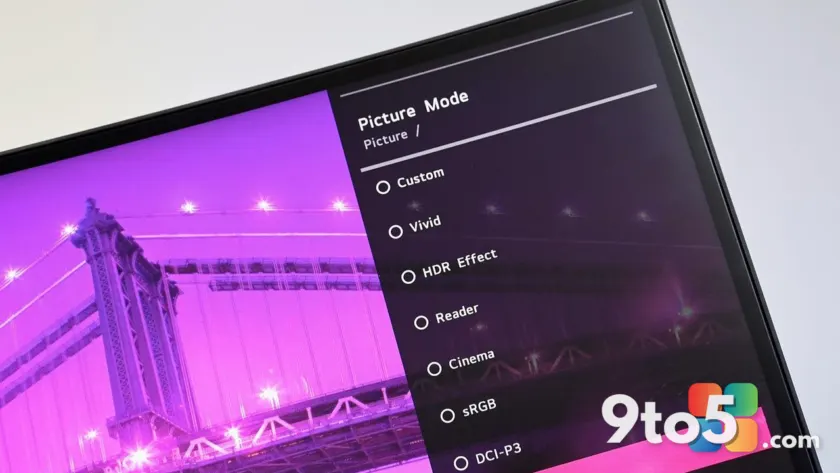
An investigation by Gamers Nexus revealed that connecting certain LG monitors to a PC triggered Windows Update to automatically download the LG Monitor App Installer. This utility app served as a portal for additional software and controversially displayed advertisements for McAfee. The discovery prompted Microsoft to intervene directly, pressuring LG to halt the distribution of these ads.
Windows chief Pavan Davuluri confirmed the company’s involvement, stating, “We’ve connected with the team at LG and as an immediate next step, they have agreed to disable the McAfee pop-up from their app.” This intervention highlights Microsoft’s ongoing efforts to curb adware distribution on Windows 11, even when it originates from hardware manufacturers.
The Investigation and Microsoft’s Intervention
The controversy began when Gamers Nexus documented the behavior of LG monitors during setup. Users found that simply plugging in a compatible display caused Windows Update to fetch and install the LG Monitor App Installer without explicit permission. This was not merely a display driver but a full utility application designed to promote other LG software.
The installer included a feature that displayed advertisements for McAfee antivirus software. This raised significant concerns about user consent and the definition of adware. Microsoft’s response was swift, with Pavan Davuluri emphasizing the company’s commitment to a better user experience. “We appreciate LG working with us toward a shared goal of a better experience for our mutual customers,” Davuluri noted.
This incident underscores the broader issue of hardware manufacturers pre-installing or auto-downloading software that may include advertising components. Microsoft’s intervention demonstrates its authority in enforcing standards for software distribution on its platform, even when the source is a third-party device.
LG’s Response and the Definition of Adware
LG issued a statement addressing the allegations, asserting that McAfee was never installed automatically and always required user consent. The company described the McAfee trial offer as an “optional recommendation” presented during a limited period in the United States. LG emphasized that the LG Monitor App Installer was designed to help users discover optional applications that enhance productivity and monitor performance.
However, critics argue that the installer itself constitutes adware, regardless of whether McAfee was installed without consent. The core issue is the automatic installation of an app that displays advertisements. This behavior blurs the line between a utility and ad-supported software, raising questions about user expectations for monitor-related applications.
LG’s statement also clarified that the installer does not collect personal information and functions solely to identify compatible monitor models. While this may alleviate some privacy concerns, it does not address the fundamental issue of unauthorized software installation and ad display. The company’s claim that it removed the McAfee recommendation “after reviewing customer feedback” suggests a reactive approach to user complaints rather than a proactive commitment to transparency.
What This Means for Your Setup
For users with LG monitors, the immediate impact is the removal of McAfee advertisements from the LG Monitor App Installer. However, the incident highlights the importance of monitoring software installations triggered by peripheral devices. Windows Update’s behavior in this case bypassed typical user prompts, which could lead to unexpected software on your system.
This situation also reflects Microsoft’s broader strategy to maintain control over the Windows ecosystem. By pressuring LG to disable the ads, Microsoft reinforces its stance against adware, even when it originates from hardware partners. Users can expect continued scrutiny of similar practices from other manufacturers.
What to Do If You Own an LG Monitor
If you own an LG monitor and are concerned about the LG Monitor App Installer, consider the following steps:
- Review Installed Applications: Check your list of installed programs for the LG Monitor App Installer. If you do not use it, you may choose to uninstall it.
- Monitor Windows Update Behavior: Be aware that connecting certain peripherals can trigger automatic downloads. Review Windows Update settings to understand what is installed without your explicit consent.
- Stay Informed: Keep an eye on updates from LG and Microsoft regarding software distribution practices. This incident may lead to changes in how hardware manufacturers interact with Windows Update.
The controversy serves as a reminder to remain vigilant about software installations, even those triggered by seemingly innocuous actions like connecting a monitor. Your awareness and proactive management of installed software can help maintain a cleaner and more secure computing environment.
Source: Latest from Windows Central
Over to you: Do you think hardware manufacturers should be allowed to auto-download software via Windows Update, even if it’s just for monitor utilities?