Microsoft has released fresh updates for the Windows 11 Experimental channel, targeting users who want to test upcoming features before they reach broader audiences. These builds span three different branches of the operating system, each receiving specific attention regarding the taskbar and overall system performance.
Build 26300.8758: The current release branch
The first update arrives as Build 26300.8758. This build sits within the same family as the recently released Windows 11 version 24H2. For users on this branch, Microsoft is focusing on refining existing features rather than introducing entirely new ones. The primary goal here is stability and polishing the user experience for those already running the latest stable version.
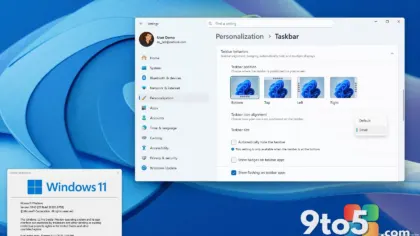
Expect subtle improvements to how the taskbar responds to input and potentially minor fixes to system animations. These changes are designed to be transparent, enhancing reliability without altering the core interface you recognize from Windows 11 today.
Build 28120.2374: The next major update
The second update is Build 28120.2374, which belongs to the development branch for the next major Windows 11 feature update. This build is where more significant changes typically emerge. Microsoft is using this channel to test deeper integrations and structural changes to the taskbar.
While specific feature lists are not detailed in this release, builds in this range often preview new customization options or layout adjustments. Users on this branch should expect a more fluid experience as Microsoft prepares these features for eventual public release.
Build 29617.1000: The future of Windows
The third and most forward-looking update is Build 29617.1000. This build represents the earliest stage of development for future Windows versions. It is highly experimental and may contain features that are still in their infancy.
This branch allows Microsoft to test radical changes to the taskbar and system architecture without impacting users on stable channels. If you are interested in seeing what Windows might look like in two or more years, this is the build to watch, though it comes with a higher risk of instability.
What this means for you
For most everyday Windows users, these updates are not immediately relevant. The Experimental channel is intended for enthusiasts and developers who wish to provide feedback on upcoming features. If you rely on your PC for daily work or gaming, it is best to stick with the stable release channel.
However, if you have a secondary device or a virtual machine, installing these builds can give you a glimpse into Microsoft’s roadmap. Pay particular attention to how the taskbar behaves in Build 28120.2374, as it may hint at the next big shift in Windows desktop customization.
Source: Neowin
Over to you: Which Experimental build are you currently testing, and have you noticed any significant changes to the taskbar behavior?