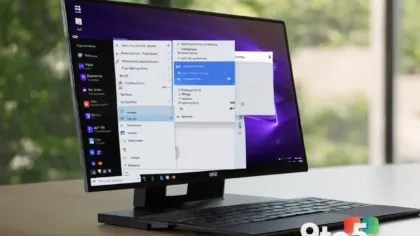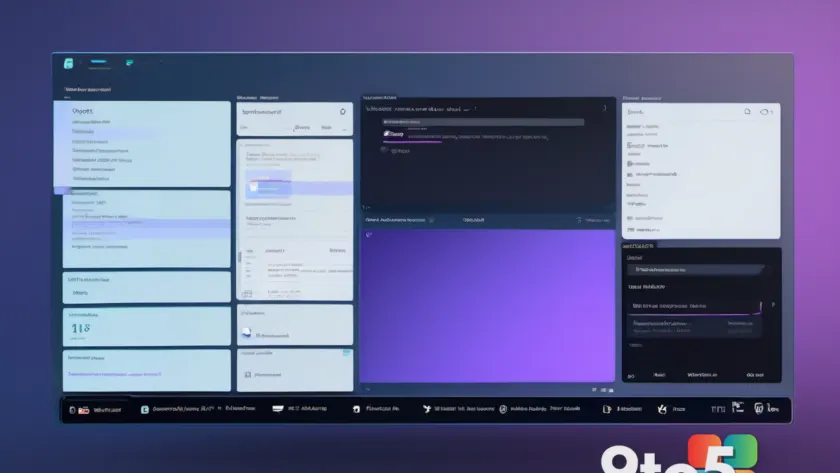
Microsoft has spent the better part of a decade refining Windows 11, but certain core interface elements have remained virtually untouched since the Windows 95 era. According to recent preview build leaks, the company is finally pulling the plug on those legacy dialog boxes and replacing them with fully modernized WinUI 3 versions. The changes are already visible in the latest Windows 11 preview builds, and they touch some of the most frequently used system panels in the operating system.
#1 Modernized File Properties Dialog
The most notable shift involves the File Explorer properties dialog box. For decades, right-clicking a file and selecting Properties has opened a familiar, flat panel built on legacy GDI+ rendering code. That underlying framework has barely changed since the late nineties, even as the rest of Windows moved to DirectX and modern composition. Windows leaker PhantomOfEarth highlighted the update in a recent Bluesky post, noting that the new properties sheet now runs entirely on WinUI 3 with native dark mode support. The updated interface is currently tucked inside Experimental build 26300.8935, where it is being rolled out gradually, starting with the deleted files dialog before expanding to the broader properties panel.
#2 Redesigned Run Dialog
The classic Run dialog is also receiving a complete overhaul. Microsoft is not merely applying a visual skin to the old window; the new version introduces functional upgrades alongside the refreshed layout. Once enabled, the modernized Run panel delivers context-sensitive suggestions as you type, automatically surfaces recently used commands, and provides quick access to your user home directory. The toggle to test this feature lives under Settings → Advanced settings, giving early adopters a straightforward way to opt in before the change reaches the stable channel. This mirrors Microsoft’s broader strategy of transforming legacy utility panels into adaptive, search-aware interfaces that reduce the need for manual command entry.

#3 The Broader WinUI 3 Migration
These two changes are just the visible tip of a much larger architectural push. Microsoft has confirmed that every remaining outdated dialog box in Windows 11 will eventually be rebuilt on WinUI 3, the company’s current UI framework designed specifically for Windows 11 and newer. Some of the holdovers date back to Windows 8, while others trace their lineage directly to Windows 95. The migration is inherently complex because Windows 11 remains a deeply layered operating system. Decades of accumulated code still power core subsystems, meaning that swapping out foundational UI components can trigger compatibility ripple effects. Third-party utilities like 7-Zip, Dropbox, codec packs, and antivirus suites often hook into legacy dialog structures to read file metadata or monitor system events. When those structures change, those tools can break until developers adjust their integrations. Microsoft has to carefully stage these replacements to avoid breaking the ecosystem of power-user tools that rely on the older interfaces.
What This Means for You
For everyday users, the shift means a more consistent visual experience across the operating system. The new WinUI 3 panels load faster, respect your system-wide color preferences, and respond more smoothly to high-DPI displays. However, the transition will not be instantaneous. The long-term payoff is a cleaner, more maintainable codebase that will make future Windows updates lighter and more stable. If you rely on specialized file managers or legacy automation scripts, you may want to hold off on the preview builds until the stable channel rolls out the changes. Admins managing a fleet will notice that Group Policy templates and UI customization scripts may need updates to account for the new control identifiers.
How to Get It
The modernized File Explorer properties dialog is already present in Experimental build 26300.8935, though it is currently limited to specific system prompts. To access the updated Run dialog, open Settings, navigate to Advanced settings, and toggle the modern interface option. Users interested in testing these changes should enroll in the Windows Insider Program and switch to the Canary or Dev channel. Microsoft typically confirms major UI overhauls through the official Windows Insider Blog before they reach wider preview rings, so keeping an eye on those announcements will help you track the rollout timeline. If you encounter third-party software conflicts after enabling the new panels, you can temporarily revert to the classic interface through the same Advanced settings toggle until vendors release compatibility patches.
Source: Windows | PCWorld
Over to you: Will you stick with the classic dialog boxes for familiarity, or are you ready to test the modern WinUI 3 replacements in the preview channel?
You may also like
 Microsoft Adds ‘Do Nothing’ Option for Windows 11 Copilot Key in Insider Builds
 Windows 11 Touchpad and Start Menu Get Major Overhauls in Latest Insider Build
 Windows 11 Copilot: Your Built-In AI Assistant for Productivity and Creation
 Microsoft Expands Copilot Integration With Yet Another Windows 11 Entry Point