- Status: Confirmed — Microsoft is working on a fix.
- Affected builds: Windows 11 26H2, 25H2, and 24H2 after installing KB5124010 (released September 22) or later.
- What breaks: Apps and games that use Windows’ built-in AC-3 (Dolby Digital) audio decoding can crash or close unexpectedly.
- Trigger: Raising volume, changing audio settings, or using certain audio features.
- Fix: Promised in a future Windows update; no release date yet.
Microsoft has confirmed a new Windows 11 26H2 crash bug tied to Dolby Digital audio decoding, and it’s also hitting older builds. The problem lands on top of a rough month for Windows quality control, where fixes kept spawning new problems.
What’s the Windows 11 26H2 crash about?
According to Microsoft’s own confirmation, apps and games that rely on Windows’ built-in AC-3 (Dolby Digital) audio decoding can close abruptly or without warning. The crash tends to happen when you raise your volume, change audio settings, or use certain audio features.
Microsoft won’t say exactly which audio behavior triggers the crash, but it did outline the range of symptoms. “In some cases the application can fail to launch, or close without warning,” the company said.
It went further in describing the variability. “In other cases the application will work normally until certain features are used, such as playing music. Affected applications may vary and can include games, media players, and certain productivity applications.”
The catch is that Microsoft can’t yet tell you exactly which programs are at risk. If you’ve noticed a game or media app suddenly quitting whenever you tweak the sound, this is a strong candidate for the cause.
Which builds are affected
This bug hits Windows 11 26H2, 25H2, and 24H2 — but only after you’ve installed KB5124010, the update released September 22, or a later one.
That qualifier matters. Windows 11 26H2 shares its underlying code with 25H2 and 24H2, so upgrading to the newest release doesn’t automatically shake out bugs carried over from earlier builds. If you’re on 26H2 and installed the September 22 patch, you’re in the same boat as everyone else running the affected code.
Microsoft says the overall incidence should be low, since it only affects apps relying on Windows’ built-in AC-3 decoding rather than doing their own audio processing. But “low incidence” doesn’t help if your specific app is one of the affected ones.
How this differs from September’s audio bug
This is a separate issue from the USB audio mess that plagued Windows 11 earlier this month. That bug left some devices silent, showing a Code 10 error in Device Manager or making Sound settings unresponsive.
The AC-3 crash is different in nature. It’s not about a device failing to be recognized or producing no sound at all — it’s about apps crashing mid-use when they hit Dolby Digital audio decoding. Microsoft insists most modern apps shouldn’t crash when playing music, but it can’t yet pinpoint who is affected.
The September update mess
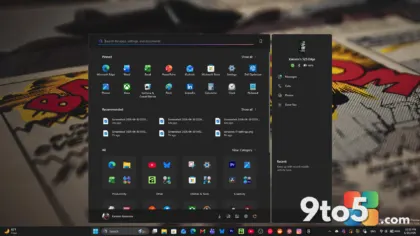
This is the latest in a string of September headaches. On September 8, Microsoft rolled out KB5124008, which added requested features like a movable taskbar, a resizable Start menu, and Bing-free Windows Search, while patching hundreds of security vulnerabilities including multiple remote code execution flaws.
On paper it was a strong update, and it’s worked fine for many users. But problems piled up fast. Microsoft acknowledged issues with Remote Desktop, USB audio, and File History backups, and Windows Latest reported black screens and AMD GPU errors, including driver timeouts and freezes — though Microsoft still hasn’t confirmed the GPU problems.
An emergency update, KB5129195, shipped September 14 to fix Remote Desktop, a folder-sharing break with certain Linux virtual machines, and a multichannel audio issue. Some USB audio devices still didn’t work afterward.
A follow-up patch on September 22, KB5124010, was supposed to restore audio and File History. But testing showed File History still wasn’t fully fixed — backup timestamps and file versions kept failing to update. And now the same update has introduced this audio-crash bug, compounding the month’s frustrations.
What this means for you
If you’ve updated to the affected build and noticed apps or games suddenly closing when you tweak audio, this is likely the cause rather than a coincidence. Microsoft says the incidence should be low since it only affects apps relying on Windows’ built-in AC-3 decoding, but it can’t tell you for certain whether you’re affected.
The practical workaround is limited. If a specific app crashes, you might try avoiding the audio feature that triggers it, or temporarily turn off audio features you recently enabled. There’s no patch to install yet, so patience is the only real option until Microsoft ships a resolution.
How to get the fix
Microsoft has promised a resolution but given no timeline. “Microsoft is working on releasing a resolution for this issue in a future Windows update. We will provide an update when more information is available,” the company said.
Until then, keep your system updated on the standard schedule. If Microsoft ships an interim fix, it will most likely arrive through the usual update channels — though whether it comes via Patch Tuesday, an optional update, or an emergency patch remains to be determined.
Source: Windows Latest
Build details:
- kb5124008
Over to you: Have you seen apps or games crash when adjusting audio on your September-updated Windows 11, or are you staying clear until the fix lands?