After months of speculation and user frustration, Microsoft has officially confirmed that Windows 11 memory optimization is underway. The company promises to reduce the operating system’s RAM footprint to deliver a faster, more responsive experience on PCs with 8GB of memory or more. These improvements will roll out gradually through the end of 2026.
The announcement follows a broader commitment to Windows quality first outlined in March, with Pavan Davuluri, President of Windows and Devices, highlighting memory optimization as a top priority. This move addresses a long-standing complaint from users who find Windows 11 sluggish on budget hardware, a problem exacerbated by the rise of local AI models and the industry’s push toward higher RAM configurations.
The official confirmation and what it covers
Microsoft’s commitment to fixing Windows 11’s memory hunger is no longer just a promise; it is a concrete plan with a timeline. Pavan Davuluri posted an update on X, detailing four key areas of focus through the end of 2026. The most significant of these is memory optimization for 8GB and above systems.
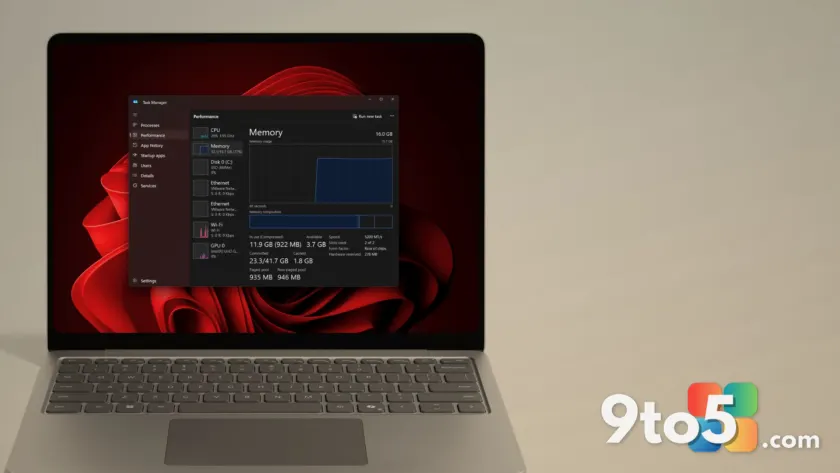
The goal is straightforward: reduce the amount of RAM Windows 11 claims for itself before you even open an application. For years, users with 8GB of RAM have reported that the operating system idles at nearly 6GB, leaving little room for actual work. This announcement marks a shift in strategy, acknowledging that the OS itself is a primary contributor to performance bottlenecks on lower-end hardware.
This effort is part of a larger push to improve Windows 11’s fundamentals, a theme reinforced by CEO Satya Nadella during Microsoft’s recent earnings call. Investors were told the company is investing in quality and core performance, and this memory optimization initiative is the first major concrete step toward that goal.
Why Windows 11 is eating your RAM
To understand the fix, it helps to understand the problem. Windows 11 has been a memory hog since its launch, and the reasons are technical and structural. A significant portion of the OS relies on WebView2, a Chromium-based engine that essentially runs a mini browser in the background. Every instance of WebView2, from Widgets to Settings to the Start menu, consumes RAM independently.
This issue is compounded by the broader software industry’s shift toward Electron and WebView2 wrappers. Many popular third-party apps now bundle their own browser engine instead of sharing system resources, leading to redundant memory usage across the desktop.
Microsoft’s own data has shown that a Windows 11 system with 8GB of RAM idles at close to 6GB, while a 16GB system sits above 10GB. Telemetry, background services, and preloading features, designed to improve perceived speed, have all contributed to this baseline consumption. The result is a system that feels sluggish even with minimal user activity.
The problem has been worsened by the industry’s response to rising RAM prices. As manufacturers redirected supply toward AI data centers, consumer RAM costs increased. Simultaneously, the push for Copilot+ PCs established 16GB as the new baseline, leaving 8GB systems feeling increasingly outdated. This created a situation where Microsoft was effectively telling users to buy more hardware to run its software efficiently.
How Microsoft plans to fix it
Microsoft’s strategy for reducing RAM usage centers on a shift from web-based technologies to native frameworks. The company is actively rebuilding parts of Windows 11 using WinUI, its native UI framework that is significantly lighter than WebView2. WinUI does not require a browser engine to render interfaces, which directly reduces memory overhead.
Recent updates have already begun this transition. The File Explorer Properties dialog was rebuilt in WinUI, and more legacy dialogs are being migrated. Microsoft is also encouraging developers to build native apps using WinUI instead of relying on web wrappers. This shift is expected to compound RAM savings as more components and third-party apps adopt the framework.
However, WinUI itself is not without its own performance issues. Microsoft has acknowledged that native apps built with WinUI can still consume significant RAM, and the company is working to optimize the framework before rolling it out to larger components like the Start menu. This suggests that the memory optimization effort will be iterative, with improvements arriving in stages rather than a single overhaul.
Previous attempts to address performance issues, such as the Low Latency Profile CPU boost, provided temporary relief but did not solve the underlying memory problem. The current focus on architectural changes indicates a more sustainable approach to improving Windows 11’s efficiency on constrained hardware.
What this means for you
For users with 8GB RAM PCs, this optimization is a welcome development. It acknowledges that the operating system can be improved to run better on existing hardware, rather than requiring an upgrade. If you are currently struggling with performance on an 8GB system, you can expect gradual improvements as the updates roll out.
For 16GB users, the benefits may be less dramatic but still significant. A leaner OS means more available memory for applications, which can improve multitasking and reduce reliance on swap files. This is particularly relevant for gamers and creators who push their systems to the limit.
The comparison to Apple’s MacBook Neo, which runs smoothly on 8GB, has put pressure on Microsoft to deliver similar efficiency. While Windows 11 may never match macOS’s optimization for low RAM, this initiative represents a serious effort to close the gap.
However, users should manage their expectations. The optimization is targeted at “8GB and above,” meaning it is not a magic bullet for all performance issues. Local AI models still require substantial RAM, and 8GB systems may struggle with these workloads regardless of OS optimization. For most users, 16GB remains the recommended configuration for future-proofing.
How to get the updates
Microsoft has not announced a specific release date for the memory optimization features. The work is ongoing, and improvements will likely arrive in increments through the end of 2026. Users can expect to see initial changes in Windows Insider builds, particularly in the Dev and Canary channels, before they roll out to the general public.
For those interested in testing early builds, joining the Windows Insider Program is the best way to experience these changes first. However, Insider builds can be unstable, and users should be prepared for potential bugs as Microsoft refines the optimization efforts.
For the average user, the updates will arrive through regular Windows Update. There is no action required on your part; the improvements will be delivered as part of standard quality updates. Microsoft’s approach of gradual rollout suggests that the changes will be implemented carefully to avoid disrupting the user experience.
As the end of 2026 approaches, we will likely see more detailed information about the specific components being optimized and the expected performance gains. For now, the confirmation itself is a positive step, signaling that Microsoft is committed to making Windows 11 more efficient across the board.
Source: Windows Latest
Over to you: Will you stick with your current 8GB PC, or is this optimization enough to make you consider an upgrade to 16GB?