Microsoft has long promised a faster Windows 11, and following CEO Satya Nadella’s recent acknowledgment that the operating system requires serious quality work, the company is now revealing how it plans to diagnose and fix those sluggishness issues. The answer lies in bringing artificial intelligence directly into the engineering workflow. According to a recent post on the Microsoft Performance Diagnostics blog, Microsoft is testing an AI-driven integration for the Windows Performance Analyzer (WPA), a cornerstone utility used by developers, OEM partners, and hardware makers to trace system bottlenecks. This move signals a clear shift from manual, time-consuming performance reviews to automated, natural-language diagnostics.

#1 AI Integration for the Windows Performance Analyzer
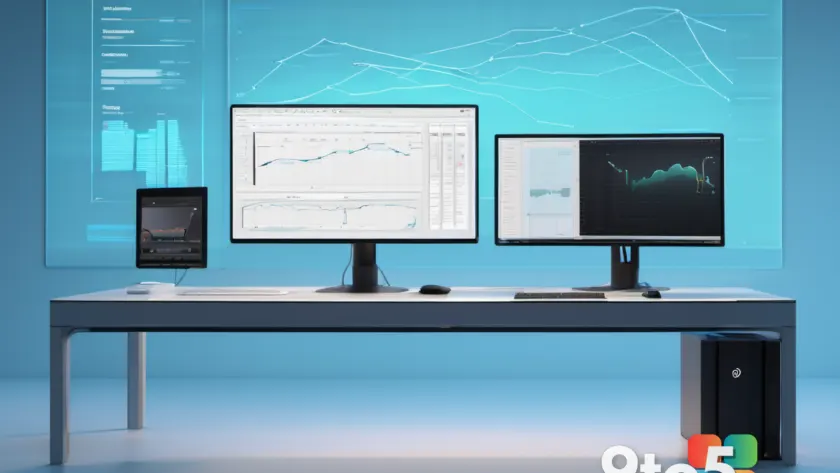
For years, the Windows Performance Analyzer has served as the go-to utility for digging into system traces. It pulls data from call stacks, process logs, and hardware counters, then presents it in dense tables and graphs. While powerful, the tool demands deep expertise. As Microsoft noted in its official documentation, performance analysis is frequently bottlenecked by expert knowledge, with even seasoned engineers spending hours correlating activity across multiple views before reaching a conclusion.
To address this, Microsoft has built a Model Context Protocol (MCP) server specifically for WPA. MCP acts as a standardized bridge that allows AI models to securely connect to external tools and data sources. Once enabled, developers can run GitHub Copilot CLI directly inside the WPA trace-analysis workflow. Instead of manually hunting through CPU spikes or memory leaks, you can ask natural-language questions like, “Why did the disk usage spike at 2:14 PM?” or “What process is causing the scheduling delay?” The AI then queries the trace data, correlates the findings, and generates a plain-English summary of the root cause.

#2 Optimizing Windows 11 for 8GB RAM Systems
While AI diagnostics tackle the software side of sluggishness, Microsoft is simultaneously addressing the hardware reality facing millions of users. With global RAM prices climbing due to supply chain constraints, many new PCs are shipping with 8GB of memory, which remains the minimum threshold for modern computing. Microsoft has confirmed it is actively testing scheduling and memory optimization improvements specifically designed to help Windows 11 run smoother on 8GB systems.
Rather than bundling these changes into a single performance boost update, Microsoft plans to roll them out incrementally over the coming months. This phased approach allows the engineering team to validate each optimization against real-world workloads before wider deployment. The focus areas include smarter memory compression, improved foreground process prioritization, and reduced background service overhead. These tweaks are particularly relevant for users who rely on integrated graphics, which share system memory with the CPU and can quickly exhaust available resources.
What This Means for You
The combination of AI-assisted diagnostics and 8GB RAM optimizations reflects a broader strategy: Microsoft is trying to close the gap between Windows 11’s feature set and its actual day-to-day responsiveness. For everyday users, the 8GB optimization work is the most immediate benefit. If your PC feels sluggish when switching between browser tabs or launching apps, these memory and scheduling tweaks will likely improve your experience without requiring a hardware upgrade.
The AI diagnostics, meanwhile, represent a behind-the-scenes investment. You will not interact with WPA MCP directly, but the optimizations it helps uncover will eventually filter down to the general public through cumulative quality updates. This approach mirrors how Apple and Google handle performance tuning, where internal tooling improvements eventually translate to smoother consumer experiences.
How to Get It
The WPA MCP integration is currently in early preview and targeted at developers and hardware partners. If you are a Windows insider or software developer, you can monitor the official Microsoft Performance Diagnostics blog for the public preview release. The 8GB RAM optimizations will ship as part of standard Windows Update patches over the next few months. No opt-in is required; eligible systems will receive the improvements automatically as they roll out. Users on older builds should ensure they are running the latest cumulative update to access the newest performance baseline.
Source: Windows Latest
Over to you: Will the new 8GB RAM optimizations make a noticeable difference on your current machine, or are you planning a hardware upgrade instead?