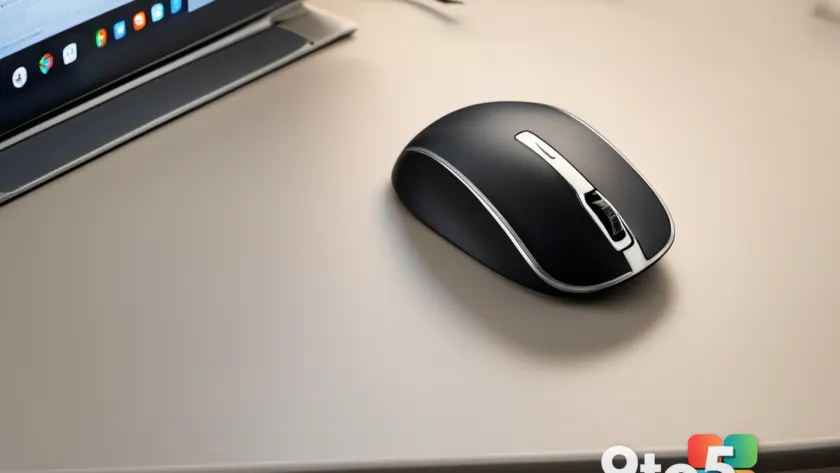
For students and professionals alike, the right mouse can be just as critical as a fast laptop for productivity. If you are looking for a long-lasting, lightweight, and comfortable wireless mouse to support your daily workflow, the Asus ProArt MD301 is a model worth evaluating. According to PCWorld, this device is engineered for extreme longevity and ergonomic support, addressing common pain points like frequent charging and wrist fatigue.
Design and Ergonomics
The Asus ProArt MD301 features a supportive ergonomic shape designed to accommodate various grip styles. This versatility ensures that users can maintain comfort during extended work sessions without experiencing wrist ache or repetitive strain. The mouse weighs approximately 100 grams, a figure that balances durability with ease of movement, reducing fatigue over long periods of use.
The exterior combines a soft plastic shell with silver accents, offering a refined aesthetic suitable for professional environments. Despite its sturdy build, the mouse remains responsive for fine control tasks, making it suitable for both detailed work and casual gaming. The inclusion of ergonomically placed buttons further enhances usability, allowing for intuitive access to primary functions.

Battery Life and Charging
One of the most notable specifications of the Asus ProArt MD301 is its battery performance. On a single full charge, the mouse can operate for over 180 days without interruption. This duration significantly exceeds that of many wireless mice on the market, which often require charging every few days or weeks.
For users who do need to recharge, the MD301 supports quick charging capabilities. Plugging the mouse in for just one minute provides eight hours of usage. This feature is particularly beneficial for users who may forget to charge their devices regularly, ensuring that a brief charging session can sustain a full workday.
Performance and Connectivity
In terms of performance, the Asus ProArt MD301 is equipped with an 8,000 DPI sensor and a 1,000Hz polling rate. These specifications are well-suited for everyday tasks, including document editing, web browsing, and research. The mouse also features an infinite scroll wheel, which is advantageous for navigating long documents and web pages efficiently.
Connectivity options include both 2.4 GHz wireless and Bluetooth, allowing the mouse to pair with up to five devices simultaneously. This multi-device capability is ideal for users who switch between a desktop, laptop, and tablet throughout the day. The ability to connect to multiple devices without re-pairing enhances workflow continuity.

Durability and Switch Ratings
The durability of the Asus ProArt MD301 is highlighted by its switch ratings, which are tested for up to 80 million clicks. This rating suggests that the mouse can withstand heavy use over an extended period. Additionally, the design allows for switch replacement, which can extend the mouse’s lifespan and reduce electronic waste. This feature is particularly appealing for users who prioritize sustainability and long-term value.
What This Means for You
For students and professionals, the Asus ProArt MD301 offers a practical solution to common wireless mouse issues. The extended battery life reduces the hassle of frequent charging, while the ergonomic design supports comfort during long study or work sessions. The multi-device connectivity and high-performance sensor make it a versatile tool for various tasks.
The mouse’s focus on functionality over aesthetic extras, such as RGB lighting, keeps the price accessible. This makes it a suitable option for those looking to upgrade their setup without significant expense. The availability of replacement switches also adds to its long-term viability, ensuring that minor wear does not necessitate a full replacement.
How to Get It
The Asus ProArt MD301 is available for purchase now at a price of $99.99. It can be acquired through authorized retailers and the Asus website. For those seeking a reliable wireless mouse with exceptional battery life and ergonomic design, this model presents a compelling option.
Source: PCWorld
Over to you: With a battery life of 180 days, would you switch to a wireless mouse for your daily work setup, or do you prefer the reliability of a wired connection?
You may also like
 Harymor BS-D01 Smart Bird Bath Review: A Window to Nature for Office Workers
 GMKtec NucBox K13 Review: Intel Lunar Lake Mini PC Delivers Surprising Performance
 HP Omen Max 45L Review: Cryo Chamber Cooling and RTX 5080 Power Come at a Premium Price
 Razer Huntsman V3 HE Magnetic Review: Hall Effect Gaming Keyboards Arrive