Windows 11 has shifted how we access quick information by embedding a dedicated Widgets experience directly into the Taskbar. Rather than relying solely on desktop shortcuts or third-party apps, Microsoft provides a unified board that surfaces news, weather, and other personalized content.
The Widgets Board
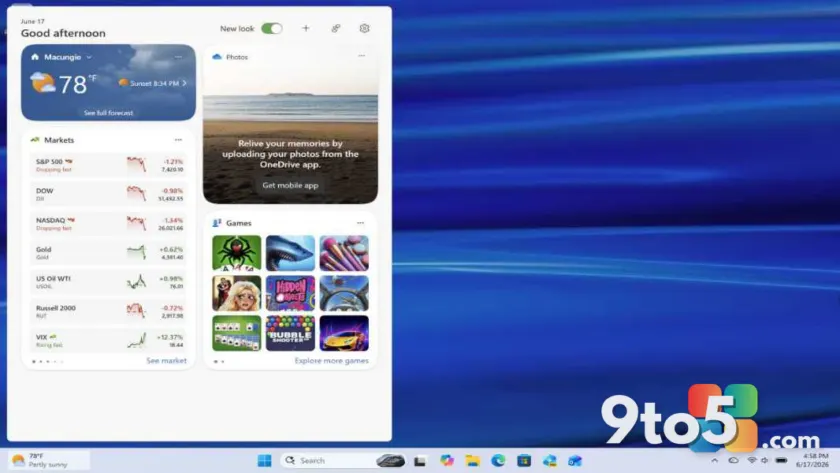
At its core, the feature presents a Widgets board. This interface is designed to be focused, meaning it prioritizes relevant, timely information without cluttering your main workspace. When you interact with the widget area on the Taskbar, this board slides out, giving you a centralized hub for at-a-glance updates.
This design choice keeps your desktop clean while still providing easy access to dynamic content. You do not need to open multiple browser tabs or apps to check basic information; it is all available through this single interface element.
Optional Dashboards
Beyond the primary board, Windows 11 allows for optional dashboards. This flexibility means you can tailor the experience to your specific needs. Depending on your settings and preferences, additional at-a-glance information can be displayed alongside or integrated into the main widget flow.
This modularity is key for users who want more than just a news feed. It allows for a customizable overview of various data points, ensuring that the Taskbar remains useful without becoming overwhelming.
What this means for you
For everyday Windows 11 users, this integration simplifies information consumption. You get a streamlined way to stay updated without leaving your current workflow. Whether you are checking the weather before heading out or scanning headlines during a break, the Widgets feature aims to make that process faster and more intuitive.
If you find the default widgets too distracting, remember that these dashboards are optional. You can adjust settings to ensure the Taskbar serves your productivity needs rather than detracting from them.
Source: Thurrott
Over to you: Do you use the Windows 11 Widgets feature daily, or do you prefer keeping your Taskbar completely clear?