OpenAI made good on months of rumors Tuesday, launching ChatGPT Pages — a collaborative document editor built directly into ChatGPT — at its DevDay event, a move that places the AI startup into head-to-head competition with Microsoft and Google in the office productivity market.
The announcement also confirmed a slides app is “coming soon,” rounding out what looks like the first serious crack in the long-standing dominance of Microsoft 365 and Google Workspace.
Here’s what you need to know about ChatGPT Pages and what it means for how you might do office work.
What ChatGPT Pages actually is
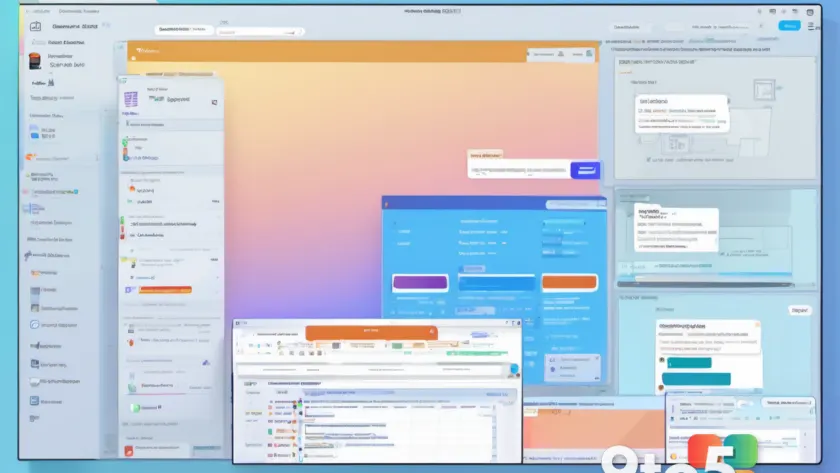
OpenAI describes Pages as “a new type of document, built for human and agent collaboration.” The document editor borrows heavily from Notion’s block-based approach: headings, paragraphs, and tables are each organized into discrete blocks you can rearrange. Like Notion, you can create sub-pages within a page and link between them.
When you select text on a page, a floating toolbar appears with familiar formatting options — bold, italic, underline, strikethrough — plus block-style controls for headings, lists, checklists, quotes, and more. You can also comment on selected text for collaborators to see, or ask ChatGPT to make revisions on the spot.
The embedded AI assistant goes beyond simple text generation. It can produce images and interactive visualizations, and OpenAI introduced “Prompt” blocks that let authors embed suggested prompts for readers to run, helping them explore a document’s content on their own.
Multiple users can work on a single document simultaneously, each making edits and generating content through their own AI assistant. That collaborative model does raise permission questions — if a user can access a file individually, what content can their AI generate from it? OpenAI points readers to its help center for details on permissions and data-sharing controls.
The Space tab that hosts it all
Pages live inside a new “Space” tab in ChatGPT, which OpenAI calls “a new home for your team to collaborate with AI to get work done.” Space lets you store documents and uploaded files, then create and share pages, slides, and spreadsheet documents.
Space replaces the Library that previously lived in ChatGPT, though the Projects tab stays put as a way to organize your chats and files.
The tools are available to ChatGPT Pro, Business, and Enterprise customers on the web and in the ChatGPT desktop app. On mobile, you can read and share pages, but editing isn’t supported. OpenAI’s documentation also notes you can connect to other content repositories, including Google Drive.
Computerworld asked OpenAI for further clarity on pricing for business customers and did not receive a reply at time of writing.
AI assistants turning into full productivity suites
OpenAI’s push doesn’t happen in a vacuum. Microsoft and Anthropic are building similar office tools into their own AI assistants, signaling a broader shift in how these companies want to be used at work.
Last week, Anthropic announced a rich text editor built into Claude, alongside a tool for creating presentation slides — both currently in beta. Microsoft’s Copilot overhaul last Friday added the ability to create and edit a range of Office documents from within the Copilot app.
Taken together, these are clear signs that AI assistants are evolving into central hubs for office work. Gartner predicts spending on enterprise AI assistants will climb from $17 billion in 2025 to $71 billion in 2030, and forecasts that knowledge workers will spend more time with these tools than with any other application over the next three years.
Analysts say the goal is retention as much as revenue. “OpenAI is trying to make its AI assistant more sticky so it can generate more revenue,” said Jack Gold, principal analyst at J. Gold Associates.
But displacing entrenched users won’t be simple, Gold warned. “I don’t see companies transitioning to new productivity suites easily. It’s a major lift to do so, and most are looking to add on to their existing capabilities rather than rip and replace.”
Maria Bell, senior research analyst at FDM CCS Insight, framed it as a higher bar for OpenAI specifically. “A user can adopt ChatGPT for drafting or research on their own, but shared documents depend on colleagues using the same environment,” she said.
Bell noted that Microsoft, Google, and Notion already sit inside established team workflows, backed by years of shared content, permissions, and collaboration habits. “OpenAI is therefore not just asking users to try a new feature; it is asking teams to consider whether ChatGPT can become part of their shared working environment,” she said. “That is a higher bar.”
What this means for you
For most individual users, the immediate takeaway is that ChatGPT is becoming a place where you can create, store, and share real work products — not just chat. If you’re already paying for ChatGPT Pro, Business, or Enterprise, you can start using Pages today on the web or desktop.
The catch is that collaboration only works if the people you work with join the same environment. That’s the same dynamic that has kept teams locked into Microsoft 365 and Google Workspace for years: the value is in the shared workspace, and getting everyone onto a new platform is a slow, organizational lift rather than a personal decision.
In practice, expect OpenAI — and its rivals — to keep adding document, slide, and spreadsheet capabilities to their assistants over the coming months. Rather than replacing your current productivity suite, the more likely near-term outcome is that these AI-native tools layer on top of what you already use, especially for drafting and research.
For now, Pages are available to paying ChatGPT subscribers. Keep an eye on OpenAI’s help center for the permissions and data-sharing details if you plan to share documents with colleagues.
Source: Computerworld
Over to you: Would you switch your team’s shared documents to ChatGPT Pages, or stick with Microsoft 365 and Google Workspace?