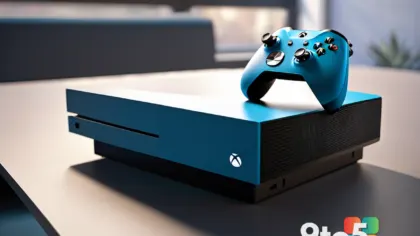
Microsoft is taking a significant step forward in its backward compatibility efforts, according to a leaked internal document reported by Thurrott.com. The company is planning to expand its Xbox emulator on Windows 11 to include a curated selection of Xbox 360 titles, building on the foundation already established for original Xbox games. This move signals a major shift in how Microsoft intends to preserve and deliver classic gaming experiences on modern PCs.
For years, the Xbox ecosystem has relied on a mix of native compatibility, emulation, and cloud streaming to keep older games accessible. The introduction of Xbox 360 support into the emulator framework addresses a long-standing gap, as the console’s PowerPC architecture and unique hardware demands have historically made emulation far more complex than supporting the original Xbox. By integrating these titles directly into the Windows emulator, Microsoft is streamlining the user experience and reducing reliance on third-party solutions or legacy hardware.
Expanding the Emulator’s Reach
The Windows emulator currently allows users to play a growing library of original Xbox games with minimal configuration, often leveraging modern hardware to enhance performance and resolution. Adding Xbox 360 support requires Microsoft to tackle substantial technical hurdles, including the translation of PowerPC instructions to x86 architectures, managing the console’s unique GPU and audio subsystems, and ensuring compatibility with a wide range of game implementations. Industry analysts suggest that Microsoft has likely been refining its emulation stack for some time, drawing on expertise gained from developing cloud gaming infrastructure and cross-platform optimization tools.
This expansion also aligns with Microsoft’s broader strategy to consolidate gaming experiences under the Xbox brand. By bringing Xbox 360 games into the emulator, the company can offer a unified storefront and achievement system, eliminating the need for users to juggle multiple platforms or purchase games separately. The leaked document indicates that the initial rollout will focus on a selection of titles, likely prioritizing fan favorites and games with proven compatibility, rather than attempting a full library migration all at once.
What This Means for Backward Compatibility
Backward compatibility has been a cornerstone of Microsoft’s gaming philosophy since the Xbox One era, with the company investing heavily in hardware and software solutions to keep older titles playable. The Xbox 360, released in 2005, boasts a massive library of over a thousand games, many of which have not been officially available on modern systems. Emulating these titles on Windows 11 offers a viable path to preservation, especially as physical media becomes harder to source and original consoles age.
From a technical standpoint, the emulator will likely require users to provide their own game files, similar to how original Xbox emulation currently operates. Microsoft has not yet confirmed whether it will partner with publishers to offer digital purchases or if the focus will remain on personal library integration. However, the company’s past statements suggest a preference for official distribution channels, which could mean future support for purchasing Xbox 360 games directly through the Microsoft Store or Xbox app.
How to Get the Update
While Microsoft has not announced a specific release date, the leaked document implies that development is in an advanced stage. Users can expect the emulator update to roll out through Windows Update, with the Xbox app serving as the primary interface for browsing and launching compatible titles. It is advisable to keep Windows 11 fully updated and ensure your system meets the recommended specifications for emulation, which may include a capable CPU, dedicated GPU, and sufficient RAM.
For those eager to test the emulator, Microsoft typically invites Windows Insiders to participate in early previews, particularly in the Dev and Beta channels. Joining the Insider program and enabling emulator-related features in the Xbox app settings may provide access to the update ahead of the general public. However, users should be prepared for potential performance variations, as emulation is an evolving process that often requires patches and optimizations over time.
What This Means for You
For everyday users, the addition of Xbox 360 support to the Windows emulator means you can revisit classic games without hunting for original hardware or dealing with compatibility issues on older consoles. It also opens the door for enhanced features such as higher resolutions, improved frame rates, and save state functionality, which are common benefits of modern emulation. If you have a backlog of Xbox 360 titles or are interested in exploring the console’s rich library, this update could simplify your gaming setup significantly.
However, it is important to manage expectations. Emulation is not a perfect science, and some games may require specific configurations or patches to run smoothly. Microsoft will likely need to work closely with the community to identify and resolve compatibility issues, much like it has done with original Xbox emulation. Users should stay engaged with official Xbox forums and support channels to report problems and contribute to the improvement of the emulator.
What to Do
If you are interested in taking advantage of this update, start by ensuring your Windows 11 installation is up to date and that your hardware meets or exceeds the recommended specifications for emulation. Check the Xbox app for any new emulator features or settings, and consider joining the Windows Insider program if you want early access. Additionally, organize your existing Xbox 360 game files and familiarize yourself with the emulator’s documentation to streamline the setup process when the update becomes available.
As Microsoft continues to refine its emulator, users can expect ongoing improvements in performance, compatibility, and user experience. This development underscores the company’s commitment to preserving gaming history while leveraging modern technology to deliver it seamlessly. Keep an eye on official Xbox announcements for further details on the rollout schedule and supported titles.
Source: Thurrott.com
Over to you: Which Xbox 360 game are you most excited to play on your Windows PC?
You may also like
 Windows 11 AI Gets a Hardware Boost: Inside Click to Do and Recall on Copilot+ PCs
 Xbox Reveals New FanFest Tour Stops and Community Celebrations for 25th Anniversary
 Snapdragon X Gaming Hits a Wall: Halo: Campaign Evolved Tests on the Zenbook A16
 Baldur’s Gate 3 Earns Xbox Play Anywhere Status With 30% Off Sale