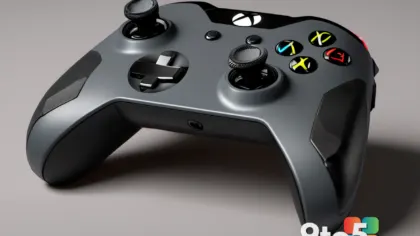
Microsoft is reportedly expanding its backward compatibility program to bring Xbox 360 games on PC, following the recent addition of original Xbox titles. This development signals a major shift in how Microsoft plans to unify its gaming ecosystem across generations. For years, PC gamers have relied on third-party emulation or purchasing re-releases to access classic console libraries, but this official move could change the landscape entirely. The push to integrate older console libraries into modern Windows environments reflects a growing industry trend toward preserving gaming history while making it accessible to contemporary audiences.
Expanding the Backward Compatibility Program
The initial announcement focused on supporting original Xbox titles on modern Windows systems. Now, reports indicate that Microsoft is taking the next logical step by including the Xbox 360 generation. This expansion aligns with the company’s broader strategy to consolidate its gaming platforms under a single, accessible umbrella. The Xbox 360 library is widely regarded as one of the most robust in gaming history, featuring hundreds of critically acclaimed titles that defined an era. Bringing these games to PC would allow players to experience them with potentially enhanced performance, higher resolutions, and broader controller support. Historically, Microsoft has faced challenges in porting older games due to varying hardware architectures and licensing complexities. However, advancements in emulation technology and cloud gaming infrastructure have made it increasingly feasible to run legacy software on modern processors. The company has invested heavily in software layers that translate older instruction sets to current architectures, ensuring smooth performance without requiring developers to rewrite code from scratch. This technical foundation makes the upcoming expansion far more realistic than previous attempts at cross-generation compatibility.
What This Means for You
For everyday gamers, this development suggests a more seamless transition between console and PC gaming. If you have been holding onto physical discs or digital purchases from the Xbox 360 era, you may soon be able to access them without needing the original hardware. This could also reduce the fragmentation that currently exists between Xbox console owners and PC gamers. Instead of maintaining separate libraries for different platforms, players might eventually enjoy a unified catalog that spans multiple generations of gaming history. Additionally, PC gamers who missed out on the Xbox 360 era will gain access to a treasure trove of classic titles without needing to hunt down vintage consoles or outdated peripherals. From a practical standpoint, this means your existing Microsoft account could serve as a universal key to decades of gaming content, streamlining how you manage and access your digital entertainment. You will no longer need to worry about disc compatibility, worn-out media, or searching for functioning legacy hardware to relive your favorite moments.
How to Get It
While specific details regarding the rollout remain under wraps, Microsoft typically introduces backward compatibility features through major Windows updates or dedicated gaming applications. Players should keep an eye on official Microsoft gaming channels and Windows Insider programs for early announcements. Once available, accessing these titles will likely involve logging into your Microsoft account and navigating to a dedicated section within the Xbox app or Microsoft Store. Existing Xbox 360 game libraries may automatically sync, allowing you to download and play your previous purchases directly on your PC. Microsoft has previously emphasized that backward compatibility is a long-term commitment, suggesting that this program will continue to grow as new titles are identified and optimized. You can expect the company to provide detailed compatibility lists and performance benchmarks as each game is prepared for the platform.
What to Do
In the meantime, you can prepare by ensuring your Windows system is up to date and that your Microsoft account is linked to your gaming profile. It is also a good idea to check your existing Xbox 360 game library to see which titles you might want to prioritize. As the program expands, Microsoft will likely provide detailed system requirements and compatibility notes for each title. Staying informed through official announcements will help you take full advantage of this expanding library as it rolls out. Furthermore, consider organizing your digital purchases and noting any specific titles you hope to see supported first. This proactive approach will ensure you are ready to dive into the expanded catalog the moment it becomes available. Keeping an eye on community discussions and official forums can also provide valuable insights into which games are being worked on and when they might launch. If you encounter any sync issues during the initial rollout, Microsoft support channels will likely be the fastest route to resolution.
Source: Neowin
Over to you: Which Xbox 360 classic are you most excited to finally play on your PC?
You may also like
 Windows Desktop Market Share Hits 12-Month Low as Ecosystem Shifts
 Microsoft Explains Why Windows 11’s Control Panel Modernization Takes So Long
 Microsoft Edge’s Built-in VPN: What You Need to Know About Its Limits
 Microsoft Reveals Xbox 25th Anniversary Plans: Profile Badges, Game Pass Classics, and FanFest Tour Dates