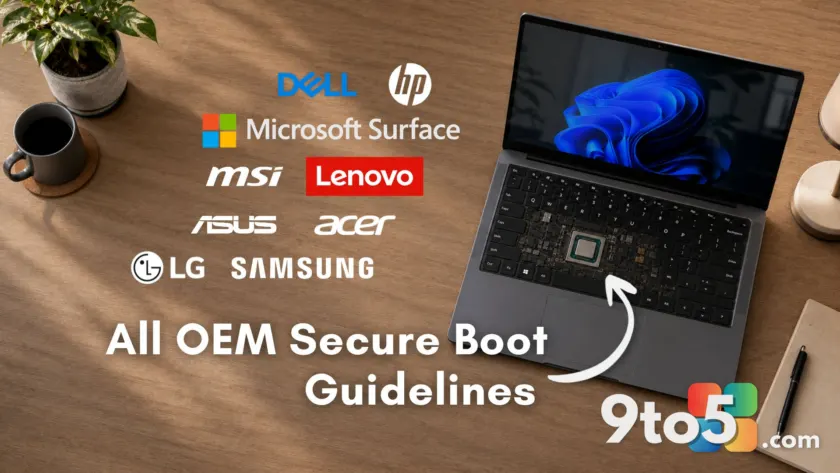
The clock struck midnight for Microsoft’s original 2011 Secure Boot certificates in late June 2026, but major PC manufacturers have stepped up with detailed guidance to ensure your system remains secure. With the expiration of critical firmware keys, brands like Dell, HP, Lenovo, ASUS, Acer, MSI, Samsung, LG, and Microsoft Surface have published specific support pages outlining which models are affected and how to apply the 2023 replacement certificates.
Secure Boot is a UEFI firmware feature that verifies software integrity before Windows loads. The transition involves three stages of certificate expiration:
- Microsoft Corporation KEK CA 2011: Expired June 24, 2026
- Microsoft UEFI CA 2011: Expired June 27, 2026
- Microsoft Windows Production PCA 2011: Set to expire October 19, 2026
While Microsoft has distributed the 2023 replacement certificates via Windows Update, successful installation often depends on your OEM providing a compatible BIOS update. Most users on supported devices have already received these updates automatically. However, if you are seeing warnings in Windows Security, here is what each major manufacturer recommends.
ASUS Secure Boot Certificate update guide
ASUS has separated its guidance into consumer and commercial categories. For standard laptops, desktops, and gaming PCs, the consumer guide indicates that most users will receive the update automatically through Windows Update without manual intervention.
If you see a yellow or red badge in Windows Security, ASUS provides PowerShell commands to verify if the KEK and DB certificates are present. If they are missing, the guide instructs users to perform a manual registry update by setting AvailableUpdates to 0x5944, followed by running the Secure-Boot-Update scheduled task. A reboot is required between these steps.
For enterprise users, the commercial guide lists specific model numbers that ship with 2023 certificates pre-integrated, primarily those launched in 2024 or later. ASUS also maintains a comprehensive Q&A page addressing common event log error codes (1801 through 1808) to help users determine if they need to contact support or wait for an automatic update.
Lenovo Secure Boot Certificate update guidelines
Lenovo’s Secure Boot Certificate Expiration Guide offers direct download links for BIOS updates categorized by product family, including ThinkPad, ThinkCentre, IdeaPad, Legion, and Yoga lines. Each supported model links directly to the specific BIOS version containing 2023 certificate support.
Devices that have reached End of Service Life will not receive these BIOS updates, consistent with standard OEM policies for discontinued hardware. For enterprise environments, Lenovo’s documentation includes deployment notes for Intune and SCCM alongside the standard consumer Windows Update path.
Dell Secure Boot Certificate update guidelines
Dell has organized its support article by product family, covering Alienware, Inspiron, XPS, Latitude, OptiPlex, Precision, Vostro, Wyse, and IoT devices. Dell’s policy states that platforms with an End of Service Life before January 1, 2026, will not receive a BIOS update for this transition.
Notably, Dell has adopted a broader strategy by shipping both 2011 and 2023 certificates on all new platforms since late 2024, extending this dual-certificate approach to all factory shipments by the end of 2025. This provides flexibility for enterprise customers managing mixed fleets.
However, community reports indicate issues with older models like the XPS 8910, where users encountered firmware partition limits preventing the update. If you own an older Dell desktop, check your specific model’s status carefully before assuming automatic compatibility.
HP Secure Boot Certificate update guidelines
HP splits its approach into consumer and commercial tracks. Consumer PCs receive the update via Windows Update once the minimum required BIOS version is installed. Commercial PCs require a more involved process, with HP’s commercial guide listing every supported platform and the minimum BIOS version string required.
Specifically, commercial devices must have the SBKPFV3 substring in the SMBIOS Type 1 version field to signal readiness for the certificate update. HP’s support cutoffs align with Dell’s: commercial PCs from 2022–2023 received updates by September 2025, while 2019–2021 models were updated by December 2025. Models from 2018 and earlier have reached End of Service Life.
HP users should exercise caution: early 2026 BIOS updates caused BitLocker recovery loops and boot failures on some premium commercial devices. HP acknowledged the issue and issued corrected BIOS versions. Verify you have the latest corrected BIOS from HP’s support site before proceeding with any Secure Boot updates.
Microsoft Surface device updates
Microsoft has published a dedicated guide for Surface devices. Since Microsoft controls both the firmware and Windows updates for Surface hardware, the transition is streamlined. Active models—including Surface Pro, Laptop, Book, and Studio—receive 2023 certificate updates through the standard Windows and Surface firmware update pipeline.
Older Surface devices that have exited the firmware support window will not receive these updates, consistent with Microsoft’s standard lifecycle policy.
MSI Secure Boot Certificate update guidelines
MSI’s FAQ divides guidance by processor generation. Laptops with Intel 7th to 11th Gen or AMD Ryzen 3000H–5000U processors receive the update automatically via Windows Update, handling the transition at the OS level without a BIOS flash.
For laptops with Intel 12th Gen or newer, or AMD Ryzen 5000H and newer, MSI has pushed BIOS updates containing the 2023 certificates. MSI recommends saving your BitLocker recovery key before flashing the BIOS. To verify success, check Event Viewer for source TPM-WMI and Event ID 1808, which confirms the Secure Boot CA/keys have been updated.
Acer Secure Boot Certificate update guidelines
Acer’s official guide covers Aspire, Nitro, Predator, Swift, Extensa, TravelMate, and Spin devices. The primary recommendation is to back up your BitLocker recovery key before any BIOS update, as firmware changes can trigger the BitLocker recovery screen.
Acer lists confirmed BIOS release dates for supported models, with many receiving updates between June 12 and June 26, 2026. Some models are still marked as “Under process.” Owners of older systems from 2020–2022, such as the Aspire TC-895 series, report being stuck on a yellow warning with no applicable BIOS update available. Acer has not officially addressed these legacy models yet.
Samsung and LG Secure Boot updates
Samsung published a support notice confirming that PCs will continue to operate normally after the 2011 certificates expire, though boot-level security updates and malware mitigations will cease for unsupported devices. For Galaxy Book 3 and older models, Samsung recommends using Windows Update or following Microsoft’s manual update guide.
LG has released a troubleshooting guide for its gram and other PC lines. LG advises checking the Windows Security app status indicators and installing specific BIOS updates if Windows Update fails to complete the certificate installation automatically.
How to check your Secure Boot status
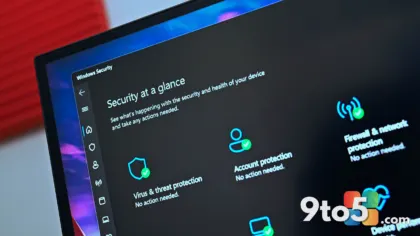
You can verify your certificate status regardless of your PC brand by opening Windows Security, navigating to Device Security, and checking the Secure Boot section:
- Green checkmark: The 2023 certificates are applied. No action is needed.
- Yellow warning: The update is pending. This may mean Windows Update hasn’t pushed it to your specific firmware variant yet, or your OEM needs to release a BIOS update.
- Red icon: A specific firmware incompatibility exists. Action is required.
If the Secure Boot section is missing, your PC may have Secure Boot disabled or was installed using a bypass method on unsupported hardware. For advanced users, PowerShell commands can also verify the status of the Windows UEFI CA 2023 update.
Note that some PCs may restart multiple times after recent updates as the certificate process stages into firmware across several reboots. Additionally, a new SecureBoot folder may appear in your Windows directory; this is part of the normal update process and should not be deleted.
What this means for you: If you are on a supported device and installed the June 2026 Patch Tuesday updates, your PC has likely already been updated. However, if you see yellow or red warnings, consult your OEM’s specific guide above to ensure you apply the correct BIOS update before the final October 19, 2026 deadline for the Windows Production PCA 2011 certificate.
Source: Windows Latest
Build details:
- KB5087544
- kb5087544
Over to you: Did your PC automatically update its Secure Boot certificates, or did you need to manually install a BIOS update?
You may also like
 Microsoft pushes Windows 11 25H2 to all consumer PCs ahead of 26H2
 Microsoft confirms major bugs in Windows 11 KB5094126: Office crashes, Recycle Bin glitches, and HP BSODs
 Outlook for Mac bug strips email context when replying or forwarding
 Microsoft 365 Current Channel update roundup: June 2026 builds, Copilot fixes, and security patches