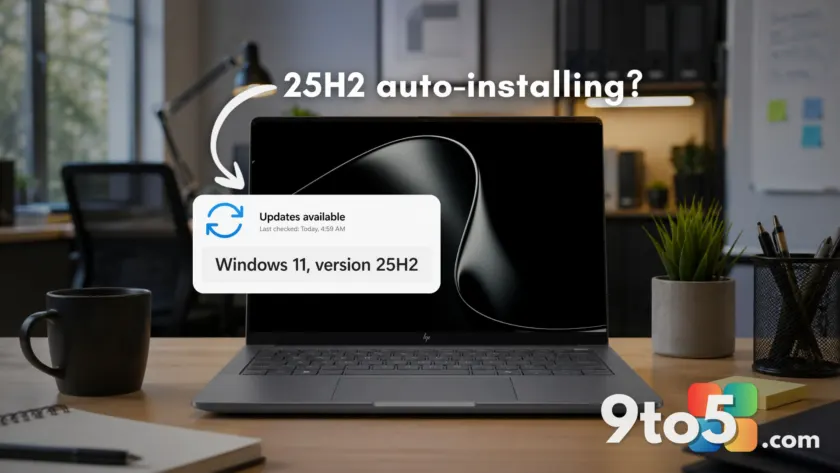
Microsoft has quietly accelerated its deployment strategy for Windows 11 25H2, expanding the update to cover virtually all eligible Home and Pro devices that are not managed by corporate IT departments. This shift marks the final stage of Microsoft’s machine learning-based intelligent rollout, meaning your PC may receive the upgrade automatically, regardless of whether you initiated it.
While “force installation” might sound aggressive, this move is largely a logistical preparation for the future. With Windows 11 26H2 officially confirmed for a fall 2026 release, Microsoft is ensuring that the consumer base is on the latest stable platform before the next major version arrives.
The scope of the rollout has widened significantly
For several months, the automatic deployment of Windows 11 25H2 was selective. When Microsoft first detailed the rollout status in March 2025, the update was primarily targeted at devices already running version 24H2. Devices on older versions like 23H2 were initially excluded from automatic installation.
However, by May 15, 2025, Microsoft updated its release health documentation. The specific prerequisite of running 24H2 was removed. The current guidance states that devices running Home and Pro editions of Windows 11, provided they are not IT-managed, will receive the update to Windows 11, version 25H2 through the intelligent rollout system.

This change indicates that Microsoft has expanded the scope to include devices on any supported consumer version of Windows 11. Previously, we reported that 23H2 devices were being upgraded after that version reached its end-of-life in November 2025. Now, the net is cast wider, encompassing all unmanaged consumer PCs regardless of their current supported version.
Why this matters: Support lifecycles and the Germanium platform
The urgency behind this push becomes clear when looking at support timelines. Windows 11 23H2 stopped receiving security updates for Home and Pro users in November 2025. Similarly, consumer support for version 24H2 is scheduled to end in October 2026. By moving users to Windows 11 25H2, Microsoft extends the device’s support lifecycle by a full year.
Crucially, this upgrade is lightweight. Windows 11 25H2 shares the same underlying codebase as 24H2. It installs in minutes, requires only a single reboot, and does not represent a heavy platform shift. The feature code is already present on systems via cumulative updates; the update simply enables these features and bumps the version number.
Preparing for Windows 11 26H2
This rollout serves as a staging ground for Windows 11 26H2, which is set to arrive in fall 2026. Like its predecessor, 26H2 will ship as a small enablement package (approximately 200KB) for devices already on 24H2 or 25H2.
All three versions—24H2, 25H2, and 26H2—are built on the same internal platform codenamed Germanium. At the kernel level, they are the same operating system. Therefore, upgrading to 25H2 now ensures a smooth transition to 26H2 later this year.
It is worth noting that Windows 11 26H1 is a different story. Built on a newer internal platform called Bromine, 26H1 is designed for next-generation ARM chips like the Snapdragon X2 and RTX Spark. It is not available via Windows Update for existing PCs. Microsoft is running two parallel tracks: Germanium for current x86/ARM hybrid PCs through 26H2, and Bromine for new ARM hardware, with both expected to converge around the Windows 27H2 timeframe.
What this means for you
If you are a Home or Pro user without IT management, expect to see Windows 11 25H2 appear in your Windows Update settings soon. If you prefer to control the timing, you can manually check for updates via Settings > Windows Update. You also have the option to pause updates if you need more time before installing.
For most users, staying on the latest version of the Germanium platform carries minimal risk and maximum benefit in terms of security support. With 26H2 on the horizon, being on 25H2 is the safest path forward.
Source: Windows Latest
Over to you: Will you let Microsoft auto-install Windows 11 25H2, or do you prefer to wait and manually trigger the update?
You may also like
 Windows 11 Canary builds bring targeted audio driver and settings improvements
 Microsoft drops new Windows 11 builds for June 19, including version 26H2 for Experimental
 Windows Insider builds for June 12: New unified update experience, typo-tolerant search, and 26H1 updates
 Windows 11 Insider builds for June 12: Unified updates, smarter search, and new inbox app notes