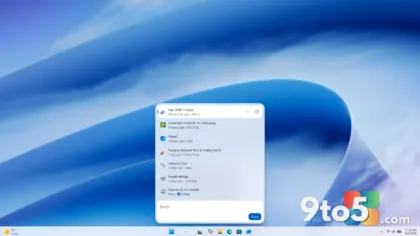
The utility that lets you build lightweight, bloat-free Windows 11 installation media just got a fresh coat of paint. According to Thurrott, the Tiny11 Builder has received a WinUI interface redesign alongside a handful of additional improvements, making one of the most popular Windows customization tools look and feel more modern.
A WinUI makeover for the interface
The headline change to Tiny11 Builder is a transition to a WinUI-based interface. WinUI (the Windows UI Library) is Microsoft’s XAML-based framework for building modern Windows applications, and apps built on it typically follow the Fluent Design language that defines the look of recent Windows 11 system apps.
In practical terms, this means the builder’s windows, menus, and controls should now present a cleaner, more contemporary appearance that aligns with the rest of the operating system rather than the older styling the tool previously used. The redesign is primarily cosmetic, but a consistent interface can make a frequently used utility noticeably more pleasant to work with.
Rebuilding a tool’s front end around WinUI often also brings better accessibility support and more consistent behavior across different Windows 11 versions, though the exact scope of those improvements depends on how deeply the developer integrated the framework. As noted in the announcement, the interface overhaul is part of a wider update rather than a standalone skin change.
What the redesign actually changes
Thurrott’s report frames this as a broader update, noting that the WinUI overhaul is accompanied by additional changes beyond the interface alone. The specific details of those extra tweaks were not spelled out in the summary of the announcement, so readers should treat the full changelog as the authority on exactly what else was touched.
What is clear is that the developer chose to invest in the tool’s front end at all. Small freeware utilities like Tiny11 Builder rarely receive major attention, and a redesign signals ongoing maintenance rather than an abandoned project. For a tool that people rely on to build installation media, that kind of continued development is a good sign.
Why Tiny11 Builder matters
Tiny11 as a concept has grown steadily in popularity over the past couple of years. The underlying idea is straightforward: take the full Windows 11 installation and remove components that many users consider unnecessary, such as preinstalled bloatware, telemetry services, and other cruft that slows down or annoys people. The result is a leaner image that uses less memory and disk space.
Tiny11 Builder is the tool that turns that idea into something anyone can do. Rather than manually editing an ISO with command-line tools, users can point the builder at a standard Windows 11 installation source and produce a customized, stripped-down image. That accessibility is what has made it a go-to option for enthusiasts who want a lighter Windows experience without spending hours scripting the process.
Projects like this fill a gap that official Microsoft channels deliberately leave open. Microsoft ships Windows 11 as a complete package, including apps and services that many power users would rather not run, and it doesn’t offer an official “minimal” edition. Community tools step in to provide that flexibility, which is exactly why utilities like Tiny11 Builder have attracted such a dedicated following.
What this means for you
For everyday Windows users, the main takeaway is simple: a tool you may already use to build a cleaner Windows 11 install is now more polished and appears to be under active development. If you’ve been putting off creating your own de-bloated installation media because the existing tools felt clunky, the updated interface lowers that friction a bit.
That said, building a modified Windows image is still something to approach with care. Stripping out components can affect system stability, driver support, or features you might later want, and images built by third parties aren’t official Microsoft products. The improvements to Tiny11 Builder don’t change that fundamental caveat—they just make the process a bit nicer to navigate.
How to get the update
Since Tiny11 Builder is a free utility, the update should be available through the same channels you’d normally use to download it in the first place. As with any third-party tool, it’s worth checking the official distribution page for the latest version and reading the associated changelog to see exactly what the developer changed in this release.
If you’re planning to use it, grab a clean copy of a legitimate Windows 11 installation source first, and be sure to verify the builder itself comes from the trusted source before running it. A small interface update won’t hurt, but the safety of whatever image you ultimately install still depends on where you got your files.
Source: Thurrott.com
Over to you: Have you tried building your own de-bloated Windows 11 with Tiny11 Builder, or do you stick with the official ISO?