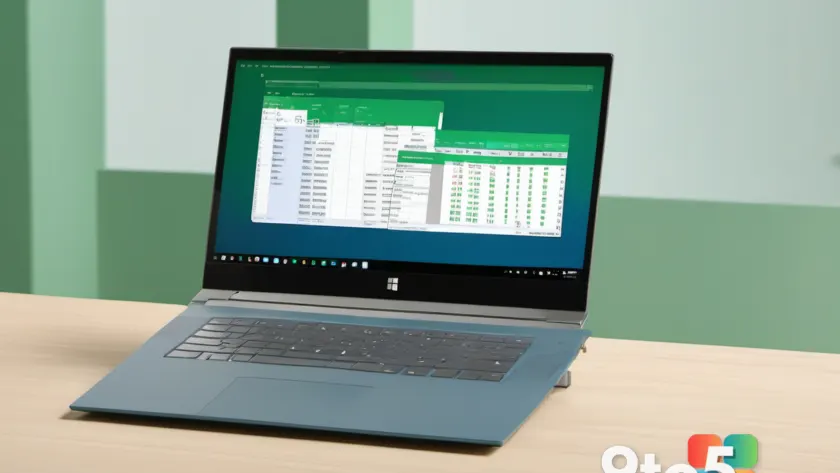
Excel for the web is about to lose a capability that some users rely on, and Microsoft is warning that the change could disrupt workflows built around it. The announcement, first reported by Neowin, confirms that a “useful capability” is being pruned from the browser-based version of Excel — the free, no-install spreadsheet tool that runs inside any web browser through OneDrive, SharePoint, or direct sign-in.
Because the report is still early, the exact feature being retired hasn’t been spelled out in full detail. But the core takeaway is clear: if you regularly use Excel for the web for anything beyond basic data entry, one of your existing tools may disappear sooner than you expect.
What is being removed from Excel for the web
At this point, the specific capability hasn’t been fully itemized in the available reporting, so it’s worth treating the details as provisional rather than final. Microsoft typically confirms feature retirements through its official lifecycle documentation rather than a fanfare-heavy launch, which is why the initial news often arrives with only a high-level summary.
What we do know is that Microsoft describes the removed capability as “useful,” which suggests it isn’t a legacy or rarely-used function. Features labeled this way tend to be ones that power users and teams have woven into their daily routines — the kind of thing that quietly breaks a workflow the moment it’s gone.

Why Microsoft retires web features
Retiring pieces of Excel for the web isn’t unusual. Microsoft maintains a public Office 365 Lifecycle guide that tracks the status of its products and features across their entire lifespan — from preview to general availability to retirement. This is the authoritative source for when a feature is scheduled to be switched off.
When a feature is slated for removal, it’s generally listed on that lifecycle page with a target date. The company does this to consolidate its offerings, reduce maintenance burden, and steer users toward the tools it plans to invest in going forward. In practice, retirements often follow a pattern: a feature gets limited support first, then a hard removal date is published, and finally it’s turned off.
The “unexpected disruptions” language in the report hints that some users may not have seen the earlier warning signs. That’s a common complaint with lifecycle changes — people discover a feature is gone only after it’s already vanished from their toolbar, which is exactly why Microsoft pushes these dates out publicly well in advance.
What this means for you
If you’ve built reports, dashboards, or shared spreadsheets around the affected capability, the removal could mean broken formulas, missing buttons, or automation that suddenly stops working. The impact is most acute for people who use Excel for the web as their primary spreadsheet environment — students, small business owners, and anyone accessing files through OneDrive or SharePoint without a desktop install.
For casual users who only open Excel for the web to tweak a cell or two, the disruption will likely be minimal. But for anyone who depends on the feature daily, even a small capability loss can ripple into real productivity hits, especially when shared workbooks are involved and other collaborators aren’t aware of the change.
What to do before it’s gone
The most practical step is to confirm exactly which capability is affected and when. Microsoft’s Office 365 Lifecycle page is the authoritative source for these dates, so check there for the specific entry tied to this retirement. If you can’t find it yet, keep an eye on Microsoft’s official communications channels, which typically publish formal deprecation notices ahead of removal.
It’s also wise to audit your own workflows. If a report or shared workbook relies on the feature, plan a fallback now rather than after it’s been pulled. That might mean migrating the relevant work to the desktop Excel app, exporting your data to a more portable format, or documenting a manual workaround until an alternative is in place.
Finally, if this capability is essential to your team, flag it to Microsoft through the appropriate feedback channels. Public feedback sometimes influences the timing or scope of a retirement, and it also creates a record in case the feature needs to be restored later.
Source: Neowin
Over to you: Do you use Excel for the web as your primary spreadsheet tool, or do you stick with the desktop app?