Microsoft has released a fresh set of Windows 11 Insider Preview builds for July 31, 2026, bringing a mix of power-user refinements and long-requested customization options to testers across multiple flight channels. According to the Windows Insider Blog, the update is primarily focused on rolling out renewed Windows Insider flight certificates to keep devices on supported builds, but it also introduces three notable feature changes that could shape the upcoming 26H1 release. The current flight certificate expires on August 11, 2026, so devices running older builds will stop receiving updates after that date.
#1 Adaptive Hibernate Policy
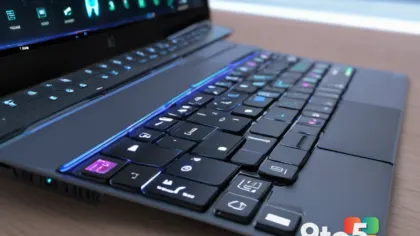
Available first in the Experimental flight at Build 26300.9032, the updated adaptive hibernate policy adjusts how Windows manages sleep and hibernation states based on your battery level. In practice, this means your device will stay in Modern Standby longer when the battery sits above 80 percent, giving you faster instant-on resumes without draining power unnecessarily. The policy also shifts aggressively toward hibernation when the charge drops below 10 percent, prioritizing data safety and battery preservation over wake-ability.
This change addresses a common friction point for laptop users who find their devices hibernating too quickly during light use or failing to wake reliably from sleep. By tying hibernate triggers to real-time battery thresholds, Microsoft is moving away from static timers toward a more dynamic power management approach. If you are testing on a Surface laptop or a third-party ultrabook, you should notice the transition between sleep and hibernate feeling more responsive to your actual usage patterns.
#2 Alternate Taskbar Position
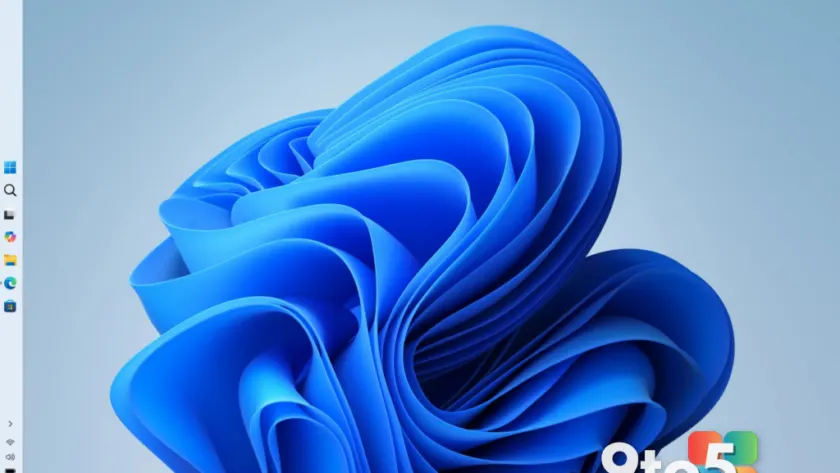
The alternate taskbar positioning feature has officially moved from the Experimental flight into the Beta channel with Build 26220.9022, making it accessible to a much wider group of testers. Through Settings > Personalization > Taskbar > Taskbar Behaviors, you can now anchor the taskbar to the bottom, top, left, or right edge of your screen. Microsoft confirmed that tooltips, flyouts, and system animations will still originate from the taskbar itself, regardless of where it is placed, preserving the standard interaction model.
It is worth noting that certain features are still being adapted for non-bottom placements. Touch gestures, the Search box, and the Ask Copilot panel in alternate locations are currently in progress, while auto-hidden taskbar and touch-optimized taskbar modes are not yet supported. The smaller taskbar option is also restricted to top and bottom positions at this time. If you are running a dual-monitor setup or prefer a desktop-style layout, this update removes a long-standing limitation in Windows 11.
#3 Smaller Taskbar
Paired with the positioning update, Microsoft is introducing a compact taskbar size option designed for users who want to maximize vertical screen real estate. The setting lives in the same Taskbar Behaviors menu under Settings > Personalization > Taskbar. When you switch the Taskbar size to Small, both the icon dimensions and the overall taskbar height shrink, leaving more room for your active windows. Core UI elements like the Start button, Search icon, and system tray scale proportionally to maintain visual alignment.
This change is particularly relevant for users on smaller displays, such as 13-inch laptops or compact desktop setups, where every pixel of vertical space matters. The default taskbar remains completely unchanged, so the option is opt-in and reversible. From a design standpoint, Microsoft is clearly testing whether a more modular taskbar can coexist with the centered-by-default layout introduced in Windows 11, which could hint at future personalization depth in the OS.
What This Means for You
For everyday Windows users, the most immediate takeaway is the certificate renewal. Devices running older Insider builds will lose update access after August 11, 2026, so updating to one of today’s builds is required to maintain your preview status. The adaptive hibernate adjustments will benefit laptop users who want more predictable power behavior, while the taskbar changes cater to power users and those who prefer traditional desktop layouts. If you are enrolled in the 26H1 preview tracks, you will see Build 28020.2623 for Beta (26H1) and Build 28120.2630 for Experimental (26H1). Future Platforms testers should update to Build 29639.1000.
How to Update Your Windows 11 Insider Preview Builds
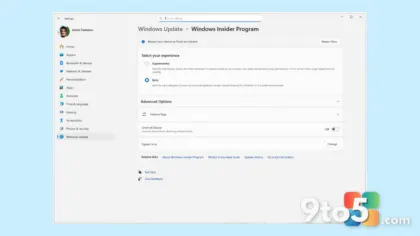
You can download today’s builds directly through Windows Update on your Insider device, or manually trigger a check via Settings > Windows Update. Detailed release notes for each channel are available on Microsoft Learn, and you can review the full certificate renewal FAQ at aka.ms/WIPCertExpiry if you need clarification on the August 11 deadline. Admins managing a fleet of Insider devices should verify that deployment pipelines are pointing to the latest build numbers to avoid certificate-related update failures next month.
Source: Windows Blog
Over to you: Will you be anchoring your taskbar to the side, or sticking with the centered default once this lands in 26H1?