When Microsoft unveiled Windows 11 in October 2021, the announcement was framed as a generational leap. The company promised a modernized visual language, a centered taskbar, and a productivity-focused ecosystem built on the same Windows 10 foundation. At the time, the operating system felt like a bold step forward, yet it arrived with significant compromises. Many features users relied on from Windows 10 were either missing or buried, and the overall experience often felt like a work in progress.
Fast forward to 2026, and the Windows 11 evolution is nothing short of remarkable. Over five years of annual feature updates, cumulative patches, and strategic pivots, Microsoft has fundamentally reshaped the desktop experience. The operating system has matured from a visually refreshed Windows 10 into a distinct platform defined by AI integration, cloud connectivity, and a renewed focus on responsiveness.
This transformation hasn’t been without controversy. While performance has improved and productivity tools like Snap Layouts and File Explorer tabs have arrived, Microsoft has also introduced stricter requirements for Microsoft accounts and deeper AI integration that some users view as intrusive. The OS is no longer just a tool for local tasks; it is increasingly positioned as a gateway to Microsoft’s broader ecosystem.
In this comprehensive breakdown, we examine how Windows 11 has changed across every major category. From the rebuilt taskbar to the integration of Copilot and the push toward connected setups, here is exactly what has shifted, what remains unresolved, and what this means for your daily computing experience.
The Start Menu: From Rigid Simplicity to Flexible Control
The Start menu was one of the most polarizing aspects of the original Windows 11 launch. Microsoft replaced the dynamic Live Tiles of Windows 10 with a static, centered layout focused on pinned applications and recommended content. While the design aligned with the new Fluent UI aesthetic, it stripped away customization options that power users had relied on for years.
Windows 11 in 2021: A Centered Launcher
Upon release, the Start menu prioritized a clean, uncluttered appearance. The layout was fixed, meaning users could not resize the panel to better suit their workflow. Recommendations from Microsoft, including ads for apps and services, were prominently displayed and difficult to fully disable. The organization of pinned and recent items was rigid, offering less flexibility than the left-aligned, highly customizable Start menu of Windows 10.
For many, the 2021 Start menu felt more like a simplified app launcher than a central hub. The inability to right-click and quickly access settings, or to drag and drop items freely, highlighted the gap between the new design and user expectations.
Windows 11 in 2026: Enhanced Customization
Today, the Start menu retains its centered identity but offers significantly more control. Microsoft introduced size options, allowing users to switch between Small, Medium, and Large layouts. This change addressed a long-standing complaint about the menu’s fixed dimensions, enabling better integration with various screen resolutions and user preferences.
Additionally, the organization of pinned and recent content has been refined. Users now have more granular control over what appears in the recommendations section, and the overall flow feels more intuitive. While it still does not replicate the full complexity of the Windows 10 Start menu, the 2026 version strikes a better balance between modern design and practical utility.
The Taskbar: A Complete Rebuild
If the Start menu was controversial, the taskbar was a source of widespread frustration. Microsoft’s decision to center icons by default and remove long-standing features like drag-and-drop and taskbar positioning sparked immediate backlash. The 2021 taskbar was visually modern but functionally limited, disrupting workflows that users had relied on for decades.
Windows 11 in 2021: Compromised Functionality
The initial taskbar focused on aesthetics over utility. Drag-and-drop support was removed, meaning users could not quickly pin applications by dragging them from the desktop. The “Never Combine” option, which allowed icons to be spaced out for easier clicking, was absent. Furthermore, the taskbar could only be positioned at the bottom of the screen, and the right-click context menu was reduced to a single shortcut, forcing users to navigate through additional steps for common actions.
These restrictions made the taskbar feel incomplete. While the centered design looked sleek, it alienated users who valued efficiency and customization.
Windows 11 in 2026: Restored Features and Flexibility
Microsoft spent the following years addressing these complaints. Drag-and-drop support was reintroduced, allowing users to pin apps directly from the desktop. The “Never Combine” option returned, giving users more control over icon spacing. Perhaps most significantly, the ability to move the taskbar to the top, left, or right of the screen was restored, a feature that had been removed in the initial release.
The system tray also received refinements, with improved customization options and better handling of background notifications. Today, the taskbar is far more practical and adaptable, blending the modern centered design with the functionality users expect. This evolution highlights Microsoft’s willingness to listen to feedback and adjust its design philosophy over time.
File Explorer: From Cosmetic Updates to Productivity Powerhouse
File Explorer is one of the most-used components in any operating system, and its evolution in Windows 11 reflects Microsoft’s broader modernization efforts. The 2021 release introduced a refreshed visual design but lacked key productivity features that users had been requesting for years.
Windows 11 in 2021: A Modern Shell, Legacy Internals
At launch, File Explorer received a new command bar that replaced the traditional Ribbon interface. The design was cleaner and more aligned with the Fluent UI aesthetic, but the underlying functionality remained largely unchanged. Tabs, a highly requested feature, were missing. Navigation between folders could feel sluggish, and the redesigned context menu often required extra steps to access older commands.
The experience was a mix of old and new. While the icons and layout felt modern, the lack of tabs and streamlined navigation made it feel like a transitional release rather than a complete overhaul.
Windows 11 in 2026: Tabs, Gallery, and Improved Performance
Five years later, File Explorer has become one of the strongest examples of Windows 11’s gradual modernization. Microsoft added tabs, allowing users to open multiple folders in a single window. This feature, long available in third-party alternatives like Total Commander, is now a native part of the experience.
The Gallery view was also introduced, providing a visual preview of media files directly within File Explorer. This eliminates the need to open separate applications for quick image or video reviews. Additionally, cloud integration has been improved, with better synchronization between local and OneDrive files. Performance optimizations have made opening folders, switching between tabs, and loading previews significantly faster.
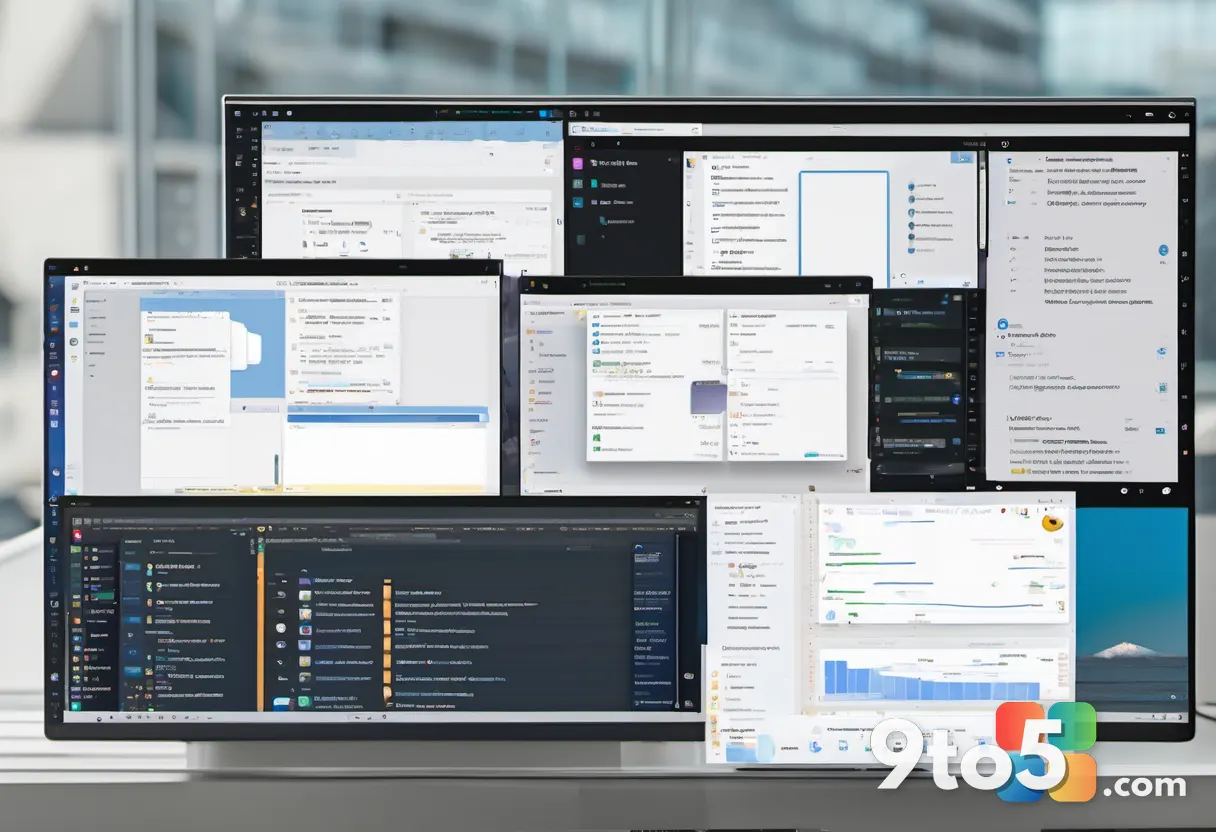
While some legacy elements remain, File Explorer in 2026 feels like a mature, productivity-focused tool. It retains the familiar workflow while adding the features users had been waiting for since the Windows 10 era.
Settings: The Long Transition from Control Panel
The Settings app has been one of Microsoft’s longest-running modernization projects. When Windows 11 launched, the company continued moving options from the traditional Control Panel into a redesigned Settings experience. However, the transition was far from complete, leading to an inconsistent user experience.
Windows 11 in 2021: Inconsistent Navigation
The initial Settings app featured a refreshed design with a new navigation layout and cleaner pages. However, many advanced options still redirected users to the Control Panel or older dialog boxes. This created a fragmented experience where some settings felt modern and intuitive, while others relied on legacy interfaces.
Finding specific options could be frustrating, as the organization differed from Windows 10. The search function was also less effective, making it difficult to locate settings without knowing their exact location.
Windows 11 in 2026: A More Unified Experience
Over the years, Microsoft has continued to expand the Settings app, moving more features away from the Control Panel. The search function has been improved, and pages have been reorganized for better clarity. Today, everyday tasks such as managing displays, Bluetooth devices, power settings, and Windows Update are handled entirely within Settings.
While the transition is not fully complete, the experience is significantly more consistent. Advanced tools and legacy configuration pages still exist, but they are increasingly the exception rather than the rule. This evolution reflects Microsoft’s ongoing effort to create a unified management experience that balances modern design with backward compatibility.
Productivity: Smarter Search, Multitasking, and Widgets
One of the core goals of Windows 11 was to enhance productivity through smarter search, improved multitasking, and integrated information panels. At launch, these features were in their early stages, but they have since matured considerably.
Windows 11 in 2021: Early Foundations
The original release introduced Windows Search, which provided a familiar way to find apps, settings, and files. However, it relied heavily on keyword matching and could struggle to return relevant results quickly. Snap Layouts offered predefined window arrangements, making multitasking easier but limiting flexibility. Widgets provided a new way to access information from the desktop, but the initial implementation focused heavily on news and Microsoft services.
These features laid the groundwork for future improvements, but they were not yet polished or fully integrated into the user workflow.
Windows 11 in 2026: Refined and AI-Enhanced
Today, Windows Search has been significantly improved. Better indexing, typo correction, and enhanced local results make it more effective at finding files and settings. AI-powered capabilities have also been introduced, allowing the search function to understand context and provide more relevant results.

Snap Layouts have matured with better suggestions and improved support for larger displays and multiple monitors. The feature now offers more flexibility, making it easier to arrange applications for complex workflows.
Widgets have also gained more personalization options and additional integrations. While news and information remain a core part of the experience, users now have more control over what appears in the panel. Together, these changes show how Windows 11 has evolved from a visually redesigned OS into a productivity-focused platform.
Copilot and AI: The Biggest Shift
Perhaps the most significant change in Windows 11 over the past five years is the integration of AI. When the OS launched, AI was not a central part of the desktop experience. Today, it is a defining feature, with Copilot serving as an integrated assistant and AI capabilities expanding across the operating system.
Windows 11 in 2021: No Built-In AI
The original Windows 11 focused on traditional desktop features. Windows Search was keyword-based, and voice features were limited. There were no Copilot+ PCs, no built-in AI assistant, and no local AI models designed to run on compatible hardware. The OS was a visual and usability redesign, with AI reserved for future iterations.
Windows 11 in 2026: AI-Driven Computing
Microsoft has since shifted Windows 11 into an AI-powered platform. Copilot is now integrated into the taskbar, providing users with a conversational assistant for tasks ranging from file management to system configuration. On Copilot+ PCs, which feature dedicated neural processing units (NPUs), AI capabilities are even more advanced.
Features like Recall, which allows users to review past activities, and Click to Do, which enables actions through natural language, have been introduced. Accessibility has also benefited, with improved voice interaction and captioning. However, this shift has sparked debate. While some users embrace the convenience of AI, others question the privacy implications and the push toward cloud-dependent features.
The integration of AI marks a fundamental change in how Windows 11 operates. It is no longer just a tool for executing commands; it is increasingly positioned as an intelligent system that anticipates user needs. This evolution reflects Microsoft’s broader strategy to compete in the AI-driven computing landscape, but it also raises questions about user control and data privacy.
Performance: Why Windows 11 Feels Different
Performance was one of the biggest concerns surrounding Windows 11 in its early days. The operating system looked modern, but some users encountered sluggish animations, slow File Explorer responses, and high memory usage. These issues made the visual redesign feel less convincing.
Windows 11 in 2021: Initial Hiccups
The original release could feel less responsive than Windows 10 on some systems. Animations and transitions were sometimes sluggish, and File Explorer experienced performance issues in early builds. Memory management and background processes could cause responsiveness problems, particularly on systems with limited resources.
The result was an OS that looked faster and more modern than it actually felt. These issues were often attributed to the new design language and the transition from Windows 10.
Windows 11 in 2026: Optimized and Responsive
Over five years, Microsoft has focused heavily on performance optimization. Core components have been refined, File Explorer performance has improved, and animations have been smoothed out. The Windows K2 initiative has placed an even greater emphasis on responsiveness, resource management, and reliability.
Recent updates have introduced improvements designed to make interactive tasks feel faster without requiring more powerful hardware. While Windows 11 is not universally faster on every device, the overall experience is considerably more mature. The small delays that made the 2021 release feel unfinished have been largely eliminated, though some work remains.
Security and Accessibility: Stronger Protections
Security and accessibility have both evolved significantly since the first release of Windows 11. The 2021 launch established a stronger foundation for hardware-backed security, and subsequent updates have expanded these protections and accessibility features.
Windows 11 in 2021: A Secure Foundation
Security was a key differentiator for Windows 11. Microsoft required TPM 2.0 and Secure Boot on supported systems, promoting Windows Hello as a more secure alternative to traditional passwords. Accessibility tools such as Narrator, Magnifier, and Voice Access provided the basis for a more inclusive experience, though some features were still in their early stages.
Windows 11 in 2026: Deeply Integrated Protections
Today, security is more deeply integrated into the Windows 11 experience. Microsoft has expanded protections such as Windows Hello Enhanced Sign-in Security, improved support for passkeys, and added Administrator Protection. Defenses against malicious applications and other threats have been strengthened.
Accessibility has also become more capable. Voice Access provides more natural ways to control the desktop, Live Captions have been improved, and AI-powered capabilities offer new ways to interact with the OS. Security and accessibility are no longer just collections of separate tools; they are built into the core functionality of Windows 11.
Setup Experience: From Easier to More Connected
The Windows 11 setup experience has changed in a significant way since 2021. The original release encouraged users to connect their devices to the internet and use a Microsoft account, but it was still possible to create a local account. Today, the setup process is much more tightly connected to Microsoft’s online ecosystem.
Windows 11 in 2021: Flexible but Connected
The initial setup process introduced a stronger push toward Microsoft accounts, particularly on Windows 11 Home. However, users could still create a local account by finding the appropriate setup option or using workarounds. This gave users more flexibility when setting up a computer without connecting it to Microsoft’s cloud services.
Windows 11 in 2026: A Connected-First Approach
Today, Microsoft has made a Microsoft account and an internet connection central requirements for setting up Windows 11. The local account option has been increasingly difficult to access, particularly for home consumers. This approach makes it easier to connect services like OneDrive, Windows Backup, and the Microsoft Store from the beginning.
However, it also gives users less choice during setup. This change reflects a different perspective on what Windows 11 should be: not just an isolated device, but part of a connected Microsoft ecosystem. While this benefits users who want seamless integration, it frustrates those who prefer a traditional local offline account.
What Windows 11 Still Hasn’t Fixed
Five years of updates have transformed Windows 11, but the operating system is not without its remaining issues. Some of the problems that frustrated users in 2021 persist, though they are increasingly concentrated in specific areas.
Legacy Components and Inconsistencies
While the Settings app has been expanded, the Control Panel has not completely disappeared. Advanced configuration tools and older dialogs still rely on legacy interfaces. This creates a mixed experience where modern and old design rules coexist.
Microsoft Account Integration
The push toward Microsoft accounts has intensified. While it simplifies access to services, it reduces options for users who prefer a local account. This is particularly noticeable during the setup process, where the local account option is increasingly hidden.
AI Controversy
The integration of AI remains a debated topic. While some users appreciate the convenience of Copilot and AI-powered features, others view them as unnecessary or intrusive. The push toward cloud-dependent AI raises questions about privacy and offline functionality.
Promotions and Recommendations
Start menu recommendations, account prompts, and Microsoft service integrations can sometimes make Windows 11 feel like a platform for Microsoft’s services rather than a user-focused OS. These promotional elements are a persistent source of frustration for some users.
Update Reliability
While Microsoft has improved the update and recovery experience, system updates can still introduce bugs or compatibility issues. This is a ongoing challenge for any operating system, but it remains a pain point for users who rely on Windows 11 for critical tasks.
The Verdict: A Maturing Operating System
The question is not whether Windows 11 has changed. It clearly has. The better question is whether Microsoft has fixed enough of the problems that made the original release feel incomplete.
In many ways, Windows 11 is a much better operating system than the one shipped in 2021. The taskbar, Start menu, File Explorer, and Settings have all been improved, and performance has been optimized. The changes are not always dramatic, but they add up to a more polished and capable experience.
However, the direction Microsoft is taking the OS is as important as the improvements. The stronger push toward Microsoft accounts, cloud services, and AI gives Windows 11 capabilities that did not exist in 2021, but it also makes the experience feel less user-controlled in some areas. Not every user wants an assistant, AI search, or AI-powered features built into their daily computing.
For someone using Windows 11 today, the problems of the 2021 launch are largely in the past. Five years of updates have made a real difference. At the same time, Microsoft has not finished the job. The remaining legacy components, account push, and inconsistent experiences show that Windows 11 is still being rebuilt while millions of people use it. The Windows 11 evolution continues, and its final form will depend on how Microsoft balances innovation with user preference in the years to come.
Source: Latest from Windows Central
Over to you: Which change in Windows 11’s five-year evolution has had the biggest impact on your daily workflow?
You may also like
 Microsoft Weekly: August Patch Tuesday Updates, License Hikes, and Xbox Outage
 Ex-Microsoft Engineer Builds Outlook Rival App Using Lost Windows Feature
 Microsoft Removes OneNote Web Feature While Keeping It in Windows App
 Windows 11 24H2, Server 2022, and Windows 10 LTSB 2016 Get 60-Day Cut-Off Warnings