Microsoft is working on a change to Microsoft Teams that should help shield users from QR code phishing, also known as “quishing.” According to a report from Neowin, the update is designed to stop people from accidentally opening malicious QR codes shared inside chats, meetings, and direct messages.
QR code phishing is a fast-growing attack method, and Teams has long been a prime target because people tend to trust messages coming from colleagues, IT staff, and bosses. Here’s what we know about the coming protection and why it matters for anyone who uses Teams at work.
What is QR code phishing?
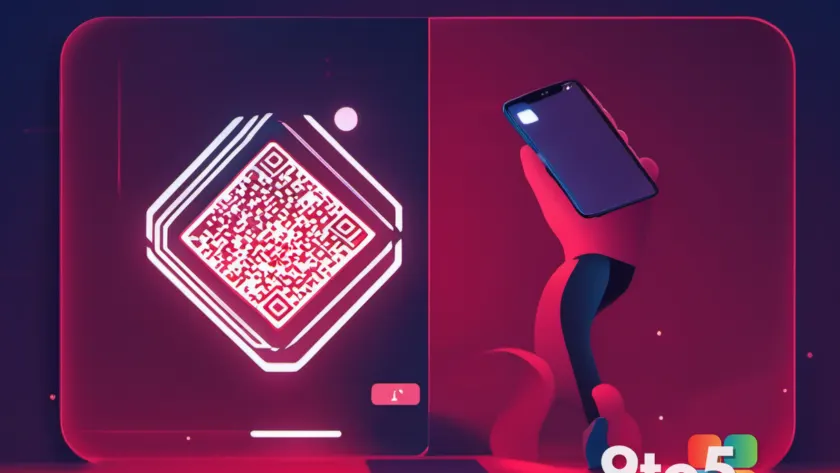
QR code phishing (quishing) is a form of social engineering in which attackers embed a malicious QR code into a message, email, physical poster, or business card. When a victim scans the code with their phone camera, it can open a fake login page, redirect to a malware download, or trigger a payment or action the attacker has planned.
The core danger is that a QR code hides its destination. Unlike a traditional hyperlink, you can’t hover over a QR code or preview the URL before following it. That invisibility is exactly what makes it attractive to threat actors: the victim has no way to check whether the link is legitimate before committing to it.
How Teams would defend against it
Microsoft hasn’t released the specifics of the change — there’s no build number, no release date, and no official feature name attached to it yet, so treat the details as preliminary. What the report indicates is that Teams will add a layer of scrutiny to QR codes scanned within the app, aiming to block or warn users before a malicious redirect can take effect.
Teams already relies on link-protection technology such as Microsoft Defender for Office 365, which includes Safe Links that scan and filter URLs in real time. The expectation is that this new QR safeguard extends that same kind of URL inspection to codes, so a QR code pointing to a known-bad or suspicious domain gets flagged rather than silently sending you onward.

Why QR codes make such a good phishing tool
They’re also hard for automated security tools to catch. Traditional email and web gateways are built to scan text links, but a QR code is essentially an image, so the embedded URL often never passes through a URL filter until after the phone has already scanned it. That gap is precisely the vulnerability Teams is trying to close. Security researchers have documented quishing campaigns in the wild, with attackers targeting remote and hybrid workers who are more likely to scan codes on physical surfaces around the home or office. The trend shows no sign of slowing, which is likely why Microsoft is moving to harden Teams specifically. If you use Teams at work, you’re part of the audience this protection targets. Attackers frequently impersonate IT departments, HR teams, or executives in phishing campaigns, and Teams chat is a natural place to drop a QR code that looks like a routine “verify your account” or “collect badge” request. The coming safeguard should reduce the chance that one such code silently sends you to a credential-stealing page. That said, no automated protection is a complete substitute for your own judgment. Treat any QR code that appears unexpectedly — especially one that claims urgency or asks you to log in or pay — with suspicion, even inside Teams. Finally, keep your devices and Teams app updated, since link-protection features and security patches ship through normal updates. Microsoft hasn’t confirmed when the QR safeguard will arrive, so until then, your best defense is treating unfamiliar codes as untrusted until proven otherwise. Source: Neowin Over to you: Would you trust a QR code in a Teams message today, or hold off until Microsoft’s protection lands?What This Means for You
How to Stay Protected