OpenAI has started rolling out its newest language model, GPT-6 Astra, across several of the products people use every day — including ChatGPT Work, Codex, Microsoft 365, and GitHub Copilot. The rollout targets paid subscribers, and it marks another step in the deepening integration between OpenAI’s models and Microsoft’s productivity and developer tools.
According to the report from Neowin, ChatGPT Enterprise, Pro, and Business Premium subscribers can now access the new GPT-6 Astra model in ChatGPT Work and Codex. That places the model squarely in the paid tier of OpenAI’s ecosystem, rather than the free tier that most casual users rely on.
What GPT-6 Astra is and where it lives
The specific technical details OpenAI has published about GPT-6 Astra’s capabilities are limited, so it’s worth being clear about what’s confirmed versus what’s still unclear. What we know from the report is that the model is available in two of OpenAI’s key products right now: ChatGPT Work and Codex.
ChatGPT Work is OpenAI’s version of the assistant aimed at teams and organizations, while Codex is its coding-focused tool that helps developers write, debug, and refactor software. Both are places where a more capable model tends to matter most, which explains why Astra is landing there first.
Contextually, this fits a pattern OpenAI has followed with its recent model releases — shipping the strongest new models into paid and professional products before they filter down to broader access. OpenAI has not publicly detailed Astra’s benchmark scores, parameter count, or how it compares to previous generations, so treat those specifics as unconfirmed for now.

Who has access to GPT-6 Astra
Access is currently limited to three paid ChatGPT plans. According to the report, the eligible subscribers are:
- ChatGPT Enterprise — the plan built for large organizations with admin controls and shared or isolated workspaces.
- ChatGPT Pro — the high-volume personal tier aimed at power users who push the model hard.
- ChatGPT Business Premium — the top-tier plan for small businesses and professionals.
If you’re on a free ChatGPT account or a standard paid plan outside those three, you won’t see Astra yet. That’s a deliberate gating strategy: OpenAI tends to reserve its newest models for its most paying customers initially, then gradually widen availability as demand and infrastructure allow.
The Microsoft connection
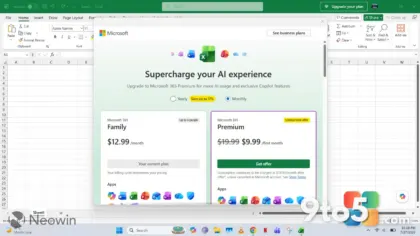
The rollout’s reach into Microsoft 365 and GitHub Copilot isn’t surprising given the long-standing partnership between the two companies. Microsoft invested heavily in OpenAI and embeds its models across its own products, from Microsoft 365 Copilot to GitHub Copilot, which powers AI-assisted coding inside Visual Studio and the web.
The report frames GPT-6 Astra as spreading across all three surfaces — ChatGPT, Microsoft 365, and GitHub Copilot — even though the confirmed availability is currently in ChatGPT Work and Codex. It’s worth noting the distinction: the model’s presence in Microsoft 365 and GitHub Copilot is described as part of the broader rollout, but the report pins down the immediate, confirmed access points as the two OpenAI products.

What this means for you
For everyday users, the practical takeaway is simple: if you already pay for one of the three eligible ChatGPT plans, check whether Astra is showing up in your ChatGPT Work and Codex sessions. OpenAI typically lets the newest model appear automatically for eligible accounts, though it may take a day or two to propagate across all users.
If you’re on a free or lower-tier plan, this is a good moment to weigh whether the upgrade is worth it for your workflow. Models like Astra tend to handle complex reasoning, coding, and long-context tasks better than older generations, but whether that justifies the cost depends on how heavily you rely on AI tools day to day.
How to get GPT-6 Astra
If you already subscribe to ChatGPT Enterprise, Pro, or Business Premium, there’s likely nothing for you to do but look — the model should become available in ChatGPT Work and Codex automatically once it rolls out to your account. Keep the app updated, and if it doesn’t appear after a couple of days, reaching out to OpenAI support is the sensible next step.
For those outside those three plans, the path to Astra means upgrading to one of them through the ChatGPT subscription page. There’s no separate download or toggle; access is tied to your subscription tier, not a standalone feature you can switch on.
Source: Neowin
Over to you: If GPT-6 Astra shows up in your ChatGPT Work or Codex, will you upgrade to one of the eligible plans, or stick with what you’ve got?