Microsoft Family Safety is getting a batch of fixes aimed at the everyday friction parents and kids have complained about, according to a Windows Blog post published September 8. The updates target slow parental approvals, incomplete activity reports, funding balance errors, and the ability to manage a family group — all of which Microsoft says were shaped by family feedback gathered over recent months.
The company frames these changes as part of a broader push to create safer, age-appropriate digital experiences for kids. Rather than a single headline feature, the rollout is a collection of smaller, targeted fixes. Here is what actually changed and what it means for families using the service.
#1 Faster parental approvals
Parents and children have reported inconsistent and noticeable delays when approving requests for app access, screen-time extensions, and purchases. During those delays, kids couldn’t access the content they asked for, and parents were left unsure whether their approval had actually gone through.
Microsoft says approvals for those same requests now process faster than before, cutting down on the wait times that used to frustrate both sides. In practice, a parent tapping “approve” on their phone should see the request resolve more quickly, letting a child continue a game or open an app without a long standstill.
For families, this is largely about removing a small but recurring annoyance. Approval delays are the kind of thing that tends to escalate into “why won’t this work” arguments at the kitchen counter, so a smoother flow is a practical win even if it isn’t the most glamorous update.
#2 Broader activity reporting coverage
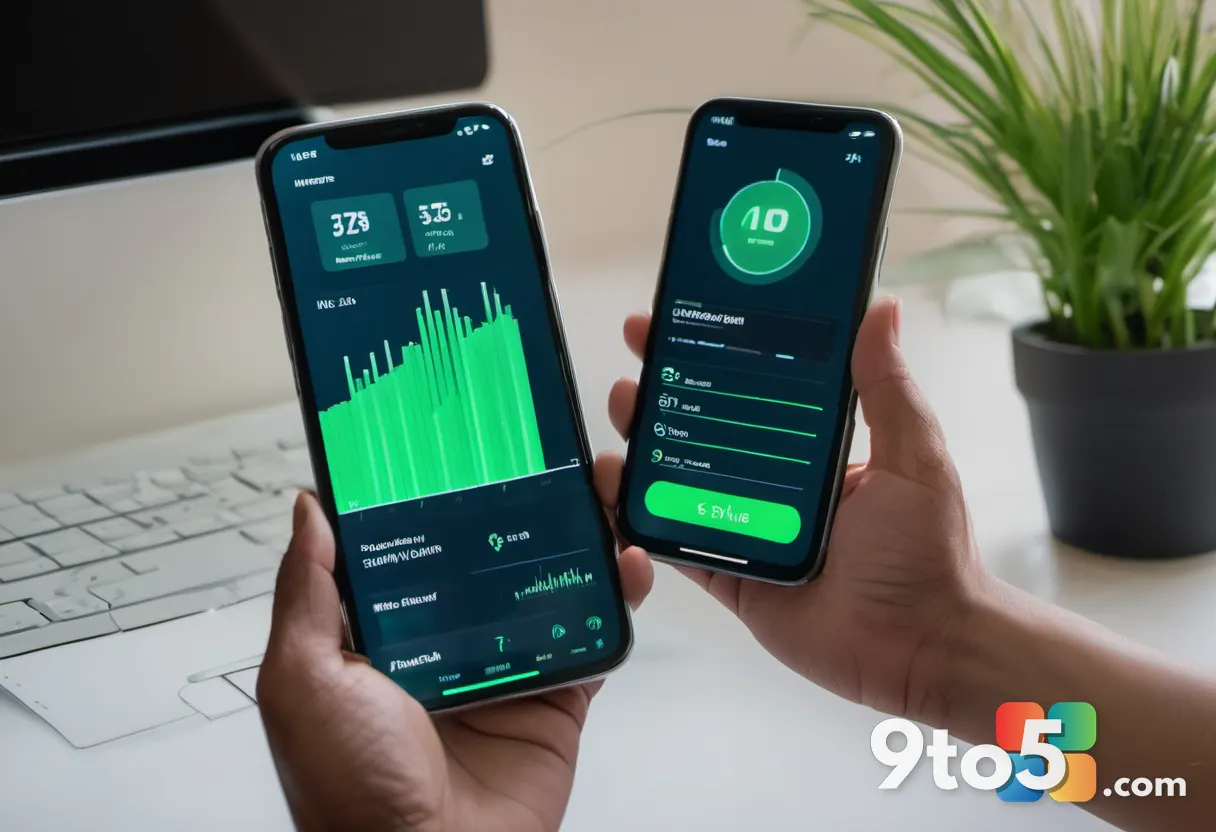
Some parents noticed that certain apps were simply missing from their child’s activity reports, making it hard to get a complete picture of how a device was being used. Microsoft says activity reporting now includes broader app coverage across all applications used on a child’s PC.
The goal is a more complete and trustworthy view, with both parents and children able to see the full list of apps used and time spent. Microsoft also notes that additional improvements to usage-time accuracy are coming, so today’s update may not be the final word on this front.
For parents relying on these reports to manage screen time, fuller coverage matters: a gap in the data can create a false sense of security or, conversely, raise questions about activity that simply wasn’t being tracked. The fix closes that gap, at least for app-level reporting.
#3 Funding balance accuracy after a top-up
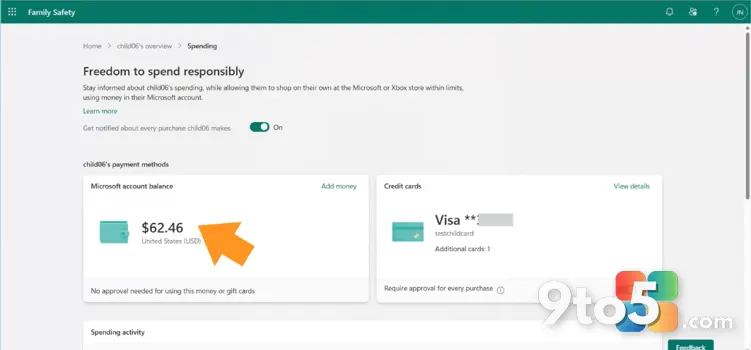
Family funding balances were not always reflecting the correct updated balance after a top-up, which could leave parents with an inaccurate sense of how much money was available for their children’s purchases. Microsoft says this issue has been addressed.
The company shared a screenshot showing the corrected funding balance display in the Family Safety spending area, though it did not detail the underlying cause of the discrepancy.
For families that add money to a child’s account for games or apps, an accurate balance is important for basic budgeting. A stale or wrong number could lead to an unexpected decline at checkout or a miscalculated top-up, so this is a straightforward reliability fix.
#4 Easier family group management
Beyond the three fixes above, Microsoft also gave adults in a family group more control over their own experience, making it easier to add, manage, or leave a family group. This was listed among the improvements but wasn’t given its own detailed write-up in the post.
The change touches on the administrative side of the service: joining a family, moving between groups, or leaving one should now be more straightforward for adults. For households dealing with blended families, shared devices, or kids aging out of the service, cleaner membership management can save a few frustrating clicks.
What Microsoft Family Safety changes mean for you
If you use Microsoft Family Safety, these fixes mostly remove everyday friction rather than add new capabilities. The most visible improvements — faster approvals, fuller activity reports, and accurate funding balances — should show up automatically once you update to the latest version of the Family Safety app.
The updates are available in the latest versions of the Family Safety mobile app for both iOS and Android. You can also manage the family and check the fixes on the web at account.microsoft.com/family/.
Microsoft acknowledges that some families may still run into issues, and it’s asking parents to report problems directly at familysafetyfeedback@microsoft.com. The company describes that inbox as an ongoing channel for feedback rather than a one-time contact point.
What’s next
Microsoft says the work isn’t over. It notes that while progress has been made, some families may still hit snags, and it wants to hear about them so it can fix issues sooner. The team frames the ongoing effort as a continuous loop of gathering feedback, applying fixes, and iterating — with usage-time accuracy improvements already flagged as coming down the line.
Source: Windows Blog
Over to you: Which of these Microsoft Family Safety fixes — faster approvals, fuller activity reports, or accurate funding balances — would matter most to your family?
You may also like
 Microsoft Edge Extension Reviews Get Faster, Featured Badge Refreshes More Often
 Windows Phone nostalgia: 5 things fans still miss years after its demise
 Switzerland Tests Alternatives to Microsoft 365 in Government Migration Pilot
 Microsoft’s New Command-Line Tool Builds Native Windows Apps in 30 Minutes