Microsoft has officially confirmed that the Windows 11 right-click menu will not be removing the legacy Windows 10 context menu, even as it pushes a faster, customizable modern replacement. The announcement follows Microsoft’s first public acknowledgment that the redesigned menu shipped with noticeable performance and organization issues. Instead of forcing a hard cutoff, the company is shifting how the classic menu appears while rolling out a rebuilt experience that now matches the speed of its predecessor.
What Microsoft Actually Changed About the Windows 11 Right-Click Menu
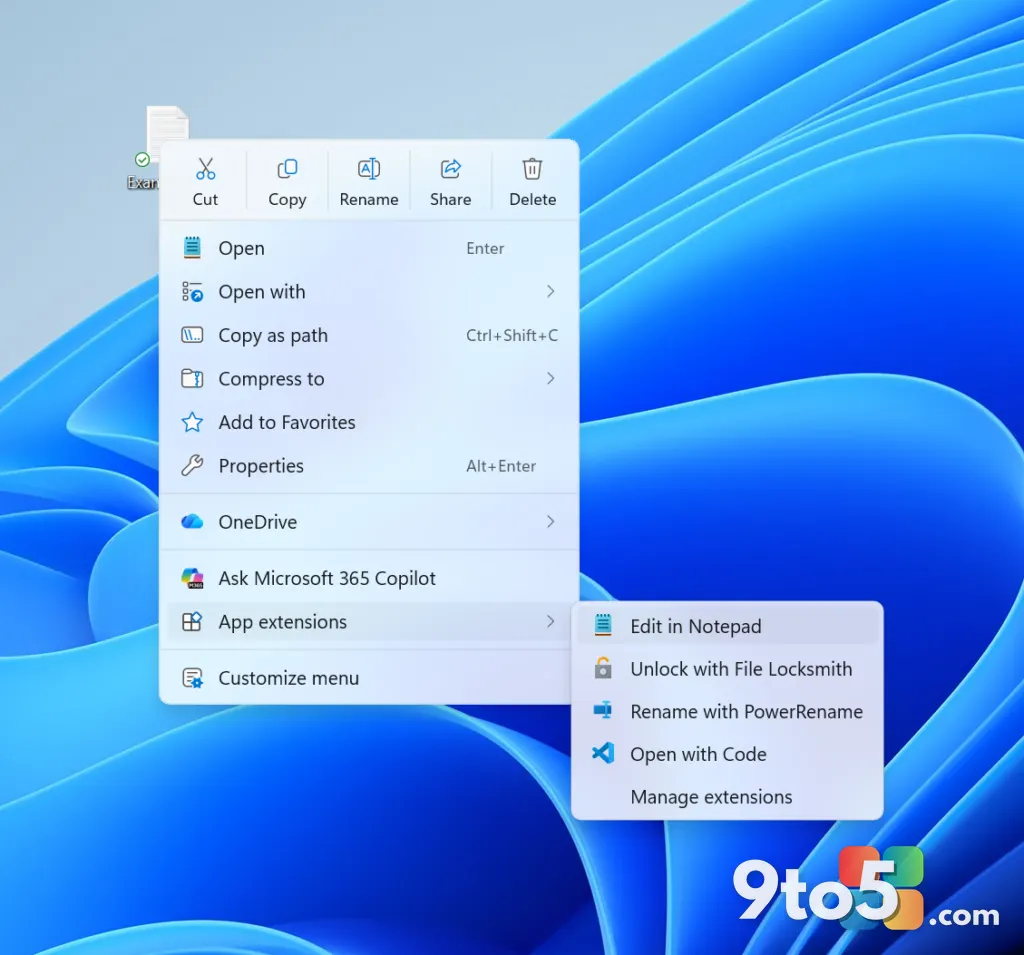
When Windows 11 launched in 2021, Microsoft framed the context menu overhaul as a necessary cleanup. At the time, the company pointed to two decades of unregulated growth since the IContextMenu API was introduced in Windows XP. Third-party applications routinely added dozens of entries, turning a simple right-click into a scrolling list that rarely matched the selected file. Microsoft promised a modernized design, improved grouping for commands like Open and Open with, and faster in-process execution to eliminate the lag that plagued earlier builds.
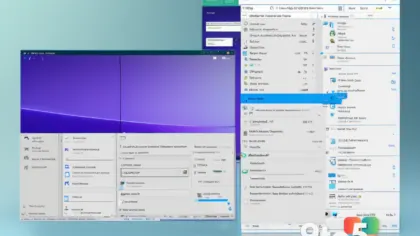
Those promises held up on paper, but real-world usage told a different story. In a Windows Insider Blog post published earlier this week, Microsoft admitted that the menu became cluttered and sluggish over time. The company explicitly stated it needed to dramatically reduce the time between a right-click and a fully ready menu. The fix involves a rebuilt command pipeline that moves more operations out of the Explorer process, alongside a new customization layer that lets users pin, reorder, or hide specific entries. Early benchmarking from our editorial team shows the updated menu is now nearly on par with Windows 10 in raw response time, a marked improvement over the delayed renders that frustrated users during the 2024 and 2025 update cycles.
The Legacy Context Menu Stays, But With a Twist
The question that has drawn the most attention is whether Microsoft will finally drop the Windows 10-era menu that currently lives behind Show more options. The short answer is no. Marcus Ash, the Windows Insider program boss, confirmed via X that the legacy menu will remain accessible, primarily because a significant number of enterprise tools and older third-party utilities still depend on the older IContextMenu interface. Removing it outright would break workflows for users who rely on those extensions.
The real shift lies in how the legacy menu is triggered. Show more options will no longer appear by default in the modern context menu. Instead, it will only surface when a detected application requires the older interface to expose its extensions. For users who still want the familiar Windows 10 layout as their default, a setting in File Explorer options will let them re-enable the legacy menu across the board. Microsoft is also publishing developer guidance to help application teams migrate their extensions to the modern context menu framework, which should gradually reduce the need for the fallback option.
What This Means for You
For everyday Windows 11 users, the immediate takeaway is that your right-click experience is about to become noticeably faster and easier to manage. The new customization layer means you can finally trim down bloated menus without relying on third-party registry tweaks or Group Policy overrides. If you currently depend on older software that only works with the classic menu, you will not be forced into an upgrade path. The toggle in File Explorer settings preserves your existing workflow while still allowing the modern menu to take center stage for newer applications.
From an IT administration standpoint, the shift toward a customizable modern menu aligns with Microsoft’s broader push for consistency across Windows 11. The accompanying updates to the AutoPlay dialog and Properties sheet suggest that Microsoft is treating the context menu as the foundation for a wider user experience overhaul. Organizations managing large fleets will likely see updated baseline images and Intune configuration profiles that reflect the new default behavior, though the opt-in legacy toggle ensures continuity for legacy-dependent deployments.
How to Get It
The updated context menu will roll out through the standard Windows Update pathway, meaning it will reach most Windows 11 devices automatically over the coming weeks. Users on the Windows Insider Preview channels will already be testing the changes in the latest builds, where the new customization panel and performance improvements are fully active. If you want to try the modern menu immediately, you can navigate to File Explorer settings and toggle the legacy context menu option to see how the new interface handles your installed applications. Developers looking to adapt their software should consult the official Microsoft documentation on extending the Windows 11 context menu, which outlines the updated API requirements and migration steps.
Source: Windows Latest
Over to you: Will you keep the modern menu as your default, or are you turning on the legacy toggle to preserve older extension support?
You may also like
 Ubuntu on WSL Is Outpacing Its Native Desktop for the First Time
 Windows 11 Insider Preview: New Builds, Renewed Certificates, and a Redesigned Context Menu
 New Windows 11 Builds Remove Drag Tray and WMIC for Insiders
 Windows 11 Experimental Channel Update: Build 26340.9212 Brings Redesigned Context Menu