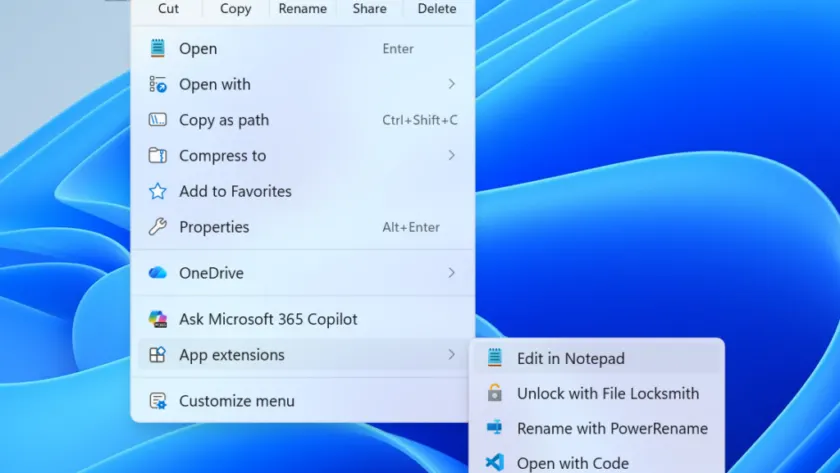
Microsoft has rolled out new Windows 11 Insider Preview builds for the Beta and Experimental channels, bringing fresh updates to Windows Insiders. These releases address critical certificate renewals and introduce a redesigned File Explorer context menu alongside Emoji 17.0 support.
Renewed Windows Insider Flight Certificates
A key change in these updates is the renewal of Windows Insider flight certificates. Previously, certificates expired on August 11, 2026, potentially causing compatibility issues with certain software, including anti-cheat applications. The new builds include updated certificates to ensure devices remain on supported builds and continue receiving future updates.
Insiders running older builds without the renewed certificate may experience problems. For detailed information, Microsoft provides a dedicated FAQ on certificate renewal, which outlines the process and addresses common concerns.
Feature Flags Issue in Experimental Channel
The team is currently investigating an issue affecting the Experimental channel, where the Feature Flags settings page appears empty. This problem prevents users from accessing and toggling experimental features. Microsoft expects to resolve this in the next Experimental build and will provide updates via the Windows Insider Blog.
Users relying on the Experimental channel for cutting-edge features should monitor the blog for resolution updates. This issue highlights the ongoing challenges of managing experimental features across different release channels.
New Builds Available Today
Several new builds are available across different release channels. Here is the complete list:
- Beta Channel: Build 26220.9209
- Experimental Channel: Build 26340.9212
- Beta (26H1): Build 28020.2731
- Experimental (26H1): Build 28120.2738
- Experimental (Future Platforms): Build 29648.1000
Each build includes specific release notes detailing the changes and improvements. Insiders can access these notes via the official Microsoft Learn pages linked in the announcement, providing transparency into the development process.
Redesigned File Explorer Context Menu
One of the notable features in the Experimental channel is the redesigned context menu in File Explorer. This update aims to provide a faster, cleaner, and more customizable right-click experience. The new design reduces clutter at the top level, keeps commonly used actions easily accessible, and introduces a new Settings experience for greater control over menu items.
Microsoft is refining this experience based on Insider feedback, with the goal of making right-click interactions more responsive and personalized. This change is currently rolling out to the Experimental channel and may expand to other channels in the future, reflecting a broader effort to modernize the Windows interface.
Emoji 17.0 Support
The Experimental channel also introduces support for Emoji 17.0, adding new emojis such as the distorted face, fight cloud, and hairy creature. Users can access these new emojis by pressing the Windows key plus Period (.) to open the emoji panel. This update aligns with the Unicode 17.0 standard, ensuring consistency across platforms.
In addition to new emojis, Microsoft has made design adjustments to existing emojis for improved consistency. Affected emojis include the saluting face, face with peeking eye, goose, lotus, and kissing cat. These changes enhance the visual coherence of the emoji set, providing a more unified experience for users.
What This Means for You
For everyday Windows users, the renewed flight certificates are crucial for maintaining system stability and software compatibility. If you are running an older Insider build, updating to the latest version ensures your device remains supported and avoids potential issues with anti-cheat or other applications.
The redesigned context menu and Emoji 17.0 support offer enhanced customization and expression options, particularly for those in the Experimental channel. These features reflect Microsoft’s ongoing efforts to modernize the Windows experience based on user feedback, ensuring the operating system remains relevant and user-friendly.
How to Get It
To update your device, navigate to Settings > Windows Update and select Check for updates. If you are enrolled in the Beta or Experimental channels, the new builds should appear automatically. For detailed instructions, refer to Microsoft’s official guide on joining the Windows Insider Program, which provides step-by-step guidance for enrolling and managing your Insider experience.
Source: Windows Blog
Over to you: Are you excited about the redesigned context menu, or will you stick with the current File Explorer experience?