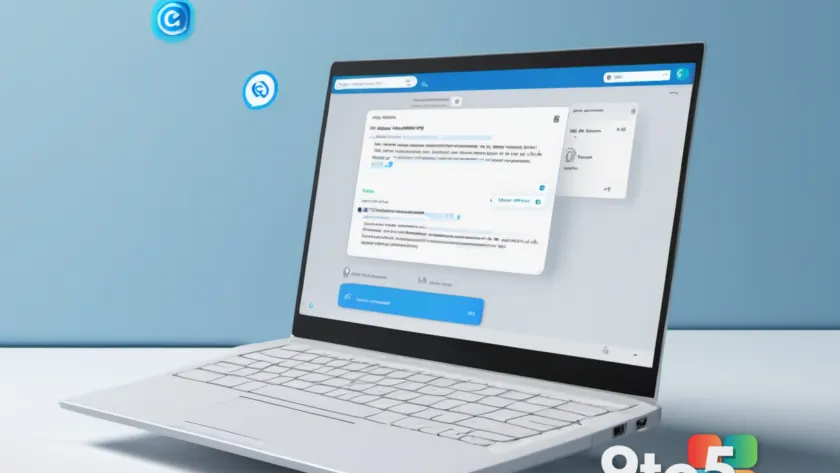
Microsoft is adding a smart email feature to New Outlook that is designed to run on its own, cutting down on the manual work of sorting, replying to, and managing your inbox. According to a report from Neowin, the update is heading to both New Outlook for Windows and Outlook on the web, and it should require very little intervention from you once it’s in place.
Here is what we know about the change and what it could mean for how you handle email on a day-to-day basis.
What the New Outlook email feature is expected to do
The core of the announcement is straightforward: New Outlook is getting a smart email feature that works automatically. Microsoft describes it as something that will save you time without you having to configure or trigger it by hand.
The report doesn’t spell out every detail of the feature, so it’s worth treating the specifics as preliminary. What is clear is that Microsoft is leaning into automation for email management — the same direction it has been pushing with AI-assisted tools across its productivity suite.
The feature is arriving on two platforms at once: New Outlook for Windows and Outlook on the web. Because these two clients now share much of the same underlying code, a feature shipped to one typically lands in the other around the same time.
Why “automatic” is the key word
The emphasis on the feature working automatically is the notable part. In practice, that means Microsoft is trying to move email management out of the “you have to do this yourself” category and into the “the app handles it for you” bucket.
This is a common goal for modern email clients. Instead of you manually flagging messages, sorting mail into folders, or drafting replies from scratch, the app is expected to suggest or perform actions on its own. The less you have to think about the mechanics of your inbox, the more time you can spend on the actual content of your messages.
That said, “automatic” doesn’t necessarily mean “hands-off forever.” Email features that act on your behalf usually still let you review, adjust, or turn them off — especially when it comes to anything touching your sent mail or your personal data. Expect Microsoft to keep you in control of anything irreversible.
The bigger picture for Outlook
New Outlook for Windows isn’t a brand-new product, but it has been a long-running effort. Microsoft first previewed it in 2020 as a lighter, faster reimagining of the classic Outlook desktop app, and it gradually became the default mail client for many Windows users over the following years.
The older, legacy Outlook desktop app has been in a slow phase-out as Microsoft pushes users toward the New Outlook and the web-based version. Both now draw from a shared codebase, which is why feature updates frequently appear across both clients at once.
This smart email feature fits into a broader push by Microsoft to weave AI and automation into everyday productivity tools. Over the past couple of years, Outlook has gained Copilot-powered writing help, suggested replies, and follow-up reminders, and features like this continue that same trajectory.
What This Means for You
For most users, the appeal is simple: less busywork. If the feature does what it suggests, you could spend less time triaging mail and more time focusing on what actually matters.
A few things to keep in mind:
- Details are still limited. The report doesn’t confirm exactly what the feature does, so treat expectations as provisional until Microsoft shares more.
- Expect it to arrive gradually. Microsoft typically rolls out new Outlook features to a subset of users first, then widens availability over time.
- You’ll likely keep some control. Features that act automatically usually still allow you to review or disable them, particularly anything involving sent messages.
How to Get It
The feature is coming to New Outlook for Windows and Outlook on the web, so there’s no separate download or purchase required if you’re already on either client.
To make sure you see updates as soon as possible:
- In New Outlook, keep the app updated through Windows Update and the standard client update flow.
- On the web, you’re usually on the latest version automatically, since Outlook on the web is served fresh from Microsoft’s servers.
If you haven’t switched to New Outlook yet, you can enable it from the legacy Outlook desktop app or directly at outlook.com by toggling the “New Outlook” switch in the settings menu.
Source: Neowin
Over to you: What kind of email task would you most want the app to handle automatically for you?
You may also like
 Microsoft makes “Remote PC connections” generally available, retiring the Remote Desktop app
 Microsoft Is Revamping PowerToys’ Design for Better First Impressions
 Pre-order the Xbox X25 Special Edition Controller Before Scalpers Grab Stock
 Dutch Tax Authority Plans to Move Off Microsoft 365 Toward Open Source