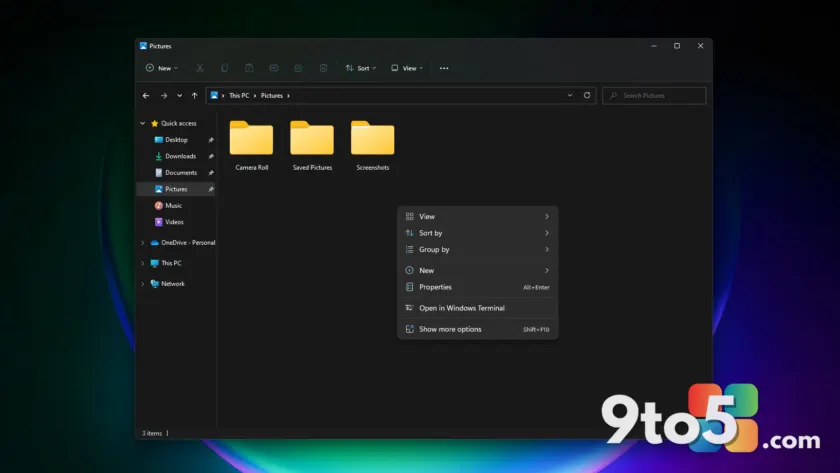
The right-click context menu is one of the most frequently used interfaces in Windows, yet it has long been a source of frustration for users dealing with slow load times and cluttered options. According to reports from Windows Central, Microsoft is now developing a significant overhaul of this core feature, introducing a new compact design that aims to make the menu faster and less cluttered. This update represents a major shift in how users interact with files and applications on Windows 11.
A Compact, Faster Design
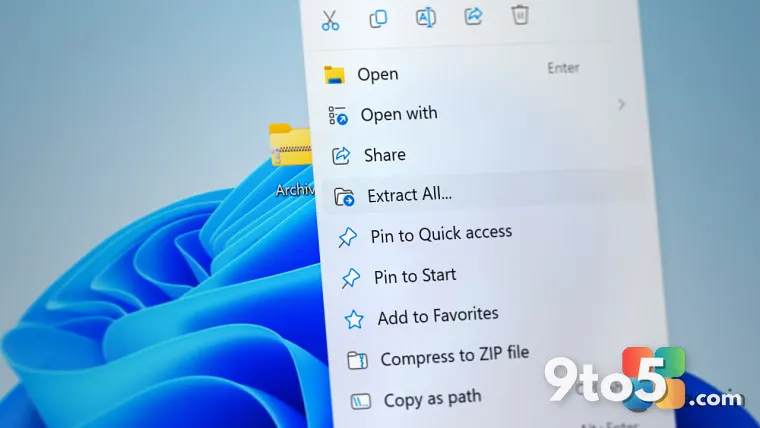
The current context menu in Windows 11 often suffers from performance issues, primarily because both Microsoft’s own applications and third-party programs can inject their own actions and options into the list. This results in a menu that can be slow to load and difficult to navigate, especially when multiple extensions are active. The new design addresses these pain points by prioritizing the most frequently used functions and avoiding the unnecessary loading of all extensions at once.
By adopting a more compact layout, Microsoft is streamlining the user experience, ensuring that essential commands are immediately accessible without the visual noise of redundant options. This approach not only improves performance but also reduces the cognitive load on users, making it easier to find the tools they need quickly. The focus on speed and reliability is a direct response to long-standing user feedback about the menu’s sluggish behavior.
Deep Customization Options
Beyond performance improvements, Microsoft is introducing a robust customization feature that gives users greater control over their context menu. This new functionality will allow users to choose which apps and commands appear in the menu, enabling them to hide specific actions or applications that they rarely use. Additionally, users will be able to reorder these actions and apps, creating a personalized workflow that suits their individual needs.
To facilitate this, a new “Customize” option will be added to the bottom of the context menu. This button will provide easy access to the customization settings, allowing users to modify their menu options and preferences at any time without needing to navigate through complex system settings. This addition underscores Microsoft’s commitment to user autonomy and flexibility in interface design.
Part of the WinUI 3 Overhaul
This update to the context menu is part of a broader initiative by Microsoft to modernize the Windows 11 user interface. The company is in the process of transitioning its applications and system components to WinUI 3, a new framework that replaces legacy code with a more efficient and visually consistent design language. This shift is expected to bring significant improvements in performance, reliability, and overall user experience across the operating system.
The context menu redesign aligns with Microsoft’s goal of creating a more cohesive and responsive Windows 11 experience. By leveraging WinUI 3, the company can implement advanced features and optimizations that were previously difficult to achieve with older technologies. This move is part of a larger strategy to keep Windows 11 competitive and relevant in an increasingly dynamic market.
What This Means for You
For everyday Windows 11 users, this update promises a more efficient and personalized right-click experience. The faster load times and reduced clutter will make navigating files and applications smoother, while the customization options will allow you to tailor the menu to your specific workflow. Whether you are a power user who relies on specific commands or a casual user who values simplicity, this redesign offers improvements that cater to a wide range of preferences.
How to Get It
While the exact timeline for the release of this update has not been confirmed, reports suggest that it could be rolled out as early as this year. Microsoft typically distributes major feature updates through Windows Update, so users can expect to receive the new context menu design as part of a future update. Keeping your system up to date will ensure that you are among the first to benefit from these improvements.
Source: PCWorld
Over to you: Are you ready for a fully customizable right-click menu, or do you prefer the current layout?