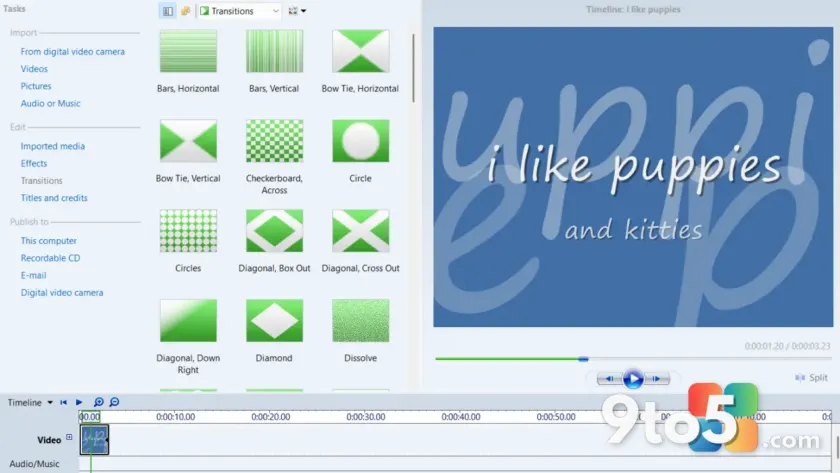
If you spent hours cutting together home videos or school projects in the mid-2000s, you likely remember Windows Movie Maker. For years, Microsoft retired the application, replacing it with Clipchamp and other modern tools that felt fundamentally different. Now, the classic editor is accessible again on Windows 11.
How to get Windows Movie Maker
You cannot find this application in the Microsoft Store today. Instead, you need to download a standalone installer package. This version allows the legacy software to run on current operating systems without requiring complex compatibility shims or virtual machines.
Compatibility and performance
The application runs smoothly on Windows 11. While it lacks modern features like 4K support or cloud integration, the core functionality remains intact. You can still import video clips, add transitions, insert titles, and export finished projects just as you did in the past.
What this means for you
This update is primarily a nostalgia play for users who have old project files (.wmm) that no longer open in modern editors. If you are looking to edit new content, Clipchamp remains Microsoft’s recommended tool. However, if you need to rescue an old memory or finish a decade-old slideshow, the classic Movie Maker is now ready to use.
Source: Neowin
Over to you: Do you still have old .wmm project files that you need to open, or was Movie Maker just a fond memory for you?