Windows 11 continues to refine how users connect to the internet, offering a streamlined experience across multiple connection types. Whether you are on a desktop with a wired connection or moving around with a laptop, the operating system provides tools to manage your network access efficiently.
Supported connection types
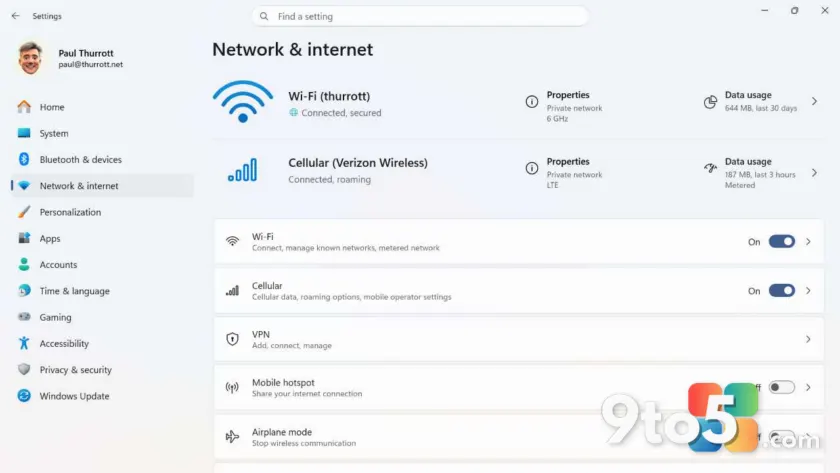
The OS natively supports three primary methods for connecting to the internet: Wi-Fi, Ethernet, and cellular data. This ensures that users can maintain connectivity regardless of their hardware configuration or available infrastructure. Wired connections via Ethernet remain supported for stability, while wireless options cater to mobility.
Mobile hotspot and Airplane mode
Beyond standard connections, Windows 11 includes built-in features for sharing and managing network access. The Mobile Hotspot capability allows you to share your internet connection with other devices, turning your PC into a router. Additionally, the Airplane mode feature provides a quick way to disable all wireless communications when needed.
These tools are integrated directly into the system settings, making it easy for everyday users to toggle between different network states without needing third-party software.
Source: Thurrott
Over to you: Which connection method do you rely on most: wired Ethernet or wireless?