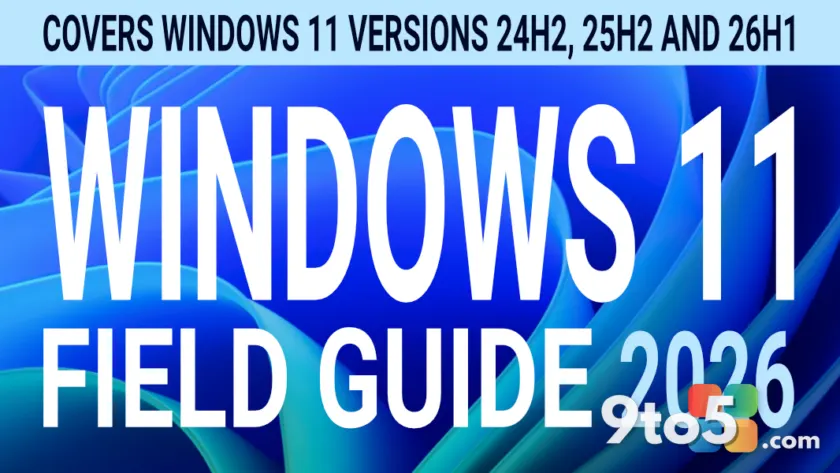
A significant refresh has landed for one of the most comprehensive references available for Microsoft’s current operating system. The Windows 11 Field Guide has been completely rewritten in its latest iteration, marking a major milestone for anyone relying on this resource for deep dives into the OS. This isn’t a minor tweak or a quick patch; it is a full structural overhaul designed to reflect the current state of Windows 11 and prepare readers for what comes next.
What Just Happened
According to the latest announcement from Thurrott.com, the publication has released “Status Update 3,” which confirms that every single chapter within the guide has been rewritten from the ground up. For long-time followers of the publication, this level of overhaul signals a serious commitment to accuracy and relevance in an ecosystem that evolves rapidly. The update moves beyond simple corrections and addresses the guide holistically, ensuring that the information aligns with the latest build numbers, feature sets, and user interface changes.
Why a Complete Rewrite Was Necessary
Windows 11 has undergone substantial changes since its initial release. From UI refinements and taskbar adjustments to underlying kernel updates and security architecture shifts, the operating system is no longer the same product it was years ago. A guide that hasn’t been updated would inevitably contain outdated instructions or misaligned advice, which can lead to configuration errors or wasted time for the reader.
By rewriting every chapter, the author ensures that every tip, configuration note, and troubleshooting step remains accurate. This approach eliminates confusion for users who might otherwise follow obsolete procedures. It also allows the guide to incorporate lessons learned from real-world deployments, addressing common pain points that only become apparent after months of heavy usage. The result is a document that functions as a living reference rather than a static snapshot.
The Significance of the “2026 Edition” Label
Labeling this release the “2026 Edition” suggests a forward-looking perspective. It implies that the content isn’t just a snapshot of today but is structured to remain useful as Microsoft continues to roll out major updates. Whether this involves preparing for potential architectural shifts, addressing upcoming feature parity goals, or simply ensuring compatibility with future cumulative updates, the branding sets a clear expectation: this is a long-term reference.
It also highlights the dynamic nature of the Windows roadmap and the need for documentation that keeps pace with it. In an era where feature drops and policy changes can alter how users interact with their systems, having a guide that anticipates rather than just reacts to those changes adds considerable value. The “2026 Edition” positioning tells readers that the material has been stress-tested against the current and near-future state of the OS.
What This Means for Windows 11 Users
For everyday users, IT professionals, and power users alike, this update means you can trust the information you are reading. The rewritten chapters likely address common friction points, optimize workflows, and clarify complex settings that often confuse newcomers. If you have been using older versions of the guide, you will likely find that certain steps now apply differently or that new sections have been added to cover recent features.
The complete rewrite ensures a cohesive reading experience where every piece of advice builds on the last. It also means that enterprise administrators managing fleets will find updated guidance on deployment and configuration, while home users will benefit from clearer explanations of privacy settings, gaming features, and productivity tools. The guide now serves as a reliable companion for navigating the complexities of Windows 11, offering structured insights that save time and reduce frustration.
How to Access the Updated Guide
The updated content is now available for readers. Those who have been following the “Status Update” series will notice the progression in depth and clarity with each release. If you haven’t checked in recently, this is the perfect time to revisit the material. The guide serves as a comprehensive resource for anyone looking to master their Windows 11 environment, and this overhaul ensures it remains the definitive reference for the foreseeable future. Diving into the new edition will help you make the most of your current setup while staying informed about future developments.
Source: Thurrott.com
Over to you: Are you relying on the rewritten chapters for a specific Windows 11 task, or waiting to see how the new edition handles upcoming feature drops?
You may also like
 Exclusive: First Look at the Lenovo Yoga 9n, the Convertible Laptop Powered by NVIDIA RTX Spark
 AMD Reveals the Radeon RX 9050, But 4GB VRAM Returns for OEM Systems
 Microsoft Reports $90 Billion Revenue and 18% Earnings Growth in Latest Quarter
 Xbox Outage Exposes Flaw: Physical Discs Failed Due to Entitlement Checks