- Status: Resolved
- Affected versions: PowerToys v0.100.0
- Fix version: PowerToys v0.100.1
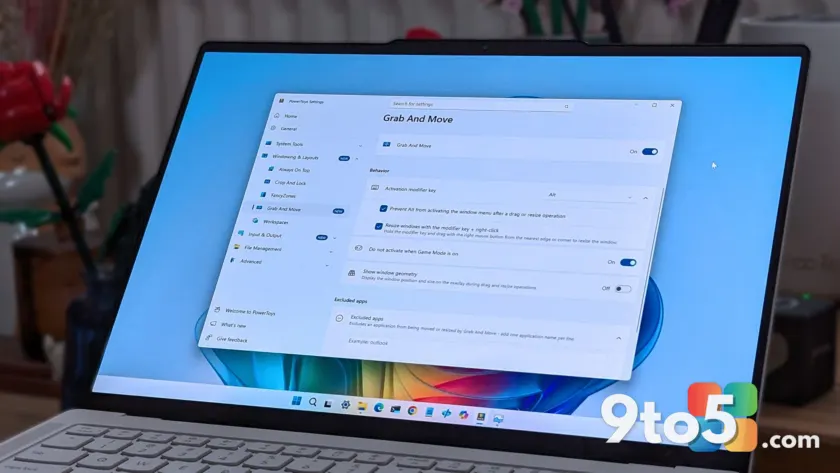
Microsoft has pushed out version 0.100.1 of PowerToys, a maintenance release designed to stabilize the suite following the feature-heavy 0.100.0 update. While minor version bumps often go unnoticed, this patch addresses several functional regressions that broke core utilities for many users.
If you rely on PowerToys for daily workflow enhancements, these fixes restore expected behavior in key management, display control, and system commands. Here is a breakdown of what has been corrected.
#1 Keyboard Manager remapping logic
The most disruptive fix in this update targets the Keyboard Manager module. In version 0.100.0, remapping modifier keys (like Alt or Ctrl) to non-modifier keys caused unexpected system-level events. For example, mapping Alt to Backspace would delete entire words instead of single characters.
This behavior occurred because the remapped keys were incorrectly delivered as system-key events rather than standard input events. Version 0.100.1 corrects this logic, ensuring that custom key mappings behave exactly as configured without triggering unintended application shortcuts.
#2 Power Display monitor wake issues
Users of the Power Display utility reported that monitors would fail to wake from standby when toggled via the software’s interface. Selecting “On” in the monitor power-state control did not send the correct signal to resume display output.
The update resolves this communication gap, allowing external monitors to wake properly from sleep states. Additionally, the fix improves built-in display detection and brightness control for dual-GPU laptops where the internal panel is driven by the discrete graphics card rather than the integrated GPU.
#3 Command Palette and Run history
The Command Palette received several stability improvements. A bug causing the Performance Monitor dock item to display “??? ” after a system restart has been fixed. The Hibernate command, which previously used the incorrect Sleep icon, now displays the proper visual indicator.
Developers also addressed an initialization issue with Run history in Ahead-of-Time (AOT) builds and limited the “pin to dock” dialog to displays where the dock feature is actually enabled. These changes reduce confusion and improve the reliability of quick-launch workflows.
#4 Color Picker, ZoomIt, and Quick Access
Several other utilities saw targeted bug fixes. The Color Picker no longer allows the main window to appear inside the zoomed-in picker view, which previously cluttered the interface. ZoomIt users will find that a race condition affecting audio initialization during video recording has been resolved.
The Quick Access flyout is more stable after fixing crashes caused by unhandled XAML exceptions during launch or page navigation. Finally, the Shortcut Guide now correctly renders number keys in shortcut manifests and includes an updated manifest for Postman.
What this means for you: If you upgraded to PowerToys 0.100.0 recently and noticed erratic key behavior or display control issues, updating to 0.100.1 should restore normal functionality immediately. The update is available via the Microsoft Store or directly from GitHub.
Over to you: Which PowerToys utility do you rely on most for your daily workflow?
You may also like
 Windows 11 Canary builds bring targeted audio driver and settings improvements
 Microsoft drops new Windows 11 builds for June 19, including version 26H2 for Experimental
 Windows Insider builds for June 12: New unified update experience, typo-tolerant search, and 26H1 updates
 Windows 11 Insider builds for June 12: Unified updates, smarter search, and new inbox app notes