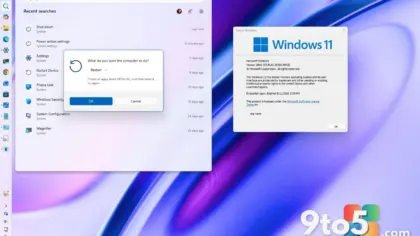
Microsoft has quietly pushed new Windows 11 builds to Insider testers across both the Beta and Experimental channels, with the headline change being a faster, more responsive Settings app.
The update is modest in scope but meaningful for anyone who spends time adjusting system preferences. According to Neowin’s report on the release, Microsoft described the builds as bringing “several features and improvements,” though the specific list beyond the Windows 11 Settings speedup was not detailed in the announcement.
What changed in Windows 11 Settings
The most notable tweak is that the Settings app now loads and responds more quickly. The Settings app is the central hub where you manage nearly everything on a Windows 11 PC—from display and sound settings to network accounts and privacy controls—and it has long been a common target for performance complaints from users.
In practice, a snappier Settings app means less waiting when you open it to flip a quick toggle, switch between light and dark themes, or dig into advanced options like developer settings. Those small delays can compound over a day of use, so even a modest speed boost is something regular users will actually feel.
The Settings app has come a long way since it first began replacing the old Control Panel. Over the past several years, Microsoft has migrated most system controls into it, making it the one place you go to configure your PC. That central role is exactly why its performance matters so much—a sluggish Settings app can make even simple tasks feel frustrating.
It’s worth noting that Microsoft did not publish exact build numbers or a detailed changelog alongside this release. The Settings speedup remains the one concrete detail confirmed so far, so treat the specifics of the other improvements as unconfirmed until Microsoft shares more.

Why the Beta and Experimental channels matter
This update rolled out to two of the four Windows Insider channels. The Beta channel is where Microsoft sends changes to a broad group of testers who run a few weeks ahead of the general public, striking a balance between new features and relative stability. It’s the channel most users should pay attention to if they want a taste of what’s coming next.
The Experimental channel is newer and even more cutting-edge, reserved for features that Microsoft is still refining and that may change, get redesigned, or disappear entirely before reaching everyday users. It’s essentially Microsoft’s lab for the boldest ideas, and it was created so that risky experiments don’t destabilize the more stable channels.
Because these builds are aimed at testers rather than the public, the Settings speedup won’t appear on your PC until Microsoft has validated the change through the Insider program and pushes it toward the Release Preview channel and, eventually, the stable public release.
What this means for you
If you’re not part of the Windows Insider Program, this update is not something you’ll see immediately. But it’s a useful signal for the direction Windows 11 is heading: Microsoft continues to invest in making core system tools feel smoother rather than only chasing big visual overhauls. It’s a reminder that behind-the-scenes polish is still a priority, not just new features.
For Insider testers on the Beta or Experimental channels, the change should arrive with your next scheduled check for updates. If you don’t notice it right away, don’t worry—Microsoft staggers rollouts, and some testers receive builds weeks before others.
How to get the update
To check for the latest Insider build, open the Settings app and navigate to Windows Update. If you’re enrolled in the Beta or Experimental channel, select “Check for updates” and install any available build. You can also switch channels from Settings > System > Windows Insider Program if you want to move between testing tiers.
Keep in mind that channel builds can be less stable than the public release, so if you rely on your PC for critical work, you may want to stay on the more conservative channel or wait for the stable release before jumping on the newest build. Insiders who want early access can opt into the Dev channel, which moves fastest but is the least stable of all.
As more information emerges from the Insider community, the specifics of the remaining improvements should become clearer. For now, the faster Windows 11 Settings is a small but welcome win for anyone who lives in that app.
Source: Neowin
Over to you: Are you part of the Windows Insider Program, or do you prefer to wait for stable builds before updating?