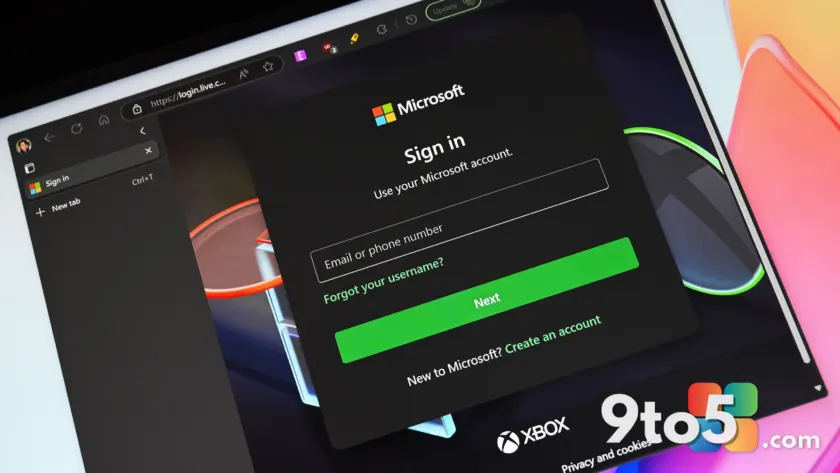
Microsoft has officially begun rolling out support for Google account sign-ins in Microsoft Edge. This change allows users to sync bookmarks, history, and other profile data using their existing Google credentials instead of requiring a Microsoft account.
The feature is part of the version 150.0.4078.48 stable release for Edge. While the capability was previously hinted at in Microsoft 365 Roadmap entries, it is now shipping to users on Windows and macOS devices as a controlled rollout.
#1 Sign in with Google
You can now access the profile menu or the Edge sign-in screen and choose to authenticate via Google. This removes the previous barrier where a Microsoft account was mandatory for syncing browser data across devices.
For enterprise environments, administrators retain control over this feature. The NonMicrosoftAccountSignInEnabled Group Policy allows IT pros to enable or disable Google sign-in capabilities on managed devices. If you do not see the option immediately, it is likely due to the staged rollout nature of the update.
#2 Clarified third-party cookie settings
Microsoft has updated the language within Settings > Privacy, search, and services > Cookies. The new descriptions aim to provide clearer choices for users managing third-party cookies, helping you understand exactly what data is being blocked or allowed.
#3 Enterprise WebView2 downgrade policy
Starting with Edge version 150, enterprises can use the new DowngradeVersion policy to manage the WebView2 Evergreen Runtime. This allows administrators to temporarily roll back specific applications to a previous runtime version (N-1 or N-2) to mitigate critical regressions.
The Edge Updater installs the target version side-by-side, and the WebView2 Loader redirects targeted applications accordingly. These downgrades automatically expire with each new WebView2 release, ensuring systems eventually return to the latest stable runtime.
#4 Intune MAM protected downloads
For users relying on Intune Mobile Application Management (MAM), the protected downloads feature has been updated. Downloaded files are now saved specifically to the ‘Documents > Microsoft Edge > Downloads’ folder within OneDrive, improving file organization and security compliance.
#5 Security alerts and File Explorer updates
Administrators can now opt into a public preview feature that sends security update alerts based on severity thresholds. This helps IT teams identify critical zero-day fixes without being overwhelmed by routine update notifications.
Additionally, the ‘View in File Explorer’ feature has received security enhancements. When triggered by webpages, particularly in SharePoint document libraries, Edge now enforces stricter validation and restrictions to improve overall security.
What this means for you
If you have been hesitant to use Edge because you prefer keeping your browser data tied to your Google ecosystem, this update removes that friction. You can now enjoy Edge’s features while maintaining your Google-centric workflow. For IT professionals, the new WebView2 downgrade policy offers a crucial safety net for managing enterprise applications without disrupting user productivity.
Source: Windows Central
Over to you: Will you switch to signing into Edge with your Google account, or do you prefer keeping your Microsoft and Google data separate?
You may also like
 Winhanced adds built-in store browser to compare game prices across Steam, Xbox, and GOG
 Halo 3 modder creates massive Warzone-style multiplayer experience for PCRufus patches critical Windows 11 install bugs and requirement bypass errorsMicrosoft Teams AI ‘Facilitator’ listens to meetings and answers questions, but stays off by default