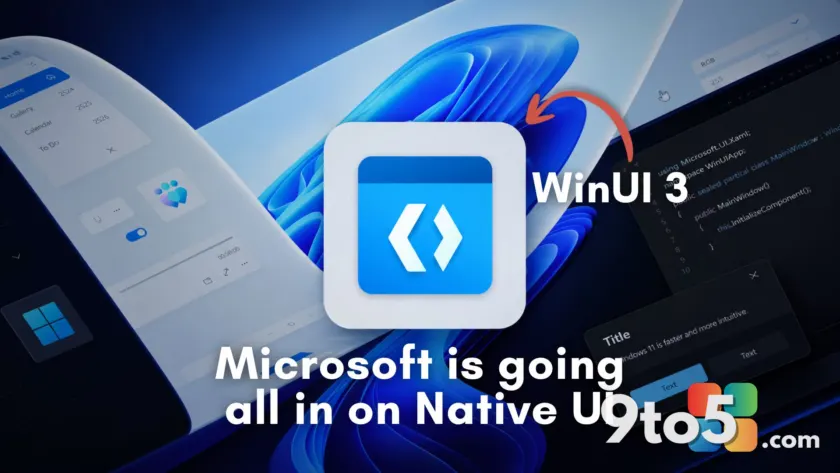
Microsoft has officially confirmed that its push toward a modern Windows interface is moving beyond cosmetic tweaks. The company revealed that the redesigned File Explorer Properties dialog is a complete rebuild in WinUI 3, not merely a styled version of the decades-old Win32 framework. This marks a significant shift in how Microsoft approaches legacy system components, signaling that the Windows 11 WinUI redesign is now a core engineering priority rather than a experimental feature.
For years, Windows 11 users have navigated a fragmented interface where modern Fluent Design panels sit uncomfortably next to dialogs that look like they belong in Windows 95. RAM usage in supposedly native apps has crept upward, and many popular third-party applications have abandoned native development entirely, opting instead for web wrappers because developers no longer trust Microsoft’s commitment to its UI frameworks.
The Properties dialog is a full WinUI 3 rebuild
When we first examined the updated Properties dialog, we found no trace of WebView2 or legacy Win32 elements. Instead, the interface features native WinUI components, including a Pivot-style tab header and the AccentButtonStyle on the Restore button. These are distinct markers of a ground-up rebuild, as they do not exist in the traditional Win32 property sheet.
March Rogers, Microsoft’s Partner Director of Design, addressed questions about the update directly. He confirmed that while the company has implemented dark mode support in some legacy UI areas as a “low risk quick fix,” the long-term strategy is to migrate more of the Windows interface to WinUI 3. This clarification puts to rest speculation that the changes were simply a theme overlay applied to outdated code.
Why the “quick fix” approach caused problems
Microsoft’s admission that legacy dark mode support was a “quick fix” highlights a recurring issue with the current Windows 11 interface. Last December, an update that added dark mode to File Explorer’s legacy dialogs introduced a bug causing the screen to flash white when switching tabs or opening the Details pane. While Microsoft eventually resolved the issue, it demonstrated the instability inherent in patching modern features onto ancient codebases.
By committing to full WinUI 3 rewrites, Microsoft aims to eliminate these inconsistencies. A native rebuild ensures that new features like dark mode, high-DPI scaling, and accessibility improvements are integrated from the start, rather than bolted on later. This approach reduces the risk of visual glitches and improves overall system stability for users who rely on consistent interface behavior.
The broader WinUI migration plan
The Properties dialog is just one piece of a larger migration strategy. Microsoft has already rewritten the file copy dialog in WinUI, and the common file open dialog is next on the list. The Run dialog has also been updated, with Microsoft’s own telemetry showing the new WinUI version loads faster than the Windows 95-era version it replaced, clocking in at 94ms versus 103ms.
However, not all migrations are proceeding smoothly. The Start menu, currently built on React Native components, is being rewritten in WinUI to improve performance and consistency. Yet, the rollout has been delayed due to memory usage concerns. Similarly, the redesigned Windows Search, which made headlines in July, still relies on WebView2 rather than WinUI, highlighting the complexity of fully replacing legacy infrastructure.
Performance hurdles remain
Despite the progress, WinUI 3 still faces performance challenges. File Explorer’s Home tab, built on WinUI, loads noticeably slower than the This PC view, which does not use the framework. Microsoft has acknowledged issues with memory usage and visual tearing in WinUI apps, with fixes rolling out over the summer. The company is also moving WinUI to the Windows system compositor to improve rendering performance.
At Build 2026, Microsoft confirmed it has no intention of building another UI framework, and the company is dropping the “3” from WinUI 3 to signal that the framework is here to stay. This commitment may help restore developer confidence, encouraging more native app development rather than web wrappers.
What this means for you
For everyday users, the Windows 11 WinUI redesign promises a more consistent and visually cohesive experience. You can expect fewer visual glitches, better dark mode support, and improved performance as legacy code is replaced. However, the transition will be gradual, and some components may take longer to update. If you’re running Windows 11, keep your system updated to receive these changes as they roll out, and report any visual anomalies to help Microsoft refine the new interface.
Source: Windows Latest
Over to you: Are you noticing the WinUI 3 changes in your File Explorer Properties dialog yet, or is it still the old look on your system?
You may also like
 The Windows 11 Field Guide Just Got a Massive 2026 Overhaul
 Exclusive: First Look at the Lenovo Yoga 9n, the Convertible Laptop Powered by NVIDIA RTX Spark
 AMD Reveals the Radeon RX 9050, But 4GB VRAM Returns for OEM Systems
 Microsoft Reports $90 Billion Revenue and 18% Earnings Growth in Latest Quarter