Windows 11 users who complained that their operating system felt more restrictive than Windows 10 just got some vindication. Microsoft confirmed at IFA 2026 that it is expanding Windows 11 customization options, bringing back capabilities that were stripped from the OS at launch — and the company is openly crediting user feedback for the change.
Speaking at its IFA 2026 presentation, Microsoft executive Linton said the company is doubling down on personalization. “We’re helping users customize their machine more,” Linton said. “If you like your taskbar in the left-hand side or up the top, you can do that again.” The emphasis on “again” is telling: these are not brand-new features, but ones Windows 10 users had and Windows 11 owners lost.
The keynote also touched on performance and AI. Microsoft promised faster boot times and a smaller overall memory footprint, aiming to make PCs with 8GB of RAM feel responsive again. Separately, the company signaled fewer Copilot buttons going forward, shifting focus toward running AI models locally on capable hardware. But the customization announcements are the ones that directly address years of user frustration.
The movable taskbar is coming back
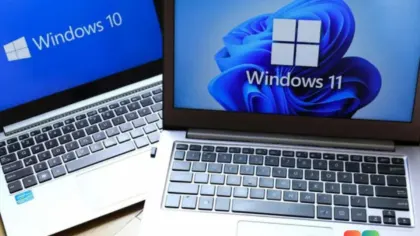
When Windows 11 launched in 2021, Microsoft marketed it as one of its best and most secure operating systems. In practice, though, the debut was rough, and several basic Windows 10 capabilities were simply gone. The rebuilt taskbar was the most visible casualty: it dropped the ability to drag the taskbar to the top, left, or right side of the screen.
For years, Microsoft defended the streamlined design. The company argued that allowing a movable taskbar could disrupt the flow of its animations and transitions. It also took months before Windows 11 regained the ability to drag and drop files between apps using the taskbar.
Now the pendulum is swinging back. Microsoft says the movable taskbar is returning with the September 2026 update. The company declined to say what changed internally that would make the feature viable now when it wasn’t five years ago.
A resizable Start menu
Alongside the taskbar changes, Microsoft is adding the ability to resize the Start menu. Over the past few years, the Start menu has grown noticeably larger, and users have pushed back against the fixed sizing options.
Currently, Windows 11 offers just three choices: Small, Large, or Adaptive. You can’t grab an edge and drag the menu to an arbitrary size the way you could in Windows 10. The new resize capability is meant to close that gap, though Microsoft hasn’t confirmed whether it will allow freeform dragging or stick to preset sizes.
Windows 10 still did it better
Even with these additions, Windows 11 customization won’t fully match the Windows 10 experience. In Windows 10, you could right-click the taskbar, unlock it if necessary, then simply hold and drag it to any edge of the screen. Resizing meant hovering over the taskbar’s edge and dragging. The Start menu worked the same way — hover a border and drag it to your preferred dimensions.
In Windows 11, repositioning the taskbar requires digging into Personalization settings and selecting a preferred position from a menu. There’s no direct-drag workflow. The same limitation applies to the Start menu, where you’re limited to preset sizes rather than free adjustment.
Based on how the Start menu is currently built, it’s unlikely Windows 11 will ever gain true freeform resizing. So while the new options are a genuine step in the right direction, users who simply miss the raw flexibility of Windows 10 should temper their expectations.
What this means for you
If you’ve been frustrated by Windows 11’s rigid layout, the September 2026 update is worth waiting for. The ability to place your taskbar wherever you want and adjust the Start menu’s size addresses two of the most common complaints from the past several years. It also signals that Microsoft is finally treating user feedback as a priority rather than an afterthought.
That said, if you genuinely prefer the drag-anywhere flexibility of Windows 10, no amount of new settings will fully recreate that feel. Windows 11 is being refined, not reverted.
How to get it
The movable taskbar is slated to arrive with the September 2026 update. To check for the latest Windows 11 update, open Settings, go to Windows Update, and select Check for updates. If your PC is already on the current feature update, the new taskbar and Start menu options should appear once they roll out to your channel. Enterprise admins managing a fleet should monitor the appropriate release channel and test in a pilot group before broad deployment.
Source: Windows Latest
Over to you: Will you wait for the September 2026 update to bring back the movable taskbar, or are you sticking with Windows 10?