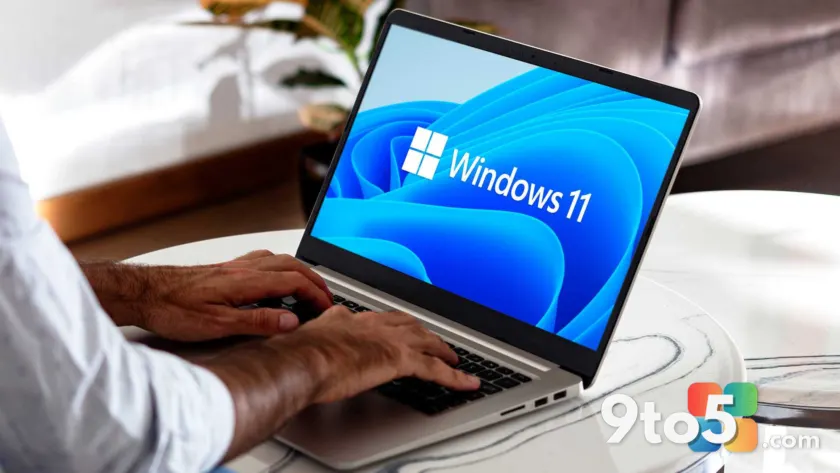
Microsoft has officially acknowledged a persistent issue affecting Windows 11 users: native apps are consuming more RAM than necessary, leading to noticeable system slowdowns. In response, the company has outlined a clear path to resolve this through significant optimizations to the WinUI 3 framework, setting the stage for a major performance update.
According to reports from Windows Latest, Microsoft intends to tackle this Windows 11 RAM usage problem by refining the underlying architecture before rolling out broader changes. The priority is to stabilize memory management within WinUI 3, ensuring that future updates, including a complete rewrite of the Start menu, can be deployed without exacerbating existing performance bottlenecks.
The WinUI 3 Memory Problem
WinUI 3, the modern UI framework designed to replace older technologies like WPF and WinForms, has been the backbone of Windows 11’s visual overhaul. However, as Microsoft shifted native applications to this new framework, users began reporting higher memory consumption. This issue is particularly pronounced on low-spec devices, where every megabyte of RAM matters for smooth multitasking and responsiveness.
At the Build 2026 developer conference held in June, Microsoft first addressed these concerns by announcing targeted changes to WinUI aimed at reducing memory overhead. These adjustments are foundational, allowing the team to optimize resource allocation before undertaking larger projects such as reprogramming core system elements like the Start menu and Settings app.
The decision to prioritize memory optimization reflects Microsoft’s broader strategy to ensure Windows 11 runs efficiently across a wide range of hardware, from high-end gaming rigs to budget-friendly laptops. By addressing these inefficiencies early, Microsoft aims to prevent the kind of performance degradation that can erode user confidence in a new operating system.
Chris Anderson’s Roadmap
Chris Anderson, a developer on Microsoft’s Windows UI team, provided further details on the company’s approach. He emphasized that upcoming improvements will focus on three key areas: performance, fundamentals, and quality. These enhancements are designed to pave the way for more ambitious projects, including the highly anticipated rewrite of the Start menu using WinUI 3.
Anderson highlighted that Microsoft has already invested heavily in improving memory usage, noting that the team has switched to a system compositor. This shift is expected to yield additional performance gains by allowing the GPU to handle rendering tasks more efficiently, reducing the load on the CPU and freeing up RAM for other applications.
The company also confirmed that these performance improvements are available in their public Git repository, allowing developers and enthusiasts to test and provide feedback. This transparency aligns with Microsoft’s ongoing efforts to engage the developer community in shaping the future of Windows.
System Compositor and Performance
The move to a system compositor is a significant technical change that could have far-reaching implications for Windows 11 performance. By delegating rendering tasks to the GPU, Microsoft can reduce the overhead associated with CPU-based rendering, which has historically contributed to higher RAM usage in native apps.
This change is part of a larger trend in modern operating systems, where hardware acceleration is increasingly used to optimize resource usage. For users, this means that Windows 11 should feel more responsive, with faster app launches and smoother transitions between tasks, even on devices with limited memory.
While Microsoft has not provided specific figures on the expected reduction in RAM usage, the company’s internal testing suggests that these optimizations will make a noticeable difference. Users on low-spec PCs should experience a smoother overall experience, with less memory contention and improved multitasking capabilities.
What This Means for You
For everyday Windows 11 users, this announcement is a positive step toward addressing long-standing performance concerns. If you’ve noticed your system slowing down when using native apps like the Start menu, Settings, or File Explorer, these optimizations could help alleviate those issues. The improvements are particularly beneficial for users with 8GB of RAM or less, where memory efficiency is critical.
While the changes are still in development, the direction Microsoft is taking suggests a commitment to making Windows 11 more efficient across the board. Users can expect to see these improvements rolled out in upcoming updates, with the new Start menu serving as a flagship example of the optimized WinUI 3 framework.
How to Get It
Microsoft has not yet announced a specific release date for these performance optimizations. However, given the timeline discussed at Build 2026, users can expect to see incremental improvements in upcoming Windows 11 updates. Keeping your system up to date through Windows Update will ensure you receive these enhancements as they become available.
For developers and enthusiasts interested in testing these changes early, the improvements are available in Microsoft’s public Git repository. This provides an opportunity to explore the new memory management techniques and provide feedback to help refine the final implementation.
Source: Windows News, Reviews, Advice & Deals | PCWorld
Over to you: Will you notice a difference in performance once Microsoft rolls out these WinUI 3 optimizations?
You may also like
 HP CFO Confirms Windows 10 Market Share Holds at 30 Percent — Here’s What It Means
 Microsoft Is Finally Caring About Windows Again After Years of Cloud and AI Distractions
 Major Xbox Services Outage Disrupts Store, Games, and Online Play
 Open Secure AI Alliance Launched by Nvidia, Microsoft, and Tech Giants to Boost AI Safety