The conversation around Microsoft’s Global Device Identifier, or GDID, has taken another sharp turn after a widely shared technical defense was publicly corrected. The identifier first drew intense scrutiny after it helped the FBI trace alleged Scattered Spider hacker Peter Stokes across three countries, bypassing his VPN entirely. Coverage of that case, including a detailed breakdown on Linus Tech Tips’ WAN Show, reached a broad audience and prompted a direct response from Dave Plummer, the former Microsoft engineer behind Task Manager, Windows Pinball, and Windows Product Activation.
Plummer quote-reposted a clip from the podcast attempting to defend his former employer with a technical rebuttal. The X community, backed by platform-generated fact checks, pushed back hard. The exchange highlighted a persistent confusion between two entirely different identifier systems, and it also exposed how little visibility the average Windows user has into the background services that run on their machines.
The Exchange on X
The WAN Show segment that sparked the debate featured host Linus Sebastian calling the tracking mechanism a serious privacy problem, while co-host Luke Lafreniere discussed his own migration toward Linux. An X user clipped the segment with a caption noting that Microsoft had effectively admitted to using a global unique device identifier to track a user across three countries, which they argued negated the value of using a VPN on a Windows machine.
Plummer responded with a lengthy technical denial, opening with a self-aware jab about content creators prioritizing drama over accuracy. His argument centered on GUIDs, not GDID. He explained that a Windows Identifier generated with CoCreateGuid, Guid.NewGuid(), or UuidCreate() on modern Windows cannot be traced back to a MAC address, since Microsoft deliberately removed that capability from the default function.
He contrasted this with UuidCreateSequential(), which produces version 1 UUIDs that do embed a MAC address in their last 12 characters. He broke down the format with a concrete example, pointing to the trailing segment as the exposed node ID. Every individual claim he made about UUID generation checks out against Microsoft’s own documentation for UuidCreateSequential, which confirms the sequential variant exists precisely to bring MAC-based generation back for legacy compatibility.
However, his explanation missed the actual subject entirely. The identifier discussed in the original report has nothing to do with GUIDs or MAC addresses. X’s Community Notes caught the discrepancy immediately, clarifying that the identifier in question is Microsoft’s GDID, formatted as a lowercase g followed by a decimal number. It is a server-assigned, account-linked ID, not a locally generated version 1 UUID. The note cited Microsoft’s Azure Monitor documentation and an independent technical breakdown hosted on GitHub to support the correction.
Other commenters with deeper networking expertise added further context, explaining that the tracking mechanism relies on creating a unique ID that acts as a persistent join key across different activities. Because that identifier phones home to Microsoft and gets logged server-side, it can be correlated across sessions regardless of network changes.
Plummer eventually acknowledged the mismatch. His follow-up post admitted he was discussing machine identification via GUID while the original clip was addressing GDID, and he noted he should have watched the full WAN Show segment before inferring from a summary. He also mentioned he was about to community note his own post to prevent further confusion.
Why GDID Is Not a GUID
Both identifiers show up in Windows internals, both serve as unique markers, and both can appear as long numeric strings in certain contexts. That surface-level similarity is exactly why the confusion persists, even among people who have worked inside Microsoft for years.
A GUID, or universally unique identifier in broader computing terminology, is a 128-bit value generated locally by the operating system using a deterministic algorithm. Windows does not need to contact Microsoft to hand you one. Depending on which function creates it, a GUID might be pure random noise, might be derived from a timestamp, or, in the sequential variant Plummer described, might embed a real MAC address. Software uses GUIDs constantly for file identifiers, database keys, COM object registration, and general software identifiers, and most of them say nothing about which physical machine created them.
GDID operates on a completely different architecture. It is a 64-bit Device PUID, or Passport Unique ID, assigned by Microsoft’s login servers the moment Windows provisions itself against a Microsoft Account. The value that surfaced in the Stokes complaint, formatted as g:6755467234350028, converts to a 64-bit number in hexadecimal, not the 128-bit format a GUID would use. It is also formatted with a lowercase g and a colon, not the dashed hex blocks a GUID uses.
The chain behind GDID runs through a specific set of Windows services. The Microsoft Account service, wlidsvc, communicates with login.live.com and receives a Device PUID back in the server response. That value gets written to the registry in plain text at HKCU\SOFTWARE\Microsoft\IdentityCRL\ExtendedProperties. The Connected Devices Platform, the background service that powers Phone Link and Nearby Share, reads it and registers it into Microsoft’s Device Directory Service. Delivery Optimization then reports that value back to Microsoft as UCDOStatus.GlobalDeviceId whenever a PC shares or downloads update data peer to peer.
How Investigators Linked a Hacker to a Device
The Stokes case demonstrates exactly why the distinction between a local GUID and a server-assigned GDID matters for both privacy advocates and law enforcement. Investigators traced a May 2025 attack on a US jewelry retailer to an ngrok account created from a VPN proxy address, which initially appeared to be a dead end.
Microsoft’s records showed a device carrying GDID g:6755467234350028 visited the ngrok signup page at the exact minute the account was created. Three hours later, the same device visited the retailer’s own website through the same proxy. That gave investigators a persistent device marker to follow instead of an IP address that could rotate with every connection.
From there, agents matched that GDID’s IP history against known logins to Stokes’ Snapchat, Apple, and Facebook accounts across Estonia, New York, Thailand, and a Ubisoft game login, spanning roughly eight months. No single data point proved anything independently. The pattern emerged only when investigators correlated the device marker across multiple platforms and geographies, ultimately locating the suspect.
The Anti-Piracy Lineage Behind the Identifier
Microsoft did not build GDID to track hackers. The system traces its roots directly to Windows Product Activation, the anti-piracy mechanism Microsoft introduced with Windows XP in 2001. That original system binds a license to a specific machine configuration and verifies it against Microsoft’s servers whenever hardware changes significantly.
GDID is the modern descendant of that concept, extended to cover Microsoft Store purchases, UWP app licensing, and Delivery Optimization’s peer-to-peer update sharing. The Massgrave group, which maintains the popular Microsoft Activation Scripts project, explained on X that Windows setup sends hardware information to Microsoft during installation and receives identifiers back, the same tokens later used for Store access and activation checks. Their conclusion noted that preventing Windows from receiving a GDID would break activation and UWP applications entirely.
Anyone who has lost a Windows license after swapping a motherboard has already experienced a smaller version of this system in action. The technical justification for a persistent device identifier is legitimate, but it does not explain why Microsoft kept the mechanism out of consumer-facing documentation, or why there is no way to view or reset it from Settings the way Apple and Google allow users to manage their own device identifiers.
Can You Actually Turn It Off?
Independent testing by French tech blog Korben found that disabling Windows’ standard telemetry toggles does not stop a GDID from being reported. On a test virtual machine with telemetry services already stopped, the GDID remained present in the registry, readable, with the reporting services running at full speed. This happens because GDID does not travel through the diagnostic telemetry pipeline targeted by most privacy settings. It routes through the Connected Devices Platform and Delivery Optimization instead, which is also why deleting the registry key produces no lasting effect.
The Microsoft Store re-downloads the same value within seconds of deletion, because the number was never truly stored on the machine to begin with. It is stored at Microsoft, and your PC is simply fetching a copy whenever it needs to verify licensing or coordinate peer-to-peer updates.
macOS uses similar persistent identifiers for licensing, activation, and ecosystem syncing, but handles them differently. Every Mac has a fixed, permanent Hardware UUID generated directly from the logic board, which Apple links to your Apple Account for features like device management, Activation Lock, and push services. Unlike Microsoft’s server-assigned GDID, Apple strictly isolates this hardware identifier from third-party developers to prevent cross-app tracking. For background telemetry and privacy-sensitive features, macOS uses randomized, ephemeral tokens instead of a persistent, account-linked ID.
Apple does maintain a Directory Services Identifier, or DSID, tied to an Apple ID that security researchers found travels with App Store analytics data even when users disable analytics sharing. Neither Microsoft nor Apple publishes a clear policy on when they proactively hand these identifiers to law enforcement, a transparency gap that applies equally to both companies.
What This Means for You
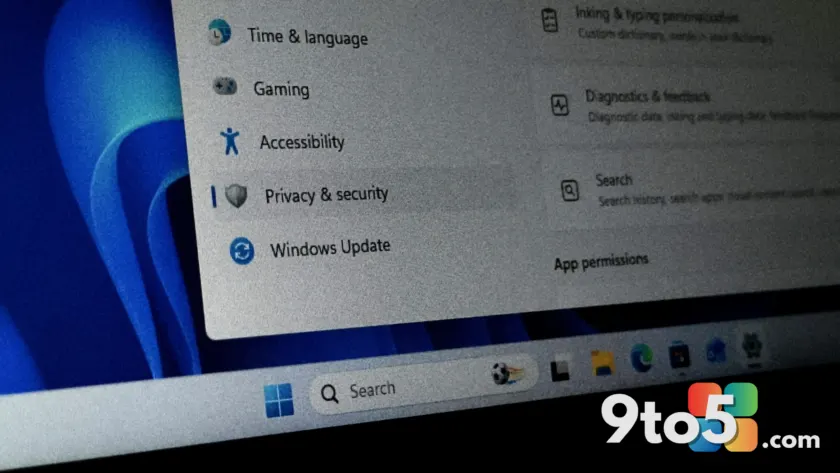
The core takeaway from the Plummer exchange is that Windows 11 ships with a persistent, server-assigned device marker that survives VPN changes, survives registry edits, and survives OS reinstalls only if you sign back into the same Microsoft Account. It is not a MAC address leak, it is not a GUID, and it is not something you can toggle off through the standard privacy dashboard.
For everyday users, this means your Microsoft Account is permanently tied to a specific device fingerprint the moment you sign in. That fingerprint routes through Phone Link, Delivery Optimization, and the Microsoft Store. If you switch hardware, you will receive a new GDID, but your account history will remain linked to the old one on Microsoft’s servers.
The identifier also has a legitimate operational purpose. It prevents license theft, enables peer-to-peer update sharing, and helps Microsoft correlate devices across its ecosystem. The friction comes from the lack of transparency, not the existence of the identifier itself. Users cannot view it, reset it, or opt out of the services that depend on it without breaking core functionality.
What to Do About It
If you want to minimize the visibility of your device to third-party networks, the most practical step is to stop using a Microsoft Account for local sign-in and switch to a local offline account. This prevents wlidsvc from contacting login.live.com and assigning a GDID in the first place. You will lose access to the Microsoft Store, Phone Link, and cloud sync, but you will also remove the primary trigger for the identifier.
For users who need to stay signed in, adjusting Delivery Optimization to restrict peer-to-peer sharing to local networks only will reduce how often your GDID is reported as UCDOStatus.GlobalDeviceId. You can find this under Network & Internet > Delivery Optimization > Allow downloads from other PCs, then switch to Local Networks only.
Microsoft has spent the past year publicly committing to Windows 11 quality and privacy improvements after earlier backlash over Recall and aggressive Copilot integration. The company has made measurable progress on performance and reliability, but persistent device identifiers like GDID remain firmly in the background, untouched by those transparency initiatives. Until Microsoft publishes a dedicated policy for how it handles device identifiers with law enforcement, or provides a user-facing toggle for the services that depend on GDID, the identifier will continue operating exactly as it does today.
Source: Windows Latest
Over to you: Will you be switching to a local account to avoid GDID assignment, or do you consider the identifier a necessary trade-off for Microsoft ecosystem features?
You may also like
 Ubisoft and Microsoft Expand Partnership: Xbox Players Get Free PC Games
 Microsoft Office Users Angry Over Persistent In-App Ads in Word, Excel, and PowerPoint
 Free Ubisoft Xbox PC Games Now Available for Xbox Console Owners
 Microsoft Unveils MAI-Cyber-1-Flash and Project Perception to Challenge Anthropic in Cybersecurity