Dave Plummer, the retired Microsoft engineer responsible for building Task Manager and helping ship Space Cadet Pinball, has recreated the classic Notepad experience in an executable that weighs in at roughly 2.5 kilobytes. The project, named TinyRetroPad, demonstrates how much functionality can be achieved when developers rely on the operating system’s existing infrastructure rather than bundling their own frameworks.
Despite its microscopic size, TinyRetroPad includes essential features like Open and Save dialogs, Find and Replace, printing support, font selection, word wrap, and a prompt for unsaved changes. It serves as a stark contrast to the modern Windows 11 Notepad, which has grown significantly in size and complexity over recent years.
How TinyRetroPad fits an entire text editor into 2.5KB
Plummer explains that this isn’t magic; it’s efficient use of the Windows API. A mature operating system like Windows already contains the window manager, menu systems, common dialogs, clipboard handling, and printing infrastructure. A tiny native program doesn’t need to reinvent these wheels—it just needs to call them.
As Plummer puts it, the app “arrives with a lunchbox and a map of the city.” TinyRetroPad is a fork of Matt Power’s Dave’s Tiny Editor, built on tiny.asm, a project Plummer wrote years ago to determine the smallest possible complete Windows application. It acts as a thin wrapper around RICHEDIT50W, the rich text control Windows has supported for decades.
This single control handles drawing characters, managing the cursor, handling selections, cut/copy/paste operations, and undo history. Early versions used the simpler EDIT control and reached just 890 bytes, though aggressive compression triggered false positives in Windows Defender. Later iterations switched to RICHEDIT for better font support (including Courier) and larger file handling, settling at 981 bytes before adding menus.

The growth of the executable reveals the cost of each feature:
- Adding the File menu increased the size to 1,375 bytes.
- The unsaved changes prompt, requiring a dirty flag and close logic, pushed it to 1,622 bytes.
- Find and Replace functionality brought the total to 2,143 bytes.
- Printing support was the largest addition, finalizing the build at 2,476 bytes.
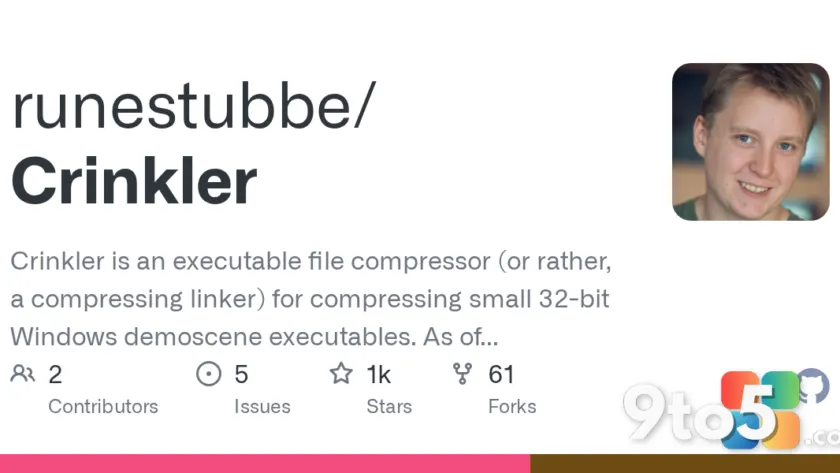
A critical component of this efficiency is Crinkler, a compression linker from the demoscene. Crinkler squeezes and rearranges the executable code, often making repetitive code compress better than complex lookup tables. This means that sometimes adding a feature adds zero bytes to the final file size if the new code compresses well.
Why modern Notepad feels bloated by comparison
The contrast between TinyRetroPad and the current Windows 11 Notepad highlights significant bloat in modern app development. The notepad.exe on a typical Windows 11 install is about 352KB, with an installed footprint closer to 808KB. However, that executable is merely a stub pointing to a UWP and WinUI app that totals roughly 5MB on disk. Compare this to the original XP-era Notepad, which was about 65KB in total.
While features like tabs and autosave were welcome additions, recent updates have expanded Notepad’s scope beyond simple text editing. In June 2025, Microsoft added Markdown formatting support, leading users to note that Windows already had WordPad for rich text before its retirement. By August, the right-click menu had become so cluttered with Copilot options that Microsoft redesigned it just to make basic cut and paste functions findable again.
Further additions included a “Create a table” tool in January 2026 and image support in February, both built on the Markdown engine. This feature creep has real security implications. In February 2026, Microsoft confirmed an 8.8-rated remote code execution flaw (CVE-2026-20841) where a malicious Markdown link could execute code with the victim’s permissions. A plain text editor without link handling would never face this vulnerability.

The broader argument about Windows efficiency
Plummer’s project isn’t intended for daily use—it requires assembly via MASM and Crinkler, and it can trigger antivirus warnings. Instead, it serves as a proof of concept showing how much untapped potential exists within Windows itself. Modern app development often defaults to bundling every dependency, ignoring the robust libraries already present in the OS.
This inefficiency isn’t limited to Notepad. In a recent test, Windows Latest found that Windows 11’s modern Media Player took several seconds to open videos and used 377MB of RAM while idle. The legacy version, despite predating HEVC support, opened videos instantly and used only 103.4MB of RAM. Windows 11 LTSC (Long-Term Servicing Channel) still ships the classic Notepad without Copilot or Markdown features, preserving the simplicity many users miss.
The takeaway for everyday users is clear: while modern interfaces are visually appealing, they often come at the cost of efficiency and security. Plummer’s TinyRetroPad reminds us that Windows has always been capable of running lightweight, powerful applications without needing heavy frameworks or constant internet connections.
Source: Windows Latest
Over to you: Do you prefer the simplicity of classic Windows apps, or do you find the new features in modern Notepad worth the extra resource usage?
You may also like
 Rumor: GTA 6 may hit 60 FPS on Xbox Series S with dual performance modes
 Xbox reportedly pulled funding from Assassin’s Creed creator’s new game
 Cyberpunk 2077: Edgerunners 2 trailer drops, confirms Fall 2026 Netflix release
 Assassin’s Creed Black Flag Resynced: Xbox Series X hits 60 FPS, Series S stuck at 30