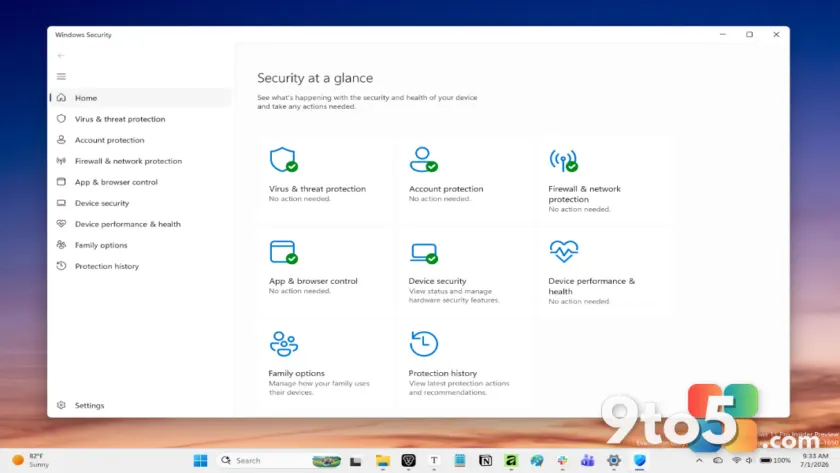
Microsoft has integrated a robust layer of defense directly into the operating system kernel and user space for Windows 11. Rather than forcing users to hunt down third-party antivirus software or configure complex firewalls, the OS ships with a full suite of security utilities designed to work seamlessly in the background.
Automatic protection by default
The core philosophy behind Windows 11’s security architecture is simplicity for the end-user. Most of these services operate automatically, monitoring system activity and network traffic without requiring constant manual oversight. This means that right out of the box, your device is already protected against many common threats.
While advanced users can tweak settings via Group Policy or the Windows Security dashboard, the default configuration is tuned to provide strong protection for everyday tasks like web browsing, email, and file management. You generally do not need to intervene unless you are troubleshooting a specific alert or managing enterprise-level policies.
What this means for you
For the average Windows user, this translates to peace of mind without the technical headache. You can rely on Microsoft’s built-in tools to handle malware detection, firewall management, and device integrity checks. While staying vigilant with passwords and updates is still important, the heavy lifting regarding system-level security is already being done for you.
If you have been relying on separate antivirus programs since Windows 10, it may be worth reviewing whether Windows Security alone meets your needs in Windows 11, as the integration has become significantly tighter and more comprehensive.
Source: Thurrott
Over to you: Do you stick with Windows Security or prefer a third-party antivirus solution on your PC?