- Status: Confirmed
- Affected versions: Windows 11 (post-recent update)
- Issue: GIFs no longer load in Emoji Panel
If you’ve tried to insert a GIF into a chat or document recently, you may have noticed the feature simply doesn’t work anymore. The Windows 11 emoji panel, which previously allowed users to browse and insert animated GIFs alongside standard emojis, has stopped loading these files for many users.
Why GIFs disappeared
Microsoft has acknowledged that this is not a user error but rather a side effect of a recent system update. The company confirmed that changes introduced in the latest patch inadvertently broke the integration between the emoji panel and the GIF service. This means the feature was disabled or failed to initialize correctly for users who received the update.
This isn’t an isolated glitch; it’s a widespread issue tied directly to the update cycle. Users who updated their systems recently are most likely to encounter this problem, as the underlying code responsible for fetching and displaying GIFs was affected by the changes.
How to fix the issue
Microsoft has provided guidance on how to restore GIF functionality. While a permanent patch may be included in a future cumulative update, users can currently resolve the issue by ensuring their system is fully up to date with the latest fixes or by manually triggering a repair of the emoji panel components.
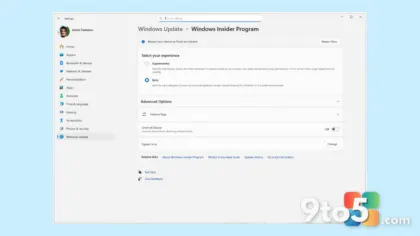
In many cases, simply restarting the Windows Explorer process or signing out and back into your Microsoft account can refresh the service connection. If the problem persists, checking for pending optional updates in Windows Update may also help, as Microsoft often pushes targeted fixes for specific features through these channels.
What this means for you
For everyday users who rely on GIFs to add humor or context to messages, this breakage is a minor but annoying inconvenience. The fix is straightforward, and Microsoft’s transparency about the cause helps reassure users that their system isn’t malfunctioning due to local corruption.
We recommend keeping an eye on Windows Update for the next cumulative patch, which should permanently resolve the integration issue. Until then, using alternative methods to insert GIFs—such as downloading them directly or using third-party apps—may be necessary if the quick fixes don’t work immediately.
Source: Neowin
Over to you: Do you frequently use GIFs from the emoji panel, or do you prefer other methods for inserting them?
You may also like
 Microsoft confirms WSL 3 isn’t real, but WSL Containers are arriving next week