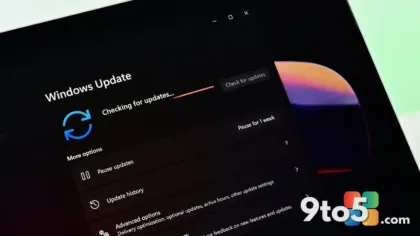
Microsoft has rolled out its October 2026 Windows patches, landing on schedule for another Patch Tuesday with security updates across the supported Windows 11 versions. According to AskWoody’s coverage of the release, this month’s batch stands out for the number of vulnerabilities it addresses, and it carries a couple of caveats worth checking before you click update.
Here is what changed and what it means for your machine.
What is on offer this month
The headline update for this cycle is KB5127648, which covers Windows 11 26H2, 25H2, and 24H2. That is a broad reach, since these three versions together make up the bulk of actively supported Windows 11 installations today. Covering three version numbers in a single update is fairly typical for Patch Tuesday, as Microsoft tends to bundle the same security fixes across every version it still supports.
Microsoft described the release as a “big one” in terms of vulnerabilities patched. Patch Tuesday updates normally split between security bulletins and non-security quality fixes, and this month’s emphasis fell clearly on the security side. That means this is the kind of update you should prioritize over the usual optional quality drop, since it closes holes that attackers could otherwise exploit.
KB5127648 and the audio known-issue fix
For anyone running the 26H2, 25H2, or 24H2 builds, KB5127648 is the package to install. AskWoody flagged one concrete item in the changelog: a known audio issue that this update resolves.
Known issues are problems that sometimes surface after a prior update and then require a follow-up patch to fix. Microsoft tracks these separately from the security vulnerabilities, listing them so users know a fix is coming. Listing an audio problem as fixed here means users who had been affected should see it cleared once this update is applied, restoring sound output that may have been missing or garbled before.
The ReFS warning to read first
There is one group of users who should read the full changelog before installing: those who run ReFS (Resilient File System) on removable media.
ReFS is Microsoft’s modern, resilience-focused file system. While it is the default on Windows Server, it can also be enabled on consumer and Pro editions of Windows 11 for external drives and other removable storage, often chosen for its protection against data corruption. AskWoody specifically called out that this month’s patch touches something related to ReFS on removable media, so if that describes your setup, review the details before updating to avoid an unexpected change to how your external volumes behave.
24H2’s deadline for Consumer/Pro
According to the release notes, this is also the last day for Consumer/Pro 24H2 updates. If you are still on the 24H2 Consumer or Pro edition, treat this as your window to bring that version up to date before the path forward shifts. Keeping an older version current matters because security patches stop arriving once a version ages out of support.
What this means for you
For most users, the takeaway is simple: this is a security-focused Patch Tuesday, and if you have not updated yet, it is worth doing so soon. The audio fix and the ReFS note are the two items that could affect you specifically, so skim the changelog if either applies to your setup. Everyone else can simply install KB5127648 and move on.
How to get it
The updates arrive through Windows Update. Open Settings > Windows Update and select Check for updates. Install any pending security or quality updates, then restart your PC to finish applying them. If you manage a fleet of machines, you can also push these through your usual management channel, such as Windows Update for Business or Intune, keeping the same KB5127648 identifier.
Source: AskWoody
Over to you: Are you running ReFS on an external drive, or just installing KB5127648 for the security fixes?